
hppbldbofhjnhlpcnkdipgjkcefkgkpm


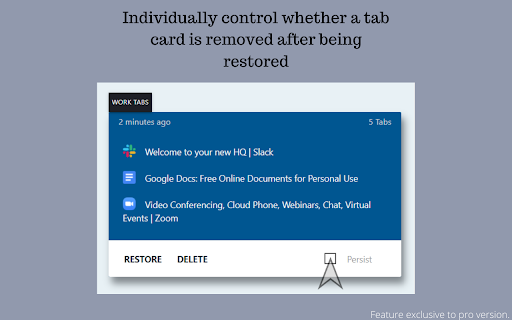

Set aside your currently open tabs to quickly reopen them later. Lets you easily save your currently open tabs to quickly restore them later. ACCOLADES:- Featured on Product Hunt as the #4 Product of the Day. The best extension of its category just got a whole lot better. With all these improvements, 'Save Chrome Tabs For Later' is a must have extension for anyone who wants to be more productive with their tabs. Now you don't have to worry about not being able to get through all the important tabs that you have opened because you have to sleep, go to work etc. Just set these tabs aside in one click and when you come back you can quickly access them all. No more reading through your browsing history to figure out what stuff was left to go through. You won't miss any important info you clicked on but could not get to. When your family members/friends interrupt your browsing session to take over, you don't have to worry if they accidentally close your tabs/window. Just set your tabs aside and later you can fire them up at once in the same order you were using them.

Save my Tabs
The Save my Tabs is an extension that with one click can save all open tabs in your browser. After the click, you have the option of: - Select the tab you want to save - Save to Favorites choosing the directory to be saved or creating a new directory. - Copy to clipboard, which allows it to where you want to paste the links and can send it by email, message, etc.. In addition to saving the tabs that are open in your browser, Save my Tabs has the capability to open multiple tabs content from a list of URL's. You can select a list of URL's and with the right mouse button to choose "Open links in new tabs." by SG Web and Monteverde.

Tabox - Save and Share Tab Groups
Save your open tabs into collections and reopen them whenever you want in a single click! Tabox lets you save all open tabs in the current window to a "Collection". You can click on the collection to open all tabs instantly! The extension's export and import feature is especially useful for working teams that need to share list of work URLs. Want to help support Tabox? Checkout our sponsorship page! https://tabox.co/sponsorship/ Additional Features: - Save all your open tabs and tab groups to a collection - Save all windows at once! - Allow auto updating of collections once you open them (enable in settings) - Assign colors to collections for easier sorting and categorization - Export / import collections - Sync your collections across multiple devices using Google Drive - Drag & Drop to rearrange your collections Terms of Service: Tabox is completely free and does not charge for its service or cloud sync option Loss of saved tabs can happen, backup your collections to file periodically to avoid data loss

Save Tabs - Browser Session Manager
A password-protected tab saver and session manager to store tabs in the current window, or all windows with tab grouping support This extension saves tabs for later to prevent cluttering of the tab area. You can request to store tabs and close them to free the memory usage of these tabs when they are not needed. This extension uses the built-in sync API to allow storing in a machine and restoring in another one. Also, it is possible to protect stored tabs with a password. The extension uses the built-in crypto method to encrypt your tab data with the SHA-256 encryption key before storing them in your browser storage to protect data. Stored tabs keep their active and pinned states. Features: 1. Save and store window dimensions 2. Save and restore incognito states 3. Save and restore tab's pinned state 4. Save and restore tab groupings and their properties (color, name, and collapsed state) Notes: 1. There is no way to restore tabs if they are password protected and the password is forgotten. 2. By default, when a new session is restored, the session gets erased from the storage. You can use the Shift key while pressing a session to keep the session in storage. 3. This extension uses synced storage to allow the user to store and restore from multiple computers. 4. you can restore all session tabs in the current window by pressing the Ctrl (Command) key while restoring the session 5. You can edit a session from the popup view or ask the extension to update a session from the currently open tabs. This feature makes it possible to use the extension as a browser session manager. 6. This extension saves and restores tab groups and their properties.

TabMate
TabMate helps you manage the tab clutter. Easily switch between tabs, save & restore set of tabs or windows, and more. TabMate helps you manage tab clutter and be more productive. Stash a set of tab/windows that you want to save for later and easily restore them when needed. Use quick switcher to search among open tabs and stashes and switch to them. Drag and drop the tabs to rearrange them with in windows or stashes. Name stashes so you can easily remember the purpose for each set of tabs. Easily send tabs to named stashes through right click context menu. Common usages: - Quickly search and switch between all the open tabs and stashes - Save the pages you've visited during your research session and restore all of them later. - Logically group all the pages you visit often and load each group when needed. - Easily manage existing open tabs by saving unnecessary tabs as a session.
