
hoonpjmmnllggplifjmlggkhldlgddcp

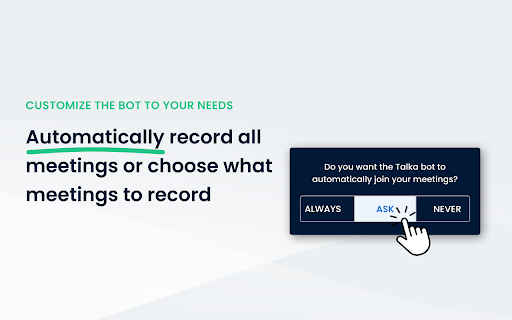

Automatically detects and records Google Meet and Zoom meetings. Enhance your Google Meet and Zoom experience with this browser extension, designed to seamlessly integrate Talka.ai's features. Automatically record and analyze your meetings with ease.

Tactiq: AI note taker for Google Meet, Zoom and MS Teams
Meeting note taker and AI transcription for Google Meet, Zoom, and MS Teams. No more taking notes or missing details—Tactiq transcribes and summarizes meetings for you! From team standups to sales calls, masterclasses to product research sessions - never miss a beat. Capture every valuable insight with Tactiq's powerful note taking AI. Powered by the groundbreaking GPT-4, Tactiq provides ultra-accurate AI meeting summaries, preserving every detail. Seamlessly integrate ChatGPT meeting summaries and let Generative AI auto-detect action items, key takeaways, and more. Connect Tactiq with Google Meet, Zoom, or Microsoft Teams. In just one click, go beyond transcription: highlight key insights, tag crucial tasks, save chat conversations, and snap screenshots. Then, watch as Tactiq consolidates everything into one sleek, shareable AI meeting summary. 700,000+ PEOPLE ACROSS 20,000+ COMPANIES * Trust Tactiq as their go-to AI note taking app to transcribe their meeting notes. * Join the league of efficient teams, leaders at Fortune 500s, engineers, freelancers, salespeople, and marketers who rely on Tactiq. * Dive into the future of meetings with Tactiq’s ai meeting note taker. Whether it's Google Meet, MS Teams, or Zoom, let Tactiq transform how you capture meeting transcripts, insights, and action items. How It Works: * Install the Tactiq AI transcript Chrome extension. (Absolutely FREE). * Join your Google Meet, Zoom, and MS Teams meetings. * Tactiq gets to work - transcribing, summarizing, and generating AI-powered meeting notes in real time! * Use advanced ChatGPT capabilities for one-click AI meeting summaries and insights. Main Features: * Transcribe meetings in real-time and never miss a word with our accurate AI note taker. * Generate insightful summaries powered by GPT-4 and an advanced AI meeting summarizer. * Search, review, and categorize transcripts with ease using a powerful transcript extension. * Draft emails and action items with an intelligent AI for meeting minutes tool. * AI Meeting Assistant - Answer questions, extract key takeaways, and generate reports in seconds. * Record and save chat history directly within your meeting transcription * Take screenshots in Google Meet, Zoom, and Microsoft Teams for easy reference. * Save transcripts directly to Google Docs, Notion, Dropbox, or export as PDF. * Search spoken text across all transcripts, making your meeting notes AI more organized and accessible. * Summarize YouTube videos - Upload transcripts and get seamless AI-generated notes. * Extract key insights effortlessly using Generative AI for structured, actionable AI meeting summaries. Get These 10 Features in Just One AI Chrome Extension for AI note taking and meeting summaries: * FREE AI GPT-4 Meeting Summary for Google Meet, Zoom, and MS Teams - Transcribe meetings and access ChatGPT powered summaries for free. * AI Meeting Assistant powered by GPT-4 answers queries, saves meeting prompts, and writes follow-up emails. * No-bot meeting transcripts to make sure no unsolicited bots interrupt your meetings. * Save prompts and queries as AI meeting templates - reuse them at any time. * Export transcripts to PDF or TXT for easy sharing. Automatically save the transcript to your Google Drive, Notion, Pipedrive, Linear or HubSpot. * Share AI meeting summaries with your team via Slack and Microsoft Teams * Extract and share meeting insights effortlessly using Tactiq’s AI workflow automations. * Save in-call messages, links, and comments automatically within transcripts. * Automatically update your leads and contacts in your CRM and meeting notes using AI workflows. * Youtube AI Summary - Upload the YouTube transcript and get the summary with one click Tactiq’s Main Advantages & Capabilities: * Real-time, AI meeting transcription with instant meeting summaries for Google Meet, Zoom, and MS Teams. * Access the most advanced GPT-4o, GPT-4 Turbo, ChatGPT Enterprise and Claude models. * Built-in AI meeting templates to help generate summaries, action items, and accelerate your workflow. * Translate, paraphrase, and explain meeting details with ChatGPT. * Search for spoken text across all transcripts and never lose an important discussion. * Chat with your meeting transcript AI assistant anytime for quick insights * Personalized prompts to make ChatGPT meetings summary your way. Secure Transcripts: * Dive deep into AI-driven insights without data privacy concerns. We use OpenAI’s API to ensure your data remains secure and private at all times. * SOC 2 Type II and GDPR compliant. * OpenAI does not use data submitted via API to train models. * All transcriptions are securely stored and private by default. * Read our privacy policy here: https://tactiq.io/privacy-center * ChatGPT Enterprise Settings Available Need Help? * Visit https://tactiq.io for more info. * Explore our help center at https://help.tactiq.io * Contact us at https://tactiq.io/contact-us Join Tactiq and experience the power of AI-driven note taking! Your meetings, redefined.

Auto Meeting Log for Google Meet
Automatically turns on Google Meet captions and saves them. 2025.09.15 - v1.2.1 # What's Changed ## New Features - **Monthly Meeting Organization**: Meeting logs are now automatically grouped by month instead of daily grouping, with the latest months displayed at the top for better long-term meeting management. - **Enhanced Title Display**: Added tooltip functionality for long titles and meeting title display in detail view for improved accessibility. - **Improved Participant Highlighting**: Enhanced visual feedback with blue borders and shadows for selected participants, making message highlighting much more visible and clear. - **Browser Locale Support**: Automatic date and time formatting based on browser language settings for international users. 2025.09.06 - v1.2.0 # What's Changed ## New Features - **Date-based Meeting Organization**: Meeting logs are now automatically grouped by date with the latest meetings displayed at the top for easier navigation. - **Meeting Deletion Feature**: Added the ability to delete unwanted meeting records with a confirmation dialog to prevent accidental deletions. - **Enhanced Meeting Log UI**: Improved layout with better readability and clearer distinction between participants and messages. 2025.04.07 - v1.1.2 # What' Changed - The way subtitles are handled in Google Meet has changed significantly. Accordingly, storage issues have been improved and errors have been fixed. - [Chinese] : Google Meet中的字幕处理方式发生了重大变化。相应地,存储问题已得到改善,并修复了错误。 - [Japanese] : Google Meetでの字幕処理方法が大きく変更され、それに伴い保存の問題が改善され、エラーが修正されました。ました。 ---- 2025.03.31 - v1.1.1 # What' Changed ## Fix - Improved Caption Saving Stability - Enhanced stability of caption saving - Optimized saving timing to prevent data loss - [Japanese] : 字幕保存の安定性向上 - 字幕の安定した保存を実現 - 保存タイミングの最適化によるデータ損失の防止 ---- 2024.11.15 - v 1.1.0 # What' Changed ## Fix - The issue of conversations not being saved due to changes in Google Meet has been urgently resolved. - [Chinese (Simplified)] : 由于Google Meet的变更,导致对话无法保存的问题已紧急解决。 - [Japanese] : Google Meetの変更により、会話が保存できない問題は緊急に解決されました。 ---- Unlock Stress-Free Virtual Meetings with Auto Meeting Log. Enhance your Google Meet experiences with Auto Meeting Log, your dependable meeting assistant! Automatically capture and locally store all meeting captions, effortlessly review and manage past logs. Say goodbye to manual note-taking and elevate your meetings with a seamless, secure, and smart solution that keeps you and your team always on track. Join today and embrace next-level virtual communication.

AttendList: Google Meet Attendance Tracker & Reports
Automatically track attendance in Google Meet (even if you join late!) AttendList is the most advanced way to track attendance in Google Meet. Use it solo, or with your entire team. Our extension automatically tracks attendance in your meetings, so you can view a detailed attendance report afterwards. (Even if you join a meeting late, AttendList tracks attendance from the beginning!) After the meeting, view your attendance report to see who joined, how long for, and if they left and rejoined during the meeting. Plus, you can download your report as a CSV spreadsheet, PDF, or auto-upload it to Google Drive. ✅ Automatically track attendance in Google Meet. ✅ Detailed attendance report after the meeting. ✅ Reliable, easy to use, and free to get started! ⏱️ View full timeline for each attendee (including when they joined, rejoined and left) 🙋🙋♂️ Explore a full participant overview (see their average attendance %, plus all the meetings they've joined) ✍️ Add notes to your attendance reports for later. ⏬ Export a CSV spreadsheet or PDF (PRO) of any attendance report. 🔄 Auto-upload reports to Google Sheets / Google Drive (PRO) 📆 Auto-sync reports with Google Calendar events for attendance and email tracking (PRO) 🏅Excellent reviews — 4.9/5 stars and 3,000+ happy users. 💃 FOR TEAMS 💃 AttendList supports advanced features for teams managing attendance across many meetings: 1. Pro access for your team — Teams from 5-100+ people get discounted access to AttendList Pro, including unlimited reports, PDF export and Google Drive auto-upload. 2. Centralized reports — Admin users of the team can view and download attendance reports recorded by all team members. 3. Auto-uploading — Each team member can configure where they auto-upload their meeting reports, allowing for easy organization and categorization in Google Drive 4. Bulk-discounts — Save up to 60% vs. AttendList Pro with team discounts (based on team size). Upgrade in the AttendList app or email admin@attendlist.com for more info (or to schedule a demo call). ⬇️ 1. Install our free Chrome extension Begin by installing the free AttendList extension and logging in. Our extension securely integrates with Google Meet for easy attendance tracking and reports. 👥 2. Automatically track attendance AttendList automatically records attendance & chat history when you join any Google Meet meeting. Even if you join late, AttendList can track attendance from the start. 📋 3. Review your report after your meeting View your attendance report after the meeting. See who joined your meeting, how long for, and whether they left and rejoined your meeting. [v1.3.0]: Update extension to handle the new chat UI rolling out to Google Meet over the next couple of months. [v1.2.3]: Update AttendList icon inside extension to take you directly to your attendance reports within your dashboard. Q: How do I track attendance in Google Meet? A: The AttendList extension is designed to make tracking Google Meet attendance easy. Just install our extension to automatically track attendance in Google Meet and get a detailed attendance report after the meeting. Q: What information is included in the attendance report? A: Each attendance report contains details about the meeting and participants. See who joined, how long they stayed in the Google Meet for, and whether they left and rejoined at any point. It also includes all chat messages from your meeting. Q: How can I turn on attendance tracking in Google Meet? A: Just install the AttendList extension and we'll handle the rest! We automatically track attendance in all your Google Meet meetings, and generate handy attendance reports afterwards. Q: Can I track attendance manually with AttendList? A: Absolutely. If you wish to disable automatic attendance tracking, simply untick the "Auto Attendance" setting in our extension. You can still record individual Google Meets manually by opening the extension and clicking "Track Attendance" during a meeting. Q: How can I see my Google Meet chat history? A: AttendList automatically saves your Google Meet chat history (chat only records while you're in the meeting). After the meeting, you can view a transcript of all the chat messages from your meeting by going to the "Chat Log" tab of your attendance report.

MeetGeek: AI Meeting Notes, Transcripts & Screen Recording
Get automatic recordings, transcripts, and summaries for online meetings on Google Meet, Zoom, and Teams. MeetGeek transforms online calls with AI meeting automation 🤖 Say goodbye to manual note-taking and hello to seamless integration across Zoom, Google Meet, Microsoft Teams, and more! Using the MeetGeek Chrome extension is FREE. Here’s how to enable it: - Install the extension and pin it to your browser bar - Log in or sign up for a free MeetGeek account - Start a meeting on your preferred platform—MeetGeek joins in one click! How it works: ✔ To record without the bot: Click the video camera icon in the MeetGeek widget during the meeting and select the Chrome tab you want to record. ✔ To use the AI notetaker automatically (record with bot): Sync your calendar with MeetGeek and enable the “Automatic join” setting. ✔ To invite the bot to ad-hoc calls: Click the widget’s “Invite notetaker” option or paste the meeting link into the extension sidebar. With the MeetGeek extension, you’ll be able to: 🎥 Record online meetings anywhere without an AI bot or notetaker 📝 See live transcription during your meetings (Google Meet supported) ⏸️ Pause or resume note-taking anytime through the floating widget ⚙️ Easily control whether the notetaker joins your scheduled meetings 🪢 Instantly invite the AI notetaker to your Zoom, Google Meet, and Microsoft Teams calls 📂 Access your latest meeting summaries & transcripts directly 🚀 How MeetGeek already boosts meeting productivity for 30k+ teams: - Instant AI note-taking: Save time with automated notes and searchable transcripts - Automated AI meeting summaries: AI extracts key points, decisions, and action items - Live AI transcription: Follow conversations in real time and revisit them later with searchable transcripts - Multi-language transcription: Transcribe in 60+ languages including English, French, Spanish, Portuguese, German, Arabic, Chinese, and more - Meeting insights & analytics: Track speaker talk time, engagement, meeting trends, and more - Custom automation: Sync meeting insights directly into tools like HubSpot, Salesforce, Notion, ClickUp, and set up tailored workflows (10,000+ apps through Zapier, Make & n8n) - Easy sharing & collaboration: Share meeting summaries and action items with your team 🔒 MeetGeek secures powerful data encryption, GDPR compliance, and SOC2 Type 2 certification. Read more about it at [https://meetgeek.ai/security](https://meetgeek.ai/security) Turn every meeting into a productivity powerhouse ⚡ Get started with MeetGeek today—a FREE plan is available! Need help? Visit meetgeek.ai for more info or explore our Help Center at [https://support.meetgeek.ai/en/articles/9148521-meetgeek-chrome-extension](https://support.meetgeek.ai/en/articles/9148521-meetgeek-chrome-extension) Follow us for updates:
