
honbeilkanbghjimjoniipnnehlmhggk

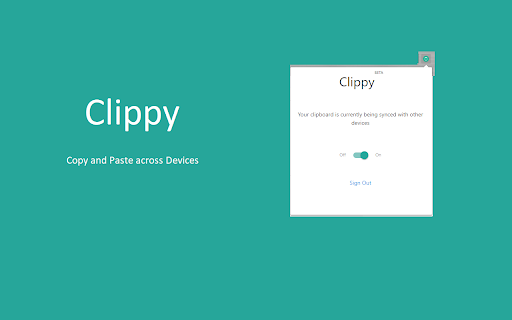
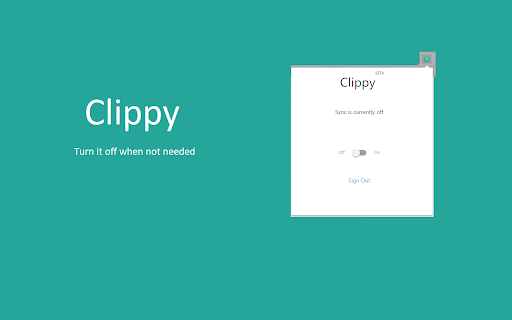
Get your clipboard on sync! Copy and Paste across devices Clippy - copy and paste across devices Get your clipboard data on sync across devices Copy on one device and your can paste the data to other device within a second. As simple as that. Improve your productivity. No sending emails to your self or creating drafts. No other notes tools just to copy some information from one device to another. Note: All the clipboard data is transferred over HTTPS and never stored on the server. Be assured.

Cross-Device Clipboard Sync
Cross-Device Clipboard Sync: save text & URLs to a synced clipboard history and copy/paste between devices in Chrome. Cross-Device Clipboard Sync is a lightweight Chrome extension and clipboard manager that helps you sync clipboard content between devices. Save selected text, URLs, and snippets to a synced clipboard history so you can copy on one device and paste on another—across macOS, Windows, and ChromeOS. Core features 1) Cross-Device Clipboard Sync (manual save) Save what you choose (not everything you copy). Your saved items sync to your other Chrome browsers, making cross-device copy and paste simple and fast. 2) Synced Clipboard History Keep a clean, searchable-by-eye clipboard history for frequently used text snippets, links, and notes. Great for moving content between computers without using email, chat apps, or file transfers. 4) Productivity for daily workflows Perfect for transferring URLs, code snippets, form inputs, and short notes from laptop to desktop (or between work/personal devices) in seconds. Privacy Cross-Device Clipboard Sync only saves the content you explicitly choose to save. Data is stored via your Chrome Sync storage (no separate account required).

EasyJoin
Right-click on text and links to send them from the browser to the EasyJoin app To send links and texts from your browser via EasyJoin follow these steps: - Install the Pro version of the application on Windows/Linux/macOS. - Start the application. - Install the add-on on your browser. - Right-click on a link or selected text in the browser and select "EasyJoin > Send".

MultiCopy Clipboard, Copy & Paste
MultiCopy Clipboard — Your Ultimate Clipboard Manager for Chrome Copy unlimited text, organize everything, and never lose a snippet again. MultiCopy transforms your browser into a powerful clipboard manager that remembers everything you copy—even after closing Chrome. Whether you're a developer gathering code snippets, a researcher collecting quotes, or anyone who copies and pastes throughout the day, MultiCopy keeps all your text safe, searchable, and instantly accessible. ✨ COMPLETELY REDESIGNED INTERFACE Fresh, modern design that's beautiful and intuitive. A cleaner look with improved usability. 🏷️ SMART TAGGING SYSTEM Organize your copies with custom tags. Add labels like "work", "code", or "links" to categorize and find your snippets instantly. 📌 PIN YOUR FAVORITES Keep your most-used text at the top. Pinned copies stay accessible so you never have to scroll for important snippets. 🔍 INSTANT SEARCH Find any copy in milliseconds. Search through text content and tags with real-time filtering. 🔗 SOURCE TRACKING See where your text came from. MultiCopy automatically saves the source URL and page title with each copy. ⚡ BLAZING-FAST STORAGE Powered by IndexedDB for lightning performance. Store thousands of copies without limits or slowdowns. • Alt + C — Instantly add selected text to MultiCopy • Alt + V — Paste all your copies at once • Right-click menu — Quick copy & paste options ━━━━━━━━━━━━━━━━━━━━━━━━━━━━━━━━━━━━━━━━ 💾 NEVER LOSE YOUR COPIES ━━━━━━━━━━━━━━━━━━━━━━━━━━━━━━━━━━━━━━━━ All your copies are automatically backed up in Chrome's local storage. Close MultiCopy, close Chrome, restart your computer—your clipboard history is always there when you need it. Start copying smarter today. Install MultiCopy and take control of your clipboard! While MultiCopy stores your copies locally on your device, data loss can occasionally occur due to factors outside our control—such as browser updates, clearing browser data, system crashes, or hardware failures. MultiCopy is not responsible for any lost data. For important information, we recommend keeping separate backups.

Clutterboard
A brilliant way to store, share and easily organize all your links, videos, and notes. Now more than ever, our lives are full of online clutter. So, how do we save and organize our favorite content in one place? It's time to declutter your life and organize your digital life in one amazing place across all devices and screens! With Clutterboard, you can save, organize and share your favorite articles, notes, links, videos and much more in one central searchable location so you can view them anytime and anywhere. Extension Features: * With one click, save any webpage with the Clutter button * View your saved articles without leaving your Clutterboard * Easily add searchable tags and a category to any link you save * Instantly share with your friends anything you find online * Set reminders to read articles later * Your saved articles are automatically synched across all devices – Android, iPad, iPhone and more * Completely free, no upgrades, upsells or ads. So, download the Clutterboard Extension and save your favorite content with one click, and enjoy a decluttered life with Clutterboard!
