
hobbeingjfekgfhcindodpclahpiapfj
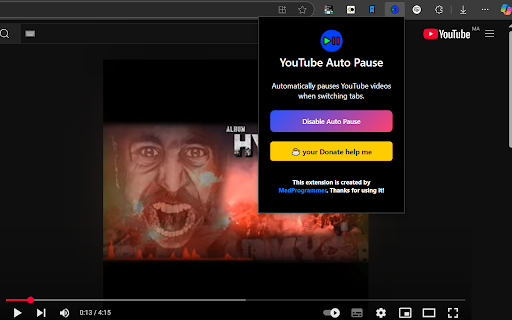
YouTube Auto Pause – Smart Video Control! ⏸️🎬 Tired of missing important moments when stepping away from YouTube? YouTube Auto Pause automatically stops playback when you switch tabs or become inactive, so you never miss a second! 🔹 Why Install This Extension? ✅ Auto Pause on Tab Switch – Instantly pauses the video when you leave the YouTube tab. ✅ Pause on Inactivity – Stops playback if you're inactive for a set time. ✅ Enable/Disable Anytime – Easily turn the extension on or off as needed. ✅ Seamless & Lightweight – Works smoothly without slowing down your browser. 🛠️ Perfect for students, professionals, and multitaskers who want full control over their YouTube experience! 📥 Install now and enjoy smarter video watching! 🚀 Would you like any additional features highlighted? 😊

YouTube Automatic Pause/Play
Automatically pauses and resumes YouTube videos based on the tab's visibility. This Chrome extension automatically pauses and resumes YouTube videos based on the tab's visibility. When you switch to another tab while watching a YouTube video, the extension will automatically pause the video. When you switch back to the YouTube tab, the video will automatically resume playback. Features: Automatically pauses YouTube videos when the tab is hidden. Automatically resumes YouTube videos when the tab becomes visible again. Works seamlessly with the YouTube player, no additional setup is required. Lightweight and efficient, with minimal impact on browser performance. Easy to install and use, no complex configuration needed. Installation: Download the extension from the Chrome Web Store (link to be added later). Open the Chrome browser and navigate to chrome://extensions/. Enable "Developer mode" by toggling the switch in the top-right corner. Click "Load unpacked" and select the directory containing the extension files. The extension should now be installed and active. Usage: Once the extension is installed, it will automatically start working whenever you open a YouTube video in a tab. There are no additional steps required to use the extension.

Smart YouTube Play/Pause
Automatically pauses YouTube videos when the tab loses focus and resumes when it gains focus. In this extension your YouTube video will automatically pause when you switch tab or minimize Google Chrome and when you came back to your tab then your YouTube video will automatically start.

YouTube Video Pauser
YouTube Video Pauser is a lightweight, efficient browser extension designed to enhance your YouTube viewing experience. With this tool, your YouTube videos will automatically pause when you switch tabs and resume when you return, saving you time and avoiding interruptions. Seamless tab management for uninterrupted multitasking. Easy-to-use, with no configuration needed. Works perfectly with multiple YouTube tabs. Install YouTube Video Pauser today to make your YouTube experience smarter and more convenient!

YouTube Auto Pause
Automatically pause YouTube videos when switching tabs and resume when returning. 📺 YouTube Auto Pause - Just Install and use! Stay focused with YouTube Auto Pause! Effortlessly pause videos when switching tabs and automatically resume when you return. Ideal for multitasking, this extension ensures you never miss a moment. Features: ☆ Automatic video pausing when you switch tabs ☆ Instant resume when you return ☆ Enhances productivity while enjoying your favorite content ☆ Simple installation and user-friendly interface
