
hnjkeajcokeekolbfiniekmanfidmkhd
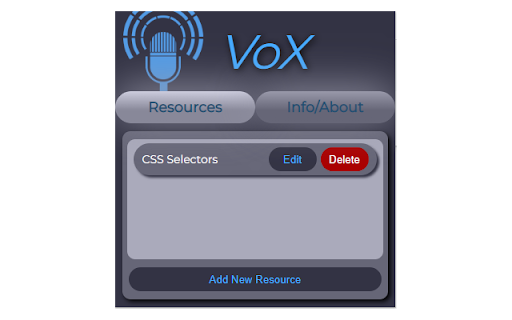
Voice recognition tool for dictation and quick opening/searching of resources VoX is a Chrome extension to help you quickly open resources or search Google and YouTube by utilizing voice recognition. It can also convert long messages into text for easy copying and pasting in to other places. Make sure you have a microphone and the volume is turned up! The voice recognition system operates 100% locally on your machine and is never saved or recorded for any purposes. No personal data, or data of any kind is collected with this extension.

Readwell Screen Reader
Readwell Delivers Ad-Free, Customizable, and Fast Reading Like Never Before! Readwell is not just another browser extension; it's your gateway to a more enjoyable and immersive online reading experience. It's designed to help you get the most out of your online content, whether you're reading news articles, blog posts, research papers, or simply enjoying a good story. At its core, Readwell is all about simplicity and empowerment. It offers a set of powerful tools that put you in control of how you consume digital content. Whether you're an avid reader, a student, a professional, or simply someone who loves to explore the vast digital realm, Readwell has something for you. Let's delve into the heart of Readwell, where a world of possibilities awaits: Ad-Free Reading: Bid farewell to annoying ads and distractions, ensuring a seamless reading experience. Say hello to clean, clutter-free content. Customizable Fonts: Tailor your reading style with adjustable fonts for ultimate comfort. Readwell lets you choose how you want your text to appear. Dark Mode: Reduce eye strain during late-night reading sessions with a soothing dark theme. Enjoy content in a way that suits your surroundings. Accessibility: Readwell is for everyone. Enjoy effortless reading with text-to-speech and high-contrast options that cater to diverse needs. Print-Friendly: Want to keep a copy of an article for later? No problem. Save or print articles effortlessly for offline access, creating your personal library. Fast Loading: Pages load swiftly with Readwell, eliminating the waiting time and ensuring an uninterrupted reading journey. Focus: Immersing yourself in content is a breeze with Readwell. Say goodbye to distractions and dive deeper into your reading. One-Click Activation: Start enjoying Readwell with a single click. It's designed for simplicity and convenience, making it accessible to all. Experience the future of online reading with Readwell. It's your key to unrivaled clarity, customization, and speed. Try it now, and unlock a whole new world of online reading pleasure. Your digital content will never be the same again

Riddr - Text to Speech reader for Chrome
Tired of reading? Riddr is a FREE TTS extension that can read your news, favorite blogs, emails, and PDFs in 50+ languages. Riddr, pronounced as /ˈ𝗿𝗶ː𝗱ə/ (reader), is a Google Chrome extension that converts any selected text to speech. Powered by the legendary 𝗦𝗽𝗲𝗮𝗸𝗜𝘁! TTS engine and state-of-the-art artificial intelligence technologies, Riddr offers the most authentic human-like voices on the market for 𝗙𝗥𝗘𝗘. Combined with its easy to use interface you’re one click away from converting your favorite e-books, online news, documents and any other form of text into speech in more than 50 languages, so you can listen instead of reading. 1. Select the text you want to read. 2. Click the Riddr icon or use a custom keyboard shortcut. 3. Listen and enjoy. Built into Riddr's core is 𝗦𝗽𝗲𝗮𝗸𝗜𝘁!, a TTS engine that offers 50+ languages with built-in automatic language detection (https://riddr.com/faq/supported-languages), allowing seamless switching between multiple languages. Riddr also has deep integration with your favorite browser, which will allow you to interact with native, remote, or third-party TTS engines that are already available on your PC or Mac. On top of this, Riddr’s modular design and open source code allows developers around the world to expand the built-in TTS engines. For more information follow this link: https://riddr.com/developers. Riddr can read text from everywhere on the web. Read your emails, Google Drive or PDF documents before you send them. You can use Riddr to read your favorite news websites, blogs like Medium or perhaps e-books, on a daily basis, unlimited, for free. If you can see it, Riddr probably can read it, so how you use it is up to your imagination. Read all the time, even if you have connectivity issues or you’re in a remote rural area. Riddr’s offline mode makes it the ideal language learning tool for schools and teachers in developing countries. One of Riddr’s unique features, besides predefined control shortcuts such as Read (𝗔𝗹𝘁+𝗥), Pause (𝗔𝗹𝘁+𝗣), and Stop (𝗔𝗹𝘁+𝗦), is the ability to have multiple keyboard shortcuts linked to different TTS Engines / voices in different languages, which makes Riddr not only easy to use but also very fun. New shortcuts can be added and configured very easily via the options panel. The easy to use options panel gives you huge control over your Riddr extension and gives you the ability to add your personal touch to it. Here are some of the available options: - Customise your volume level, speaking rate & voice pitch; - Predefine your preferred language; - Transcribe a list of words and specify their pronunciation (ideal for teachers and student safety); - Enable Auto-Selection Mode, which automatically extracts and reads readable text from websites; - Automatic Read Mode allows website owners to specify which content should be read upon page entry, enhancing accessibility. If you’re interested in joining the project by developing a custom TTS engine or translating Riddr into your language, step up and join us: https://github.com/riddr/RiddR/tree/master/_locales If you like the extension, please don’t forget to rate it. 😍 For any questions or requests, feel free to check out our website or contact our support at support@riddr.com

Simple Screen Reader
Accessibility tool to help people listen to highlighted text on any tab in Google Chrome where they either cannot read the screen text or do not want to.

Sidepanel Screen Reader TTS
AI Screen Reader/ Text to speech tool but in the side panel. 💬 SidePanel Screen Reader: Making Web Browsing Audible & Accessible! 🌐 Easily Accessible: Just a click away, the SidePanel Screen Reader is your go-to tool for an audible web experience. Activate it directly from the side panel or simply right-click on the text you want to hear, and choose 'Read Website'. It's that easy! 🔊 Diverse Voice Options: Personalize your listening experience with a choice of over 20 voices. ⚙️ Customizable Listening: Tailor your audio experience with adjustable settings. Control the rate, pitch, and volume of the voice to suit your listening needs. 🌍 Language Inclusive: The reader supports multiple languages. This feature not only enhances accessibility but also makes it a handy tool for language learners and enthusiasts. Open source: https://github.com/Aebel-Shajan/sidepanel-screen-reader
