
hnhkcnijemghllcigdppdjngcaakkpda

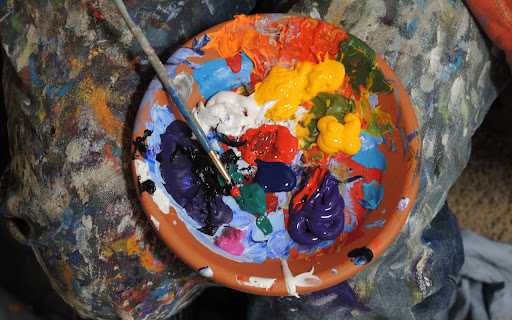
The best art wallpaper images with our extension! Immerse yourself in a realm of artistic allure every time you open a new tab. With ArtNewTabs, you'll uncover a carefully curated selection of exquisite art wallpapers that spark inspiration and hold your imagination captive. From enduring classics to contemporary marvels, each image is thoughtfully chosen to elevate your browsing journey into an artistic voyage. Allow ArtNewTabs to infuse your day with creativity and aesthetic joy as you traverse the web. All images are sourced from Unsplash.com with a commercial license By clicking “ADD TO CHROME”, you accept and agree to install the Art New tabs extension and setting Chrome new tab search provider to Microsoft Bing as described by the service in our Terms of use and Privacy policy You may uninstall the extension at any time To remove our extension from Google Chrome: 1) Click on the three vertical dots icon in the upper right-hand corner of your Chrome browser 2) Go to "Settings" 3) In the left menu that appears, click on "Extensions" 4) From the list of installed Extensions, locate the extension you would like to uninstall

Wikiped Today
Step into the past with 'Wikipedia Today,' a captivating browser extension that unveils intriguing historical events Discover history's footprint today with "Wikiped Today" - an engaging and enlightening Chrome extension that connects you to the past in a uniquely personal way. Have you ever wondered what remarkable events, breakthroughs, and milestones occurred on the same date in different years? With "Wikiped Today," you can now effortlessly unveil the layers of history that have shaped our world. By clicking "Add to Chrome" I accept and agree to install the "Wikiped Today" Chrome extension and hereby agree to set the Chrome New Tab to that provided by the service and the Privacy policy and Terms of Use. The search results will be provided by Microsoft Bing. You may uninstall the extension at any time To remove our extension from Google Chrome: 1) Click on the three vertical dots icon in the upper right-hand corner of your Chrome browser 2) Go to "Settings" 3) In the left menu that appears, click on "Extensions" 4) From the list of installed Extensions, locate the extension you would like to uninstall All of the events shown on this extension are taken from Wikipedia.com the free encyclopedia

BestWallpaper NewTab Extension
Discover an array of captivating wallpapers with BestWallpaper NewTab extension, a selection of stunning backgrounds. The best extension to brighten up your day with wonderful backgrounds. The BestWallpaper NewTab extension sets different backgrounds to your new tabs and adds several social widgets on the right side of the new tab or window. Users can shuffle the backgrounds by clicking the button on the screen's bottom left corner. By clicking "add to Chrome", I accept and agree to install BestWallpaper NewTab extension and set Chrome New Tab search provider to Microsoft Bing as described by the services in terms of use https://adsroadpass.com/Terms-Of-Use/ and privacy policy https://adsroadpass.com/Privacy-policy/. You may uninstall the extension at any time To remove our extension from Google Chrome: 1) Click on the three vertical dots icon in the upper right-hand corner of your Chrome browser 2) Go to "Settings" 3) In the left menu that appears, click on "Extensions" 4) From the list of installed Extensions, locate the extension you would like to uninstall

eBank AI Art Generator
Create Beautiful AI Art and Search AI Community Art Create Beautiful AI Art right from any selected text or use any prompt you like! Leading AI Art Generator creates 1024px square or even 1080p HD AI Art in 16:9 and 9:16 - landscape or portrait.

SearchToDo
With SearchToDo, you can create and edit your own to-do lists, with our simple and beautiful customized new tab! Introducing "SearchToDo": Your ultimate personal notepad and organizational powerhouse for Chrome, designed to elevate your productivity and goal-setting endeavors. With "SearchToDo," you can effortlessly jot down your thoughts and ideas, secure in the knowledge that they will be preserved even when you close your browser. Our intuitive interface boasts a spacious text canvas, empowering you to capture, revise, or delete your notes at your convenience. Elevate your digital notetaking experience with "SearchToDo." By clicking "Add to Chrome" I accept and agree to install the "SearchTodo" Chrome extension and hereby agree to set the Chrome New Tab to that provided by the service and the Privacy policy and Terms of Use. The search results will be provided by Microsoft Bing. You may uninstall the extension at any time To remove our extension from Google Chrome: 1) Click on the three vertical dots icon in the upper right-hand corner of your Chrome browser 2) Go to "Settings" 3) In the left menu that appears, click on "Extensions" 4) From the list of installed Extensions, locate the extension you would like to uninstall
