
hneikegkjmchoaghaahefkhecifdibpk
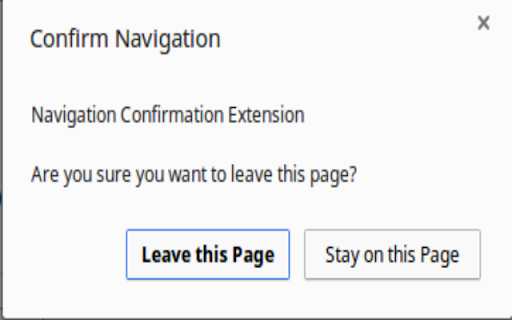
Asks for confirmation before closing, reloading, or navigating to another page. Click the icon to create a popup when you attempt to navigate to another page or reload the current one. The check mark indicates that you will be asked confirmation on the current tab. The red x indicates that you will not be asked to confirm leaving the page. Click the icon to toggle on and off. There is also an option to confirm when closing the window.

Vaux Tab
Vaux Tab Manager and Window Organizer Vaux is an intuitive window manager with many robust features and simple interface. Perfect for tab management and window organization. Take your organizing skills to the max with Vaux! Latest feature: Share your saved windows with other Vaux users! Tab manager Window position recall Share windows with other Vaux users. Dark Theme Icon. Toggle icon from options page.

Bookmarks New Tab
A New Tab replacement that shows the Bookmarks. Replace the default New Page tab by a Bookmarks tree menu.

Let Me Out
Prevents actions (like alerts) when navigating away from a page. This extension blocks popup messages like "Are you sure you want to leave this page?" when navigating away from some sites. Feel free to leave feedback for sites this doesn't work on. I'll try to update new versions to deal with new techniques.

Awesome Window & Tab Manager
Displays a list of all windows and tabs open in Google Chrome. Allows filtering, sorting, refreshing, bookmarking, and saving. Awesome Window & Tab Manager does the following: (1) - Tells you how many Chrome windows and tabs are open. (2) - Displays all the windows and tabs. (3) - Allows text filtering (searching) on the windows and tabs. (4) - Allows alphabetic sorting of tabs. (5) - Categorizes tabs by window, domain, or category. (6) - Categories are determined by your own bookmark structure. (7) - Window, domain, or category groups can be refreshed or closed. (8) - All windows and tabs can be saved and restored later. (9) - Window, domain, or category groups can be saved and restored later. (10) - Unbookmarked tabs can be bookmarked. Note: Google Chrome version 16 or higher is required for tab refreshing functionality.
