
hncphglplgedlblbagigfbcdckfnfocc
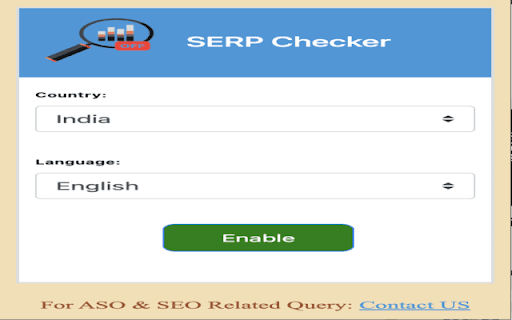

SERP Checker will change location according to country and language The 𝗦𝗘𝗥𝗣 𝗖𝗼𝘂𝗻𝘁𝗲𝗿 𝗖𝗵𝗿𝗼𝗺𝗲 𝗘𝘅𝘁𝗲𝗻𝘀𝗶𝗼𝗻 is a powerful serp tracker designed to optimize your Google search experience. By adding numbered counters to search results and highlighting domains, it doubles as a serp rank checker and productivity booster. Whether you’re into seo serp tracking or just want a cleaner Google experience, this extension helps you analyze SERPs with ease. 🔍 𝗦𝗘𝗥𝗣 𝗛𝗶𝗴𝗵𝗹𝗶𝗴𝗵𝘁𝗶𝗻𝗴: Highlight specific domains in search results. Just type a domain, press Enter, and the extension adds a customizable counter to each matching result. 𝗤𝘂𝗶𝗰𝗸 𝗡𝗮𝘃𝗶𝗴𝗮𝘁𝗶𝗼𝗻: Use the Ctrl+Shift+H hotkey to cycle through highlighted results for faster access. 𝗖𝘂𝘀𝘁𝗼𝗺𝗶𝘇𝗮𝗯𝗹𝗲 𝗖𝗼𝗹𝗼𝗿𝘀: Personalize your counters with different colors to improve visibility and user experience. 𝗕𝗼𝗼𝘀𝘁 𝗣𝗿𝗼𝗱𝘂𝗰𝘁𝗶𝘃𝗶𝘁𝘆: Save time by spotting the most relevant results instantly. 𝗕𝗲𝘁𝘁𝗲𝗿 𝗩𝗶𝘀𝗶𝗯𝗶𝗹𝗶𝘁𝘆: Monitor and locate domains easily in SERPs with a built-in serp rank tracker. 𝗣𝗲𝗿𝘀𝗼𝗻𝗮𝗹𝗶𝘇𝗲𝗱 𝗦𝗲𝗮𝗿𝗰𝗵: Adjust counter colors for a tailored search view. 𝗦𝗘𝗢 𝗣𝗿𝗼𝗳𝗲𝘀𝘀𝗶𝗼𝗻𝗮𝗹𝘀: Perfect for seo serp tracking—monitor client rankings and analyze domain positions in real-time. 𝗥𝗲𝘀𝗲𝗮𝗿𝗰𝗵𝗲𝗿𝘀: Quickly identify the most relevant sources in Google results. 𝗚𝗲𝗻𝗲𝗿𝗮𝗹 𝗨𝘀𝗲𝗿𝘀: Improve your overall Google experience with faster navigation. 1️⃣ 𝗜𝗻𝘀𝘁𝗮𝗹𝗹 𝘁𝗵𝗲 𝗘𝘅𝘁𝗲𝗻𝘀𝗶𝗼𝗻:: Add the SERP Counter Chrome Extension to your browser. 2️⃣ 𝗛𝗶𝗴𝗵𝗹𝗶𝗴𝗵𝘁 𝗗𝗼𝗺𝗮𝗶𝗻𝘀: Enter a domain in Google search; the extension adds counters to results. 3️⃣ 𝗡𝗮𝘃𝗶𝗴𝗮𝘁𝗲 𝗘𝗮𝘀𝗶𝗹𝘆: Use Ctrl+Shift+H to jump between highlighted results. 4️⃣ 𝗖𝘂𝘀𝘁𝗼𝗺𝗶𝘇𝗲: Choose your preferred counter color for a unique search setup. Install the SERP Counter – the ultimate serp rank checker and serp tracker – and take your Google search to the next level! 🚀

Locale Switcher
Lets you quickly switch the browser locale to test localization on your website. 🌏 Locale Switcher Browser Extension to quickly change your browser locale. ❓ What does it do? When a locale chosen the following thinks will be adjusted: Chrome & Firefox Support for 700+ languages and variations Per tab basis Favorite your most used locales Fully shortcut enabled, no mouse needed (Windows: Ctrl+Shift+L / Mac: Cmd+Shift+L)

MST SERP Counter - SEO Free SERP Checker Tool
SERP Counter is a free checker tool that allow you to fastly check google rank. Using the MST SERP Counter Google Chrome extension, you can examine the live numerical search results to see where you currently stand in the rankings.

SEO Checker
SEO Checker finds SEO, speed & security problems before your website visitors do SEO Checker is an easy to use browser extension designed to help you optimize your website's SEO, page speed, and security. It efficiently scans thousands of pages on your site, pinpointing issues and providing clear guidance on how to fix them. Here's what SEO Checker checks for you: - Page Titles & Meta Descriptions: It scans your site's page titles and meta descriptions to identify those that are too long, too short, missing, or duplicated, helping you optimize these critical elements. - Page Headings: It checks if each page has a unique and properly optimized H1 heading. - URLs: It ensures your website's URLs follow best practices, making them easy to read and SEO-friendly. - Content Analysis: It looks for duplicate or thin content, checks if images have proper meta tags, and assesses how well your content works on mobile devices. - Broken Links: It identifies broken links (404 errors) and server issues that could harm your site's user experience. - Redirect Audit: It finds and reviews temporary and permanent redirects, and detects redirect chains and loops that can affect your site's performance. - Robots.txt Review: It verifies if a Robots.txt file is present and whether it properly specifies sitemap locations. - Code Validation: It checks the validity of your HTML, CSS, and JavaScript, ensuring clean and efficient code. - Page Size: It evaluates if compression and minification techniques are being used to optimize page loading speed. - Resource Analysis: It examines resource files like CSS and JavaScript for best practices. - Caching: It checks if caching is set up correctly to enhance site speed and performance. - Encryption: It ensures all pages, resources, and links use HTTPS & HSTS for secure connections. - Security Checks: It scans for common security issues, including content sniffing prevention, iframe restrictions, XSS, and clickjacking protection. Information on updates to the extension can be found at https://seochecker.io/news

Google Rank Checker, Keyword SERP Ranking Extractor
Monitor your website's performance on Google search results with our powerful Google SERP Extractor Tool. Our SERP rank extension is designed for SEO professionals, digital marketers, and anyone aiming to strengthen their online visibility. This rank checker Chrome tool lets you extract and analyze Google™ search results instantly, making it easier to optimize your SEO strategy with accurate SERP data. 𝗘𝗳𝗳𝗼𝗿𝘁𝗹𝗲𝘀𝘀 𝗦𝗘𝗥𝗣 𝗗𝗮𝘁𝗮 𝗘𝘅𝘁𝗿𝗮𝗰𝘁𝗶𝗼𝗻: Capture titles, URLs, and positions directly from Google™ search results. 𝗨𝘀𝗲𝗿-𝗙𝗿𝗶𝗲𝗻𝗱𝗹𝘆 𝗜𝗻𝘁𝗲𝗿𝗳𝗮𝗰𝗲: Clean, simple design for quick navigation and data handling. 𝗘𝘅𝗽𝗼𝗿𝘁 𝘁𝗼 𝗖𝗦𝗩: Download extracted SERP data for detailed analysis and reporting. 𝗦𝗲𝗮𝗺𝗹𝗲𝘀𝘀 𝗜𝗻𝘁𝗲𝗴𝗿𝗮𝘁𝗶𝗼𝗻: View data neatly in a new tab for instant access. 𝗔𝗰𝘁𝗶𝘃𝗮𝘁𝗲: Click the extension icon on any Google™ results page. 𝗘𝘅𝘁𝗿𝗮𝗰𝘁: Instantly capture rankings, titles, and links. 𝗘𝘅𝗽𝗼𝗿𝘁: Download results as a CSV file with one click. 𝗦𝗘𝗢 𝗔𝘂𝗱𝗶𝘁𝘀: Collect and analyze SERP insights for competitor tracking. 𝗖𝗼𝗺𝗽𝗲𝘁𝗶𝘁𝗼𝗿 𝗥𝗲𝘀𝗲𝗮𝗿𝗰𝗵: See which pages rank higher for your target keywords. 𝗖𝗼𝗻𝘁𝗲𝗻𝘁 𝗢𝗽𝘁𝗶𝗺𝗶𝘇𝗮𝘁𝗶𝗼𝗻: Use ranking data to refine and improve your content. 𝗘𝗳𝗳𝗶𝗰𝗶𝗲𝗻𝗰𝘆: Save time with automated data collection. 𝗖𝗼𝗻𝘃𝗲𝗻𝗶𝗲𝗻𝗰𝗲: Easily manage, filter, and export ranking data. 𝗙𝗹𝗲𝘅𝗶𝗯𝗶𝗹𝗶𝘁𝘆: CSV files integrate smoothly into your other SEO workflows. Make SEO audits, rank tracking, and competitor analysis faster with our Google™ SERP ranking checker. This powerful rank checker for Chrome extension ensures you always have the insights you need to stay ahead in search results. 🚀
