
hljcedmfdnifngnnilbdkmhnnimcodnf
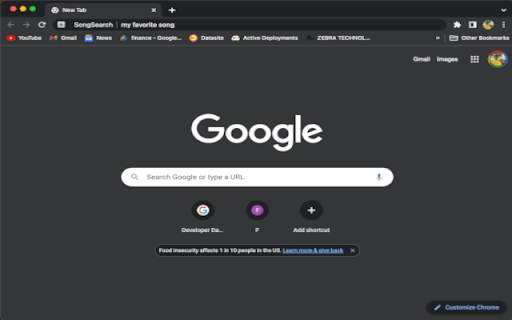
Karoke Party Time! Search both YouTube and Ultimate-Guitar.com for Karaoke Songs and Guitar Chords Karoke Party Time! This extension lets you pull up a karokee version of a song from YouTube on one tab and the Guitar Chords for that song on another tab so you can play along with the Karokee Song. Search both YouTube and Ultimate-Guitar.com for Karaoke Songs and Guitar Chords. Just type in "ss" to pull up the search for SongSearc (SS) then type in the song you want to play!

AudD® Music Recognition
Recognize any music from any website in your browser Install the AudD extension and click on its icon to identify the song playing on the current tab. Watch the video above to see how it works. AudD extension: - Recognizes the music playing in your browser; - Finds music in the AudD database with more than 80 million songs using its music recognition technology; - Shows lyrics for identified songs; - Shows links to listen to the songs on Apple Music, Spotify, Deezer, YouTube Music; - Displays the exact moment in the recognized song when the sound from the browser is played. Music Recognition API: https://audd.io Source code: https://github.com/AudDMusic/chrome-extension Extension Powered By AudD® Music recognition API Created and designed by the AudD.io team with help from Eric Stark, Mitchell Kossoris, and Ivan Kasatkin.

Spotify artist's all songs
As you know Spotify doesn't provide method to listen all songs of artist in single playlist. With this extension you can simply… As you know Spotify doesn't provide method to listen all songs of artist in single playlist. With this extension you can simply create playlist with all songs of any artist on Spotify. Just go to artist's page, click on extension icon and click "Show all songs" button. After couple of seconds you will be redirected to new playlist with all songs of this artist. **Why do we need Spotify authorization?** This extension uses official Spotify Web API to create playlists in your account, which requires your permission. When you first use the extension, you'll need to authorize it with Spotify. Here's what we need access to: - **Read your playlists**: To check if an artist playlist already exists and avoid duplicates - **Create playlists**: To make new playlists with all the artist's songs - **Add tracks to playlists**: To populate playlists with the complete discography **Your privacy is protected**: We don't collect any personal information about you or your musical preferences. The extension works entirely within Spotify's secure environment and doesn't send your data toexternal servers.

FindMyBeat
When you hear it, we help you find it. Ever hear a catchy tune in a reels, youtube, or around you and wish you knew what it was? FindMyBeat is here to help! With a single click, FindMyBeat listens to the audio playing in your current Chrome tab or through your microphone and quickly identifies the song. Get instant results with the song title, artist, and album information. Instant Song Identification: Recognize music playing in any Chrome tab (videos, streams, reels) or from your surroundings using your microphone. The interface is simple and beautiful, allowing you to enjoy a sleek experience while FindMyBeat performs its magic. History: Keep track of your discovered songs. Easily revisit and open them later. Privacy-Focused: Audio is processed for identification and not stored beyond the necessary duration for recognition. Why FindMyBeat? Never miss a beat: Quickly capture that song before it's gone. Seamless experience: identify and link to music without leaving your browser. Perfect for music lovers, content creators, streamers, and anyone who discovers music online. Install FindMyBeat now and never wonder, "What's that song?" again!

Song Searcher
Discover and explore songs mentioned on any webpage. Highlight song titles for quick searching and easily copy details for sharing Our Chrome extension lets you easily search for songs mentioned on any webpage across multiple music platforms. Simply select the text containing the song's title, and our extension does the rest! Plus, for added convenience, we provide a copy button allowing you to quickly and easily copy song details for searching or sharing elsewhere.
