
hlambnnbnnjkabpgemeompijpdliimkm
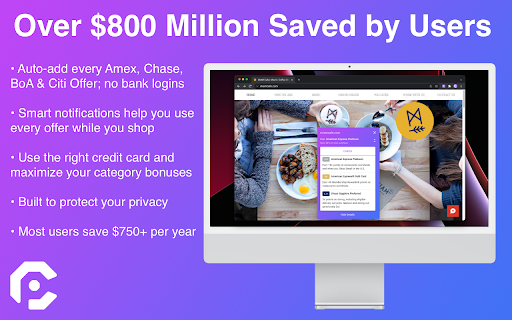


Maximize your Amex/Chase offers, cashback & all of your credit card rewards on every site. Love saving money? CardPointers helps you get the most out of your credit card offers and category bonuses, automatically. Auto-add every one of your Amex, Chase, BoA, Wells Fargo, US Bank, and Citi offers with CardPointers, and then the extension will help you use them, automatically. Everyone loves Amex and Chase Offers, but they're normally a pain to activate, one by one -- now you can automatically activate every offer as soon as you log in -- even the same offer across multiple eligible cards, all without having to ever share your bank logins. There's full support for American Express, Chase, Citi. Bank of America, US Bank, and Wells Fargo. CardPointers also gives you a new way to view all of the offers across all of your cards, sort and filter every one of them by value, minimum spend, category, and more, and activate just the ones you want with a single click -- you're always in control. Do you keep forgetting to use your offers or never remember which credit card to use to earn more points when you're shopping online? Now any time you're on a website where you have an activated offer or a category bonus on your card, you'll see all of the offer & card details floating on the bottom of the site in the Shopping Pointers bar so you'll know which card to use, automatically.

TopCashback USA Get Cash Back & Coupons
Join over 25m members worldwide and earn money back when you shop online with the TopCashback browser extension! What are you waiting for? Shop and earn cashback at over 7,000 online stores with the highest cashback rate guaranteed. Our TopCashback browser extension is the go-to money-saving tool that helps you: ⦿ Earn cash back Shop directly from your favorite store and activate the cashback rate by clicking the TopCashback hummingbird logo at the top of your browser. You’ll never miss a chance to save or earn cashback again. ⦿ Get notified of cashback rates directly in your favorite search engine When you're browsing the web on Chrome or Firefox, you’ll be able to see which stores offer cashback and/or have coupons available right in the search results. ⦿ Easily view and search your favorite stores Not sure if you can score cashback at a specific store? Simply click the TopCashback hummingbird logo at the top of your browser and search for your favorite retailer. If we offer cashback, it will automatically populate with the store name which you can click and then shop and earn cashback. ⦿ Score coupons and deals And while you’re viewing your favorite stores, you can even snag some of the best deals around. Take a look under “Best Deals” for some of our favorites, or if you’re already shopping at your favorite store, click the TopCashback hummingbird logo at the top of your browser to view store-specific sales and coupons to help you save even MORE money. ⦿ PLUS Auto Coupons When you get to a store’s checkout page you may receive a notification that we found a coupon for you and can automatically add it to your basket. This’ll make it even easier for you to save money while you shop. By clicking “Add to Chrome,” you agree to the additional TopCashback Browser End User License Agreement: https://www.topcashback.com/Dyn/notifier-EULA How does the cash back process work? We use affiliate programs to provide you with cash back. So, when you click through to a retailer advertised on our site or browser extension, we're in effect acting as an advertising agent for the retailer by sending it online customers and traffic. In return for this, the retailer (and its tracking agency) pays us commission. It's this commission that we pay to you as cash back. Because we hope to gain your loyalty and repeat business to continue building an even bigger and better site. We're proud to say we've already built up a hugely successful U.S. site and brand, which means we're currently earning and passing on to you the highest levels of cash back available.

OfferAdder
Add all offers to all your credit cards quickly! Add all the Amex Offers to your account with the click of one button! Clicking on the icon in the chrome extension will take you to your offers page, and then clicking it again will add all the offers to your account.

Cashback Comparison
This extension will check if there is any cashback for the store a user is visiting. This Cashback Comparison Chrome Extension (plug-in) is provided by CashbackHolic.com to facilitate an easy cashback search and comparison for the online retail store that a shopper is visiting. Simply click the icon on the top right corner of your Chrome Browser, available cashback offers will be displayed for you in a second. No login, no typing, no search button, just one click! This tool will save you time and money for over 10,000 online stores without visiting our cashback comparison site. Disclaimer: The store you are visiting will be known to this plug-in for cashback search purposes only. No visiting data will be stored on the server or anywhere else. Your privacy is safely protected.

Legrooms+ for Google Flights
The legrooms extension helps you find the best flight with optimal legroom and the cheapest price. Legrooms for Google Flights displays legrooms, carry-on restrictions and amenities as well as missing prices alongside Google Flight search results for easy comparison. With our flight comparison feature, you can convert your exact route on Google Flights to Kayak, Skyscanner and other popular flight providers. With just one click, you can compare flight fares without wasting time inputting your search on different sites When browsing for flights, we get a listing by cost, schedule and duration. For travelers who value comfort, comparing seat legroom takes more work. Google Flight has the information available after you selected a segment in the itinerary. Why not have the information on the search result too? With this extension, legroom and carry-on information will be shown on the search result! It is time to show the airlines that we care about our comfort too. We also display deals from different hotels and airlines in the popup panel and on any travel sites while booking your next vacation. You can also earn Legroom Miles back as gift cards for your favorite airlines and hotel brands for purchases you make online at your favorite stores! When you use Legrooms browser extension, we may get paid a cut of the order value on hotel stays and products. By installing the Legrooms browser extension, you agree to the Legrooms Terms & Conditions at https://www.flightlegroom.com/terms Update 2.0.0 Legrooms V2 adds price comparisons so you can find cheaper fares and legroom miles so you can earn airline gift cards while shopping online at partner stores. Update 1.9.6 Update extension to work with a new version of Google Flight that load first flight information with the page. Update 1.9.5 Add support for dark mode. Update 1.9.4 Update extension to work with new changes to Google Flights site. Update 1.9.3 Update extension to work with new Google Flights URLs.
