
hkjmpemlflldioaflbehlblbjonlaapd


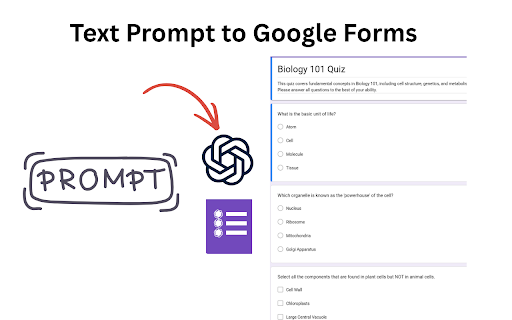
Generate Google Forms from Docs, Slides, Sheets, PDFs, and prompts. Create quizzes and assessments with AI in Google Workspace. 🚀 Create fully formatted Google Forms quizzes in seconds using ChatGPT — directly from your google documents, notes, PDFs, or prompts. As a teacher, this extension saves you hours of manually copying and formatting questions in Google Forms for your assessments. Skip the copy-paste, setup, and scripts—everything is generated and organized automatically for you. If you already have existing Google Forms, you can use this extension to add more questions, including MCQs, checkbox, true/false questions, and Cloze prompts, powered by AI. Ideal for anyone creating multiple choice question, survey, feedback, questionnaire, True/False, Mixed Quiz, and registration form. 📄 Create Google Forms From Your Files Open any Google Doc, click the extension, and generate a Google Form directly from the document content. Perfect for: • Lesson notes • Study guides • Training materials • Meeting notes • Research documents Convert presentations into quizzes, assessments, surveys, and questionnaires. Ideal for: • Classroom presentations • Lecture slides • Training decks • Workshop materials • Educational PowerPoints Generate forms from spreadsheets, tables, datasets, and structured information. Great for: • Assessments • Data collection forms • Surveys • Registration forms • Knowledge checks Upload a PDF and instantly convert it into a quiz, test, questionnaire, or survey. ⭐ Generate Forms Directly From the Sidebar Simply open a Google Doc, Sheet, or Slide and click the extension icon. The extension automatically imports the content from the current file and lets you generate: Everything is organized and formatted automatically. ⚡ The Fastest ChatGPT → Google Forms Workflow GPT Google Form Quiz Maker works seamlessly with ChatGPT and MyQuizGPT. 1. Upload or paste your content 2. Ask ChatGPT to create a quiz or form 3. Generate questions instantly 4. Open the generated form 5. Start collecting responses Instead of spending time formatting questions and answers, you get a ready-to-use Google Form in seconds. • Create Google Forms from Google Docs • Convert Google Slides and PowerPoint presentations into quizzes • Generate forms from Google Sheets • Turn PDFs into assessments and surveys • AI-generated questions and answer options • Support for MCQ, True/False, Checkbox, Short Answer, and Cloze questions • Create surveys, questionnaires, and feedback forms • Direct Google Forms integration • Works inside Google Workspace • No coding or Google Apps Script required • Seamless ChatGPT integration 🎯 **Who It's For** Create quizzes, tests, worksheets, assessments, and classroom activities in seconds. Turn notes, PDFs, presentations, and study materials into practice quizzes. Build assessments and knowledge checks from training materials and presentations. Create surveys, feedback forms, questionnaires, onboarding forms, and registration forms quickly. GPT Google Form Quiz Maker automates the entire process. You focus on the content. AI handles the form creation. Your content is only used to generate forms and quizzes. We do not sell your data or use it for advertising. All processing is designed to help you create Google Forms quickly and securely. Install the extension, open any Google Doc, Google Sheet, Google Slide, PDF, or note, and generate a fully formatted Google Form directly from the sidebar in seconds. ✨ From content to Google Form with a single click.

NotebookLM Quiz Exporter
Export quizzes from Google NotebookLM to multiple formats for teaching, studying, and sharing 📚 The simplest way to save and share quizzes created in Google NotebookLM to 15 different formats. Perfect for teachers, students, and trainers. No account required. 🎯 WHAT YOU CAN DO: - Save quizzes as documents or spreadsheets (CSV formats to most platforms) - Create printable worksheets for your classroom - Build interactive online quizzes - Import quizzes into learning management systems - Generate presentation slides for review sessions - Question Selector — pick which questions to export - Include/Exclude — answers, rationale, hints 📖 HOW TO USE: 1. Open a quiz in NotebookLM 2. Click the extension icon (Google Chrome) 3. Choose your export format 4. Done! 🔒 PRIVACY FIRST: - Only activates on notebooklm.google.com - No data collection or tracking - Everything stays in your browser Version History v2.0.0: NEW: Google Forms export (via Sheets) NEW: Moodle XML format for direct LMS import NEW: QTI 2.1 for Canvas/Blackboard/Brightspace IMPROVED: Math rendering with 200+ LaTeX symbols IMPROVED: Better spacing command handling v1.4.0: FIXED: Correct answer detection (was always showing A) Improved answer extraction with multiple fallback strategies Separate "Include answers" and "Include rationale" checkboxes

Audio Recordings for Google Classroom - Beep
Allows teachers and students to leave transcribed voice notes and feedback on Google Classroom, Gmail, & Google Docs.

AI Quiz Maker | AI Quiz Generator
AI Quiz Generator, create quizzes/tests/exams/trivia games from text/videos/PDFs/web pages, like MCQs,True/False,Fill-in-the-blanks. Create a quiz/flashcards that can enhance learning, generates leads, promotes your brand, train employees at work, play trivia with friends, ease your sales process, get insights & leads, activate your audience. We don't need your API key for AI. 🔹Capture qualified leads Grow your audience with interactive lead quizzes and stunning email capture pages. 🔹Improve compliance standards Safeguard your business and put employees to the test with engaging compliance quizzes. 🔹Conduct training assessments Onboard new hires to spot gaps in their knowledge and encourage development. 🔹Test your classroom Build exams that keep students engaged, show scores and write personalized feedback. 🔹Recruit the best candidates Find your dream team that tick all the boxes with candidate assessment quizzes 🔹Engage on social media Stand out from your competition with fun quizzes that leave your followers wanting more. 🔹Get Fantastic Engagement & Traffic 🔹Create Assessments & Tests 🔹Strengthen Brand Awareness 🔹Enrich Corporate Training 🔹Guide Users to the Right Product 🔹Improve product sales 🔹Increase user engagement 🔹Teachers Quickly create courses or online tests for your students. 🔹Businesses Create online training and assessments to ensure your staff are always up to date with the right skills. AI Quiz Generator leverages advanced AI technology powered by AI to provide you with a seamless question generation experience. This breakthrough technology generates applicable questions and answers from them at lightning speed. By design, your data stays at all times on your Google account, never saved in our database. Your data aren’t shared with anyone, including the add-on owner. We complies with privacy laws (especially GDPR & California Privacy Act) to protect your data. All data you upload are automatically deleted every day.

Google Sheets Formula Not Working? AI Formula Generator
AI formula generator for Google Sheets. Fix Google Sheets formula not working, build formulas, debug logic, and apply instantly. Google Sheets formula not working? AI Formula Generator is a smart google sheets ai formula generator and spreadsheet formula generator that helps you create, fix, and understand formulas directly inside Google Sheets. 🔐 To work with your spreadsheet data, AI Formula Generator uses Google Sign-In to securely access Google Sheets and apply AI-generated formulas. Instead of guessing syntax or manually debugging errors, simply describe what you need. This ai spreadsheet helper reads your spreadsheet, understands your data, and turns your request into a working formula — or shows you exactly how to fix formula in Google Sheets. Formulas are powerful, but they break easily. One wrong range, condition, or function — and results stop making sense. AI Formula Generator works as an intelligent google sheets formula help tool and google sheets formula checker, guiding you from problem to solution without trial and error. It’s built for real spreadsheets — not demo examples. Turn plain English into formulas using a smart google sheets formula generator, formula builder google sheets, and spreadsheet formula generator that adapts to your actual data. When a google sheets formula is not working, the extension analyzes the logic and suggests a corrected version. Perfect for anyone searching how to fix google sheets formula or how to fix formula in Google Sheets. Understand how formulas calculate results with built-in google sheets evaluate formula and google sheets debug formula support. Receive contextual google sheets formula suggestions and edits through an integrated google sheets formula editor. Get help when functions like VLOOKUP, SUMIF, FILTER, or IFERROR are not working as expected in Google Sheets. (Helpful for cases such as vlookup not working google sheets, google sheets sumif not working, filter not working google sheets, and google sheets iferror not working.) 💼 Perfect for ✔️ Professionals, analysts, and students using Google Sheets daily ✔️ Anyone who needs a fast ai spreadsheet helper ✔️ Users who want fewer errors and more confidence in their formulas Let AI build, fix, and explain your formulas. Install AI Formula Generator — your all-in-one google sheets formula generator, google sheets formula help, and google sheets formula checker.
