
hkhekhinohhiaihkaepegmcigojejfaa

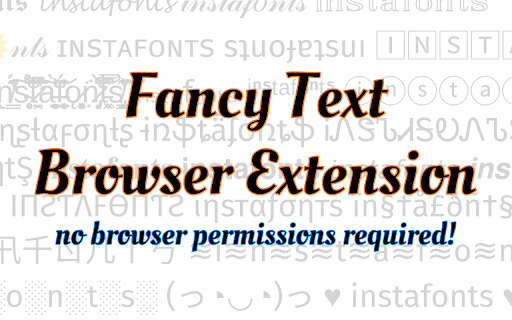
A fancy text generator / font changer. Converts your normal text into fancy fonts. A simple fancy text generator that requires no browser permissions. Simply click the extension icon and type some text, and then you can easily copy-paste the generated fancy fonts into your social media posts without leaving the page.

TypeTest.io Font Changer
Allows customization of the TypeTest.io font family. Small extension that enables the TypeTest.io font family to be modified. Users may use this extension for productivity or for a better typing experience. Will be updated and worked on regularly. Not affiliated with TypeTest.io

Fontonic - Change Fonts
Change fonts of any website with your locally installed fonts! 🖋️ Change Font of Websites Instantly with Fontonic! 📱 Also available on Firefox for Android: https://addons.mozilla.org/en-US/firefox/addon/fontonic Tired of the default fonts on websites? Fontonic lets you change the font of any website with just one click. Customize your browsing experience using fonts already installed on your device. 🎨 Choose from serif, sans-serif, or monospace fonts. Whether you want to change fonts site-wide or just tweak a few elements, you’re in control. ⚡ See changes in real-time by clicking "Apply Selection." Your font preferences are saved—even after closing the tab! ⏪ Not happy with your changes? One click on "Restore" brings back the original fonts. 🔧 Have ideas or feature requests? Drop them in the reviews! 🔍 View the source code on GitHub: https://github.com/amkhrjee/fontonic

Advanced Font Changer
Change the font of any website without altering its formatting. 🔔 WHAT’S NEW Now powered by more fonts from user reviews. 72+ fonts loaded and adding more as you read this! 📖 Description: Easily switch the font of any webpage with Advanced Font Changer! Choose from a wide selection of popular Google Fonts and web-safe fonts to customize the look and feel of your favorite websites with just a click. Need to change a website’s font? Advanced Font Changer lets you swap any page’s text instantly. Pick from popular Google Fonts or classic web-safe families; the site refreshes on the spot and your choice is remembered the next time you visit. Perfect for easier reading, dyslexia-friendly viewing, or simply giving the web a fresh look—no sign-ups and no data ever leaves your browser. 🔒 Your preferences are remembered for each site, ensuring you always enjoy the personalized browsing experience you desire. Whether you’re optimizing for readability or just refreshing the style, Advanced Font Changer gives you the tools to make the web truly yours. change website font, google fonts extension, font switcher, readability tool, dyslexia friendly fonts, custom font chrome, easy font changer

Change Font
ℭ𝔥𝔞𝔫𝔤𝔢 𝓕𝓸𝓷𝓽 🔥😎 Generate 𝕗𝕒𝕟𝕔𝕪 letter fonts Art with ℭ𝔬𝔬𝔩 & Stylish Text Symbols, Emoji (𝕮𝖔𝖕𝖞 ⓐⓝⓓ 𝓟𝓪𝓼𝓽𝓮). A change font is a chrome extension tool that allows users to change the font of a piece of text. This can be useful for a variety of purposes, such as making a document more visually appealing, making text more legible, or emphasizing certain words or phrases. There are several ways to change the font of text. One common method is to use a word processor or text editor, which typically have built-in font changer tools. These tools allow users to select a piece of text and then choose from a list of available fonts to change the font of that text. Another way to change the font of text is to use a website or online tool. There are many free online font changer tools available that allow users to type in or paste text, and then select from a variety of fonts to change the font of the text. Some of these online tools also allow users to download the text with the new font, or share the text on social media platforms. There are also font changer tools available as mobile apps, which can be downloaded and installed on a smartphone or tablet. These apps allow users to change the font of text, and often include a variety of additional features, such as the ability to add special effects, like shadows and outlines, or the ability to combine different fonts to create unique text styles. When selecting a font for text, it is important to consider the readability and legibility of the font. Some fonts, like serif fonts, are more traditional and are better suited for long blocks of text, while other fonts, like sans-serif fonts, are more modern and are better suited for short blocks of text or headlines. In general, it is a good idea to use a font that is easy to read, and to avoid using fonts that are too fancy or difficult to read. In conclusion, font changer tools are useful for making text more visually appealing, legible, and emphasizing certain words or phrases. They are available in many forms such as a word processor, website, mobile apps and more. As you experiment with different font, remember to consider the readability and legibility of the font, It’s best to use a font that is easy to read and avoid using fonts that are too fancy or difficult to read.
