
hjnjgdaeojdfoajjigipjmdnailbmfje
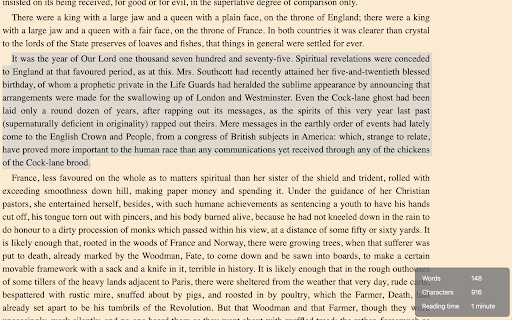

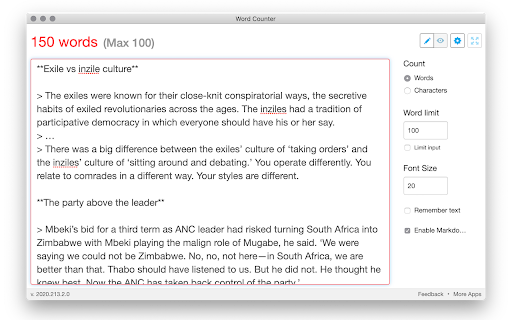
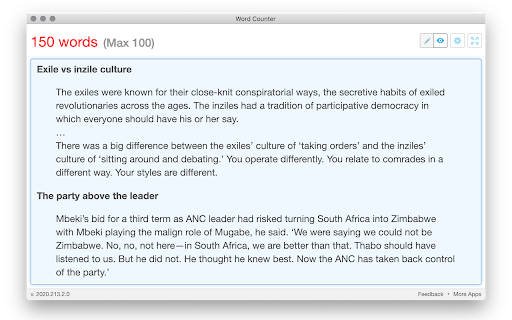

Shows a count of words and characters when you type in a text box on a website Shows a count of words and characters as you type. Or select some text on a webpage to see the count of words, characters and estimated reading time. Or tap on the extension button to open a window to write in. (Supports markdown formatting too!) New: App window to write longer text, with word count, word limits, markdown support, and more... New: Show estimated reading time for text. Reading time is calculated based on a reading speed of 200 words per minute. 1. Removed permission for reading clipboard. Planned feature has been cancelled, so don't need this permission anymore. 2. Made word count non-selectable, so it doesn't get included when doing select all (Ctrl/Cmd + A) on a webpage.

Word Counter
Count words and characters in selected text with a single click. Just right-click on any text to analyze it! Word Counter: The fastest way to count words and characters in any selected text on the web. No copying, no pasting, just select and count instantly. ✓ INSTANT COUNTS: Get word count, character count (with or without spaces), sentence count, and paragraph count in one click ✓ WORKS EVERYWHERE: Count text on any website, email, document, or social media platform ✓ MULTIPLE DISPLAY OPTIONS: Choose between in page popup (default), system notification, browser alert, or optional floating counter ✓ FLOATING COUNTER (OPTIONAL): Enable the floating counter in settings to see real time word count as you select text, no right click needed ✓ ACCURATE COUNTING: Advanced sentence detection handles abbreviations, ellipsis, and headings, matches popular word counter tools ✓ ZERO LIMITATIONS: Count text of any length with no restrictions ✓ PRIVACY FOCUSED: All counting happens locally, no data is ever transmitted Perfect for writers monitoring word limits, students working on essays, content creators optimizing SEO, professionals drafting emails, and anyone who needs quick text analysis. Two ways to use: • Right click on selected text and choose "Word Counter" for instant results • Enable floating counter in settings for automatic counting as you select text (requires page refresh) Simple, fast, and essential for anyone working with text online.

Word Counter - Character/Word Counting Stats
Count number of Characters/Letters/Words with one-click. Right-click context menu to count Words/Letters/Characters of selected text 📖📖📖 Word Counter extension/add-on aims to provide an instants text stats for letters/words of any web page you visit via clean and intuitive interface and with just One-Click. Word Counter might be useful for writers, bloggers, website designers, and also for language learning. Word Counter is a simple and useful cross web-browser compatible extension/addon that lets you get real time text stats for any web page you are browsing. 🎨🎨🎨 Word Counter Version 0.1.0 - Web Browser Extension/Add-on Features: ✅ Website Characters/Words Stats: One-Click to count letters/words for the whole webpage ✅ Selected Characters/Words Stats: * Select any text * Right click * Choose "Count Selected Text" option ✅ It gives you real-time text stats results ✅ Available in 54 different languages ✅ Works both online and offline ✅ No permission needed ℹ️ℹ️ℹ️ Support: support@oziku.tech ✅ All translations are done with a translator. For any wrong translation please reach out to us ✅ For any bugs found or feature request please do not hesitate to send us an email

Word Count
Display the number of words and characters within highlight in contextMenu and bottom right Display the number of words and characters within highlight in context menu and bottom right On highlight, show the word count and the number of characters immediately. Chrome extension word counter to easily count words & characters

Google Docs Word Count
Chrome Extension that displays word and character count of text inside of a Google Doc Google Docs Word Count displays the word count and character count of a Google doc page. How does Google Docs Word Count work? - After installing the extension and pinning it to the extension bar, browse to a google docs page - On the Google docs page, you should see a text box with the word and character count - Refresh the web page (press CTRL+R) if you want an updated word count on the Google doc
