
hjdoekfcaedmdikdmafefofejfephjgm
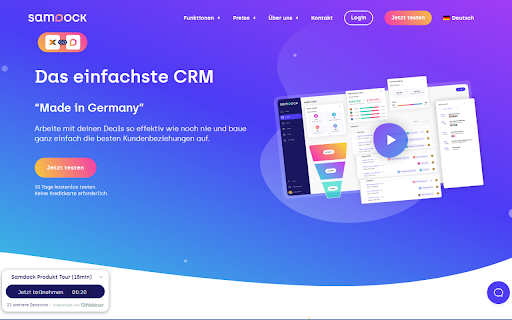

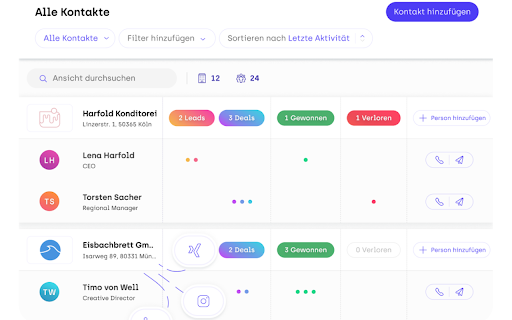

Samdock Grabber is a Chrome extension that allows you to grab contact information from LinkedIn and save it to your Samdock CRM. With the Samdock LinkedIn Grabber, using a single click, import or update a contact, company and much more from LinkedIn into Samdock. - Grab contact details from LinkedIn and LinkedIn Sales Navigator, seamlessly integrating them into your Samdock platform. - During the contact import process, select from a curated list of pre-existing organizations in your Samdock CRM or effortlessly create a new organization entry. - Keep your contact information up-to-date and reliable by reviewing existing Samdock contacts and updating them - Seamlessly import LinkedIn and Sales Navigator conversations directly into Samdock to view your contact activities in one place. For a detailed explanation, please read our documentation. https://intercom-help.eu/samdock/en/collections/178070-samdock-linkedin-grabber

Tanuki Utilities
Provide useful utilities for GitLab users. * Change the GitLab favicon to a project icon; you can easily distinguish many GitLab tabs. * Move "Copy reference" button on top bar; the button is always shown for your easy access. This extension tries to change favicons in the **all** sites by default. You can specify which GitLab site (e.g. gitlab.com or your self-hosted site) you would like to change favicons. #### Change the GitLab favicon to a project icon

Tor's Backloggery enhancements
Adds pie charts and other enhancements to backloggery.com This extension adds various new presentation features to the backloggery.com website to enhance the experience and help better organize your games. Features include: - Icons for game digital distribution services in the My Games and Now Playing lists - Displays release years in the My Games and Now Playing lists - Pie charts of game systems, game ownership, completion status and digital distribution services - A bar chart that shows release years Please visit the support link on the details tab for detailed instructions and examples.

GoldDust
Ask a question about a company or a person. If the answer is on the internet - our AI agent will locate, synthesize, and display it. Welcome to GoldDust, the Chrome extension that automates the tedious and repetitive research you need to effectively qualify leads, prioritize opportunities, and customize outbound messaging. ⭐ Seamless Integration: Whether you're scrolling through LinkedIn, checking out a company’s website, checking latest news or deep in your CRM, GoldDust is there to enrich your experience without the hassle of switching tabs or tools. ⭐ Rich Info, On Demand: You've got a treasure trove of information, when and where you need it. It’s like magic, but for work. ⭐ Custom Insights: You’re getting the good stuff – customized insights that matter to you. Say goodbye to info overload and hello to insights that make a difference

GitHub File Diff
View diffs of files and directories on GitHub. To use this extension, go to a file or directory in GitHub and click the **History** button. Then, click on any commit. The extension will override the click to show the diffs of only the relevant files instead of GitHub's default behavior of showing the entire commit's diff. This is especially helpful when a commit is very large and GitHub only shows a partial diff or none at all. To get the regular view, simply refresh the page.
