
hjdcpbokggnjjmcmbmhkbkmibdekodmk

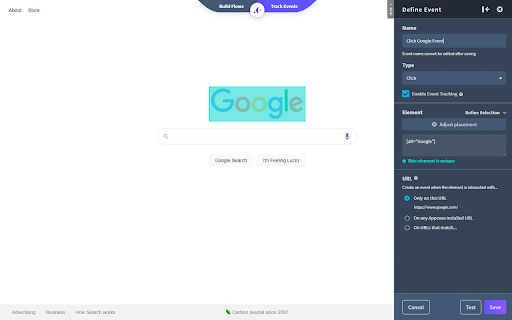
Build Appcues experiences and events while on your website. Install the Appcues Builder to create, edit, and publish experiences into your product, as well review the experiences you create on top of your application. The builder also allows you to create, edit, and track your own events in your product.

UserGuiding - Better User Onboarding
Guide your users on your website with UserGuiding. 🌊 In a matter of minutes, you can: ✅ Design interactive guides, product tours, and walkthroughs for quick and effective onboarding, ✅ Create hotspots and tooltips to announce updates without user frustration, ✅ Collect all help resources in a resource center for self-serve customer support, ✅ Customize all features of your guide from colors to triggers via a user-friendly dashboard, ✅ Create user segments and use targetting for a tailored experience for each user, ✅ Analyze your guides and onboarding with a powerful analytics dashboard, ✅ Create new users with different authorization levels in order to work more productively Do it all without writing a single line of code, with ease, wherever you want 💪

Product Fruits Editor
Product Fruits tours, hints and events editor. Product Fruits editor lets you create, preview and publish in-app flows in minutes. No developers needed. With Elvin AI doing the heavy lifting: Generating onboarding flows automaticallyPersonalizing experiences with adaptive onboardingDelivering contextual support when it matters most Learn more about the editor: https://help.productfruits.com/en/article/editor-basic-setup

Chameleon Builder
Use Chameleon Experiences to: Collect real-time feedback Help new users onboard and activate Convert free triallers to paid Drive awareness and discovery of new features This Chrome Extension enables you to use the Chameleon Builder to build and preview Chameleon Experiences. Learn more about the Extension here: https://help.chameleon.io/en/articles/1204283-what-does-the-chrome-extension-do Learn more about Chameleon here: https://www.chameleon.io

Stonly Browser Extension
Enhance your Stonly guides creation experience with our browser extension. This extension allows Stonly users to insert the Stonly widget on any webpage in order to have contextual guidance everywhere needed. It also allows users to select elements from their page thanks to our CSS selector picker and build guides using the Wizard. Drive fast, accurate resolutions with the modern knowledge platform for customer service. Stonly delivers step-by-step guides, decision trees, AI answers, automations, walkthroughs, checklists, and knowledge bases for agents and customers.
