
hjcjcaenhbolefelealgfopghmbpkjoc
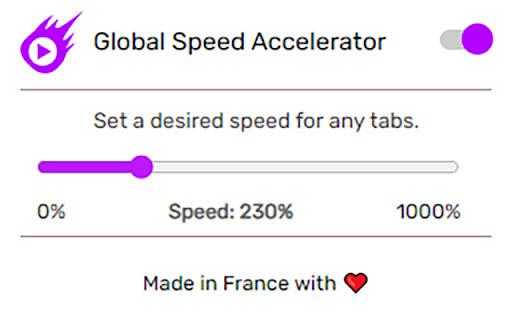
Global Speed Accelerator enhances your online video and audio streaming experience by enabling you to adjust playback speed across various platforms. This user-friendly MV3 extension seamlessly integrates into your browser without the need for additional tabs or intrusive requests. With Global Speed Accelerator, you can increase the playback speed of your video and audio by up to 1000%, allowing you to breeze through content at your preferred pace. Simply access the extension's pop-up menu in your browser tab, where you can easily adjust the playback speed slider to your desired setting. As the Chrome store transitions to MV3, rest assured that Global Speed Accelerator is already compatible with this new framework, ensuring uninterrupted support. We respect your privacy and do not require access to audio recording. Instead, our extension operates using alternative methods to protect your data. It allows for fullscreen video playback without disrupting the fullscreen mode. Increase video playback speed by up to 1000% No need for extra tabs No permission requests No disruption to fullscreen mode Completely free MV3 compatible

Speed Hack
Speed up setTimeout/setInterval per-domain with a slider. Speeds up setTimeout and setInterval on any page you want by a configurable amount

jwplayer buffer booster
jwplayer has its own limit in buffering the video. By this chrome extension the buffered time goes up to 20 min and you won't lose your temper on lagging videos. just install and enjoy. no config or setting is needed

SpeedMaster Pro - video and game speed booster
0.1-100x for video, games, and CSS animations. Time scaling, timers, rAF, and worker support. Short description: Precise speed control for videos, games, and animations in your browser: 0.1x-100x, auto-apply, and support for complex web scenarios. Speed up or slow down videos, browser games, and animations with precise control from 0.1x to 100x, including fractional values. What the extension can do: • Flexible 0.1x-100x speed range with fine control. • Video and audio control via playbackRate. • Auto-apply to newly added elements on the page. • Game-loop acceleration: requestAnimationFrame and time sources (performance.now / Date.now). • setTimeout / setInterval timer scaling. • CSS and Web Animations API animation acceleration. • Works in nested iframes and dynamically loaded content. Important: Some players and websites may limit maximum speed (often around 16x), so the effective range depends on the specific service. Privacy: The extension does not send your data to external servers and does not use tracking. Permissions are used only to store settings and apply speed on the active tab.

Video Speed Controller Global
Control the speed of any HTML5 video. Speed up, slow down, advance, and rewind with shortcuts. Video Speed Controller Global - Take Full Control of Your Video Playback on Any Website! Tired of not being able to speed up, slow down, or rewind videos on certain websites? Video Speed Controller Global gives you full control over ANY HTML5 video. Whether you're binge-watching a series, studying an online course, or browsing social media, you can adjust the playback speed to your liking. Use convenient keyboard shortcuts or the simple popup menu to perfect your viewing experience. Video Speed Controller Extensions Key Features: * 🚀 Universal Control: Works on almost all websites with HTML5 video/audio (YouTube, Netflix, Dailymotion, Vimeo, Twitch, online courses, news sites, and much more!). * 🔢 Precise Speed Adjustment: Increase or decrease speed in fine increments. * ⚡ Quick Presets: Instantly switch to common speeds like 1.5x, 2x, etc., with a single click. * ⏪⏩ Rewind & Advance: Jump backward or forward in the video with a single keypress. * ⌨️ Customizable Shortcuts: Set your own keyboard shortcuts for every action in the options menu. * ✨ Modern & Simple UI: Control everything from a clean and easy-to-use popup. * 🧠 Smart Detection: Automatically finds videos on the page, including on sites like Dailymotion that use complex layouts. Video Speed Controller Global - How to Use: 1. After installation, the extension icon will show the current speed when a video is playing. 2. Click the extension icon to open the control panel. 3. Use your keyboard shortcuts (view and change them in the settings) to control the video even when the popup is closed. Default shortcuts include 'S' to slow down and 'D' to speed up. Privacy: Your privacy is important. This extension works entirely within your browser and does not collect or transmit any of your personal data. Install now and take control of your video streaming experience
