
hinojlppaakapfbilajljbpbmnajinle
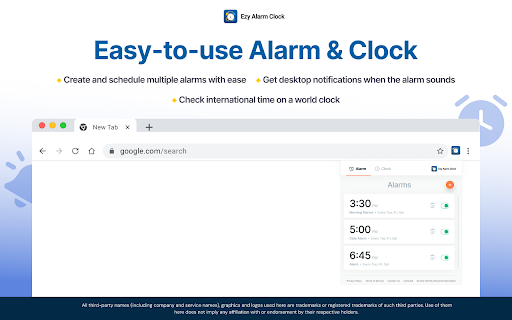
Ezy Alarm Clock provides quick access to an alarm and world clock via a widget on your browser toolbar. Create alarms for important tasks or check international time on a world clock to easily plan travel or meetings across time zones. How to use the alarm and clock widget: - Add the extension to your Chrome™ browser - Pin the extension to your browser's toolbar for quick access to the alarm and clock widget - To schedule an alarm, enter the alarm name and set the day and time - View the time in your location on the ‘Clock’ tab. To check the time in another location, add a clock for that place or time zone We welcome your ideas and suggestions to improve this extension. Please note that you can uninstall the extension if you are dissatisfied with the product. Upon clicking the button above, you confirm that you have read & agree to the Terms of Service & Privacy Policy and consent to install this Chrome™ extension. Chrome is a trademark of Google LLC. Use of it here does not imply any affiliation with or endorsement by Google LLC.

Alarm U
This extension allows you to set alarms in chrome. On alarm triggered shows a notification and open an alert, if has configured a… This extension allows you to set alarms in chrome. On alarm triggered shows a notification and open an alert, if has configured a URL will open a new tab with the provided link.

ChatGPT Alarm Clock
ChatGPT Alarm Clock - Stay Motivated Throughout the Day! Looking for an alarm clock that does more than just ring? The ChatGPT Alarm Clock is a versatile, browser-based alarm designed to keep you on track and motivated, no matter what time of day it is. Set your alarms and receive real-time motivational messages generated by ChatGPT to help you stay focused and inspired. What Does It Do? This extension allows you to set multiple alarms directly from your browser. When the alarm goes off, it generates unique motivational messages powered by ChatGPT, tailored to give you a boost of encouragement, positivity, or inspiration exactly when you need it. Key Features: Customizable Alarms: Easily set alarms for important tasks, reminders, or breaks throughout the day. ChatGPT-Powered Motivation: Receive AI-generated motivational quotes and tips—fresh content with every alarm, no repeats or pre-generated messages. Manage Your Alarms: View, edit, and delete active alarms directly from the extension’s interface. Daily Inspiration: Whether you’re working, studying, or just need a reminder, get personalized motivational content each time an alarm rings. Why Install? The ChatGPT Alarm Clock isn’t just a timer—it’s your personal motivator throughout the day. Use it to stay on top of your schedule while enjoying unique and encouraging messages that keep you motivated, productive, and inspired. From important tasks to casual reminders, let ChatGPT help you stay focused and energized with a constant stream of fresh, AI-generated inspiration. Install now to bring powerful words and motivation from ChatGPT into your daily routine!

Task Alarm
A simple Alarm for your Tasks. A simple Alarm for your Tasks.

Smart Alarm Clock & Timer – Snooze, Sync & Themes
Set alarms & timers with snooze, repeat, and synced dark/light themes in popup and fullscreen. Meet Smart Alarm Clock & Timer — the fast, reliable way to manage alarms and timers in Chrome. Why it’s great • Snooze & Stop controls on alarms and timers • Popup ↔ Fullscreen sync so settings match in both views • Dark/Light themes with corner radius & color controls • Repeat timers & custom sounds (Test button included) • Lightweight and privacy friendly (no personal data collection) What you can do • Start a 10 minute timer with one click • Set a single or repeating alarm (with Snooze) • Switch themes instantly; tweak corner radius to your taste • Keep everything in sync between popup and fullscreen Privacy • Uses Chrome storage only to remember preferences. • No selling of data; no unrelated tracking; no external accounts. • Perfect for focus sprints, cooking timers, calendar reminders, and daily routines. • Updated manifest.json to remove the tabs permission. The extension no longer requests unnecessary permissions and only uses storage
