
himkophbokjcipdpdclngoighmpfclig

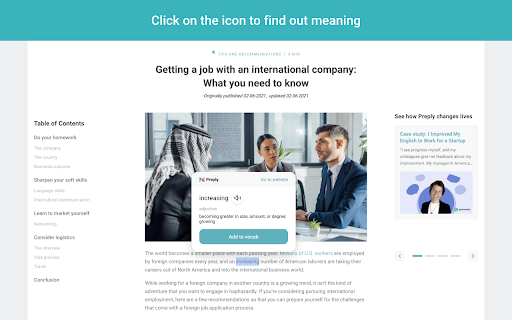

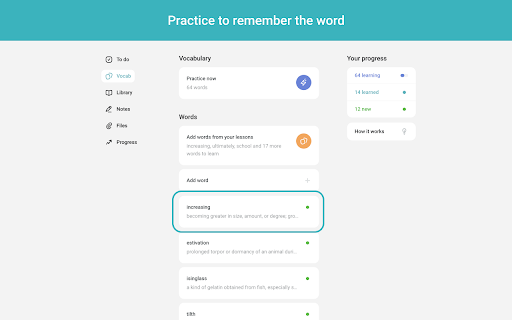
Find out the meaning of any word with Vocab by Preply and instantly add words to your vocab as you browse the web. Simply select the word you want to learn, click on Vocab by Preply and learn its meaning on the go. Click “Add to vocab” and the words will automatically save in your Preply vocab. Learning vocabulary can be a challenge for anyone! It’s so easy to forget new words, and it takes regular practice to remember them. Seeing a word used in a sentence can really help build your memory. Being able to add it to your personal word bank can be a great way to boost your learning. Preply is shaping the future of online learning by connecting more than 100,000 new students each month with tutors from all over the world. We believe that combining innovative learning solutions with 1-on-1 lessons is the most effective way to learn. We provide both, and we will help you speak any language confidently.

Dictozo - Save and Learn new words by auto-highlighting
Dictozo helps you memorize words by highlighting them along with their definitions or translations in webpages It is tough to recall the meaning of an English word you searched a few days ago. When you see it again you have to search the meaning again and the cycle goes on. Dictozo lets you save definitions and translations of those words and highlights them on every next occurrence on any webpages. It improves your reading ability and builds a strong vocabulary. Say goodbye to the frustration of forgotten words and embrace a more enriching reading journey with Dictozo. - Added URL and website blocker - Improved settings page - Improved dashboard - More storage for savings words - Bugs Fixes

Web Paint Tool - draw online
Draw rectangle, circle, lines and others shapes or add text on any web pages, then make screenshot the result. Web Paint Tool is absolutely free lightweight digital program to created various drawing that comes loaded with brushes, fonts, shapes, and other resources. Our Paint Tool extension has a simple and easy to use design. It is not confusing and easily recognisable tool icons (pencil, paint bucket, eraser and others tool) are used in the app which makes it easy for everyone to use. Paint online or add information on a webpage to highlight moments, then take a screenshot of a full webpage or just a selected area with an option to download or share it. Fully customized screenshot that could be printed, saved or sent instantly. It contains the tools you need: - Pencil tool - draw custom lines - Text tool - add annotation - Emoji - add fine emoji on any web pages - Bucket fill tool - fill shapes and drawn with any color from palette - Line tool - put start and end point to paint straight line - Quadratic curve - draw a quadratic curve with the selected line width - Bezier curve - paint a bezier curve with the selected line width - Polygon tool - paint a polygon with the selected line width - Ellipse tool - draw an ellipse or a circle with the selected line width - Eyedropper tool - pick a color from the web page or your drawings - Screenshot tool - screenshot maker allows saving result in PN or JPG All tools as in MS Paint but only in your browser. You can mark shapes with the magic marker, write with the text tool and more. After you are done. Take screenshot of your work so that your friends can see your creativity as well. You can share your images on Pinterest board. Want to share your screen for cases like reporting technical issues, making product demos or how-to tutorials? Here are reasons to choose Paint and Screenshot Tool: - Hot-keys to each tool - Current drawings are automatically saved - Save drawing with a Screenshot option ( take a screenshot of a full page or capture selected area.) Screen capture. - Download image to your PC or Print - Crop the necessary area of an image and save it Annotate on any webpage and save it as a screenshot! Annotate the Web was created to allow users to annotate any webpage and save it as an image. Page Marker for Chrome Important After installation / update Paint Tool, please reload the active tabs in your browser for the extension to work. Paint on web and Screenshot Tool in simple manner and without any difficulties. Draw online with our new and absolutely free extension for chrome browser. Known as a web paint or paint online tool extension is a useful have for students, teammates and everyone who works with websites content, as you could easily learn or save information, create custom tutorials or paper notes, if you’d decided to print it. Please rate our Paint Tool extension if you like it. Happy painting everyone.

myVocabs: Save Words and Expand Your Vocabulary Effortlessly
Save and learn new words effortlessly. Click to save, view later, and improve your vocabulary. 📚 Effortlessly expand your vocabulary with the Save Words Chrome Extension. 🧠 Learn and memorize new vocabulary easily with the Save Words Chrome extension. It's like having a vocabulary tutor while you browse the web. New Feature! 🔑 Sign in to myVocabs: To get started, sign up on myvocabs.com, where you can organize your saved words, add definitions, example sentences, and more. After signing in, use the extension to save words directly to your personal vocabulary list. 💾 Word Saver: Click to save any new vocabulary you find online. No more forgetting those interesting words you come across. 📁 Easy Organization: Keep all your saved words neatly in one place on MyVocabs. Review them anytime you want. ➕ Add Your Words: Want to remember a specific word? Add it yourself on MyVocabs for quick learning. 📥 PDF/CSV Downloads: Turn your vocabulary list into a handy PDF or CSV for studying offline. 🎯 Who's It For? 🌐 Language Learners: Perfect for anyone learning a new language. 🖋️ Writers: Improve your writing by expanding your vocabulary. 🤓 Word Lovers: If you just enjoy learning new words, this is for you. 🚀 Install the Save Words Chrome extension now, sign in to myvocabs.com, and watch your vocabulary grow effortlessly.

Vocab
Translate highlighted text and store the translation in a glossary book. A random glossary card shows when opening a web page. Selected text on web page and translate it on context menu. The translation result will be shown in a floating modal, and can be added to a glossary book by clicking '+' button or pronounced by clicking the speaker button. Please also take a look at the settings from popover, where you can configure several settings for the extension, including: 1. the source and target languages, currently supports 24 languages 2. displaying a random glossary card every time you open a new page. This can help you to memorize and learn the vocabularies, since the new vocabularies is presented to you from time to time. 3. Support setting a CSS selector, so that every time the element of the CSS selector is clicked, a random glossary card will also show up. This can furtherly increase the exposure of the vocabularies when you are browsing on internet The added vocabularies can also be viewed, searched, edited, exported, imported and read aloud repeatedly in the vocabulary viewer from popover. There is also a simple statistics view from popover, showing how frequently you added new vocabularies to the glossary book. The translation is achieved by google translation free API.
