
hiegkehekilfjpcolajfmlcjjbohloei
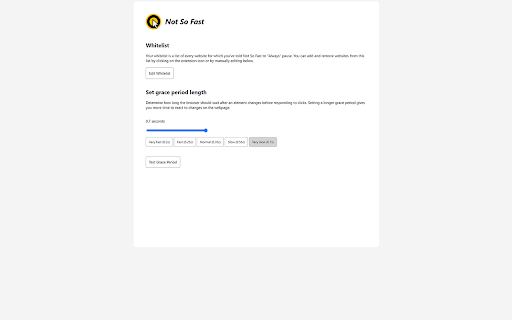
Prevent accidental clicks due to elements moving around on the page. Have you ever tried to click on something only to have some other button or link take its place right as you click on it? You meant to click on the first thing, and it seems obvious to everyone—that is, everyone but your browser. That's the problem Not So Fast solves. Not So Fast detects when elements have moved near your mouse and sets up a short "grace period" where any accidental clicks are ignored. This prevents unintended actions, like pressing the wrong button, losing your place on the page, or opening dangerous links. The added security also reduces the cognitive load of using your pointing device of choice, making for a more pleasant browsing experience. The extension is currently in beta, so feedback is welcome!

URL Vanish - Anonymous URL Shortener
Create Anonymous URL Shortener for free URL Vanish: Anonymous URL Shortener Chrome Extension Simplify and protect your links with the URL Vanish Chrome Extension! Whether you're sharing important information, managing marketing campaigns, or just cleaning up long URLs, our extension offers a secure, fast, and private way to create shortened links. Instant URL Shortening: Create short, clean links directly from your browser in seconds. Privacy-First Design: We respect your anonymity by not keeping user logs. Share links confidently without worrying about your data. Customisable Links: For registered users, personalise your URLs to reflect your brand or preference. Real-Time Analytics: Track link clicks, unique visits, and performance right from your dashboard. Seamless Integration: No need to leave your current tab—our extension works where you work. Who Is This For? Marketers and Businesses: Track campaign performance and create branded links for better recognition. Social Media Enthusiasts: Share clean, professional links on any platform with ease. Content Creators: Manage URLs efficiently and maintain a polished online presence. Personal Users: Quickly shorten links for sharing with friends, family, or colleagues. Trusted by thousands for its simplicity and privacy-focused features. Add the URL Vanish Chrome Extension to your browser. Click the extension icon and paste your URL. (Optional) Log in for advanced features like custom links and analytics. Join thousands of satisfied users and simplify your online experience today with URL Vanish. Download the Chrome Extension now and enjoy anonymous, secure, and hassle-free URL shortening.

ProspectAIze - Automation Tool for LinkedIn
Connect your LinkedIn account easily on ProspectAIze.

Type.
Track your typing speed across Chrome browsing sessions 🟡 Track Your Real-Time Typing Speed Across the Web Type. is the ultimate tool to monitor your typing performance in real-time—no matter where you're typing in Chrome. 📈 Beautiful visualizations of your typing trends 🎯 Accuracy insights to boost your typing efficiency 🔒 Fully private — your data stays on your device 🧠 Why Use It? Whether you're a writer, student, developer, or just love speed-typing, this extension gives you deep insights into how you type. Improve your speed, identify fatigue patterns, or just geek out on data! 🔒 Privacy First We do not track or store any of your keystrokes externally. All analytics are computed in real-time locally in your browser. I’d need a server for tracking — but servers cost money, and I’m broke. So yeah, you're safe 😄 __ Type smarter. Type faster. Know your flow.

PeekTube
Preview YouTube videos with chapters, sharing, and customizable viewing options. PeekTube - Smarter YouTube Browsing 🚀 PeekTube is a powerful Chrome extension that enhances your YouTube experience by providing instant video previews and chapter navigation when you hover over thumbnails. It helps you quickly find the content you need by displaying chapters for structured videos, saving you time and effort. ✨ Features ✅ Smart Previews – Only shows previews for videos that include chapter timestamps ✅ Chapter Navigation – Instantly view video chapters before clicking ✅ Enhanced Info – See the video title, duration, and view count at a glance ✅ Customizable UI – Adjust preview position, size, and chapter visibility 📥 Installation Download or Clone this repository Open Chrome and navigate to chrome://extensions/ Enable Developer Mode (top right corner) Click "Load unpacked" and select the extension folder 🎯 How It Works Open YouTube and hover over any video thumbnail If the video has chapters, a floating preview box will appear showing: Video snapshot 📌 Title & Duration ⏳ View Count 👀 Clickable Chapter List 🔖 👉 This feature works only for videos with chapter timestamps in their description or metadata. ⚙️ Customization & Settings Click the PeekTube icon in your Chrome toolbar to adjust settings: 🎯 Preview Position – Choose where the preview appears (right, left, or below the thumbnail) 📏 Preview Size – Adjust the size of the preview window 📖 Chapter Display – Enable or disable chapter visibility 🔔 Enhance your YouTube experience with PeekTube today! 🚀
