
hfehffkpghmpbipkjcidjjmkkjglhbja
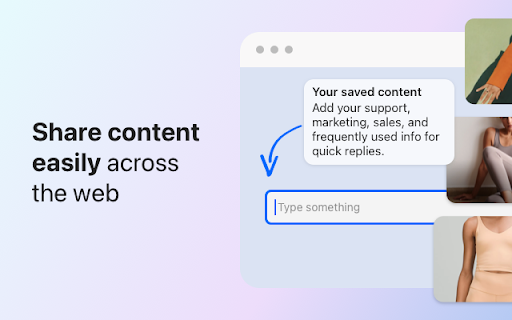


Streamline with canned responses. Send saved content across your phone, keyboard, and extension. Keygo: Simplify Your Business Communications. One click to your saved content. Keygo is the ultimate app designed for smart businesses. You can send saved content across your phone, keyboard, and extension. Instantly access frequently used responses, promotional messages, product details, and more. With Keygo, sharing vital information across any app and any device becomes as simple as a single tap, streamlining customer support, sales, and marketing. - Easy Access: Tap to send saved email responses, sales pitches, marketing materials, product visuals, FAQs, and support responses in any app and any device. - Versatile: Compatible with all apps, enhancing communication on platforms like WhatsApp, Instagram, Facebook, emails, chats, etc. - Team Ready: Share content with your team, streamlining onboarding and reducing training time by providing immediate access to key materials. - Instant Content: Save and insert texts, images, videos, documents, and links across apps. - Customizable: Tailor your saved replies and content for easy navigation. - Seamless Team Use: Share content with team members, ensuring everyone has immediate access to your business materials. - Boost Efficiency: Focus on building relationships and business growth instead of typing. Enhance your business communications and team efficiency with Keygo. Say goodbye to manual typing and hello to impactful interactions.

Whatsapp Quick Replies by Productivity Extensions
Customise Quick Replies for Whatsapp Quickly send pre-saved message templates to your customer on WhatsApp Web conveniently

BPM RunWalkYou Ext
---------------------------------------------------------------------------- You will be able to do BPM running (walking) with your favorite YouTube videos. (Supports playback speed adjustment.) ・If you can use the chrome extension on your mobile device, you can easily perform BPM running (walking) on YouTube videos. ・You can keep the BPM you want to run even if you go to the next song in the playlist.

Canned replies, canned responses, canned messages for any website
Canned replies, preset posts, comments: Create and use saved replies, canned responses in any website, social network In today’s fast-paced digital world, time is a precious commodity. Whether you're a customer service representative, a social media manager, or a business owner, managing online interactions efficiently is crucial. Enter the world of canned replies—prewritten responses you can quickly use across various websites and social networks. This Chrome extension is designed to help you save time, streamline communication, and maintain consistency in your online messaging. Canned replies, also known as canned responses or saved replies, are pre-composed messages that can be reused across different platforms. These responses can be tailored to fit specific scenarios, such as responding to frequently asked questions, acknowledging customer feedback, or providing information about your products or services. With canned replies, you can ensure that your communication remains consistent, professional, and efficient, no matter how many inquiries you receive. Save Time: Instead of typing the same response repeatedly, canned replies allow you to insert pre-written messages with just a few clicks. This can be particularly beneficial for busy professionals who handle multiple inquiries daily. Consistency in Communication: By using standardized responses, you ensure that your message remains consistent across different platforms. This is especially important for businesses that want to maintain a uniform brand voice. Reduce Errors: Typing the same message over and over increases the likelihood of making mistakes. With canned replies, you can reduce errors and ensure that your responses are clear and accurate. Increase Productivity: Canned replies free up your time, allowing you to focus on more critical tasks, such as developing new strategies, engaging with customers on a deeper level, or creating content. Installing a Chrome extension for canned replies is simple and can be done in just a few steps: Download the Extension: Search for a canned replies or saved responses extension in the Chrome Web Store and add it to your browser. Create Your Replies: Once installed, you can start creating your canned replies. Most extensions will allow you to categorize and organize your messages for easy access. Use Your Replies: Whenever you encounter a scenario that requires a pre-written response, simply select the appropriate canned reply from the extension’s menu. It will automatically insert the text into the reply box, saving you time and effort. Customize as Needed: While canned replies are a great time-saver, they are also customizable. You can quickly modify the text to fit the specific context of your conversation. Canned replies are incredibly versatile and can be used across various industries and platforms: Customer Support: Respond to common queries or troubleshoot issues quickly. Social Media Management: Engage with your audience more efficiently by responding to comments and messages with prewritten responses. E-commerce: Provide consistent information about shipping, returns, and product details. Freelancers: Save time on project proposals, client communications, and more. Call to Action If you haven’t already, it’s time to start using canned replies to enhance your online communication. By integrating a canned replies extension into your workflow, you can save time, maintain consistency, and reduce errors in your messaging. This simple yet powerful tool can transform how you interact online, allowing you to focus on what truly matters—growing your business and connecting with your audience. Don’t let repetitive tasks slow you down. Download a canned replies extension today and see the difference it can make in your productivity and efficiency. Whether you’re managing a busy inbox, handling customer inquiries, or engaging on social media, canned replies are the key to streamlined and effective communication.

PageTrail
This Extension tracks your daily surfing activity PageTrails is designed to enhance productivity by tracking time spent on various websites. It records active browsing time, aggregates it at the domain level, and provides a concise summary of web activity. This extension is ideal for users seeking to monitor their web usage patterns and optimize their online time.
