
hfbadkbkednhhimidcichmcmgeichgci
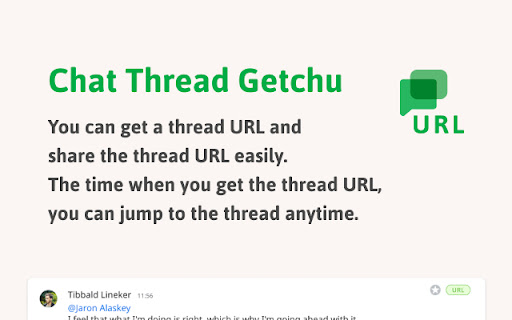



You will be able to get thread links for chat It is a function that you can get the URL of each thread with google chat. It's easy to lose track of the thread because it runs quickly, and it was difficult to tell this thread even if you wanted to share it with someone, so please use this extension to get the URL and record or share it.

GChat copy thread link & quote reply
Add button to copy link to thread and add button to messages to quote reply on Google Chat Easy to copy GChat thread link and quick quote reply

Copy Google Chat Links
Copy direct links for Google Chat messages in one click. Supports direct messages, group chats and spaces. Can enable the copy of direct links to Google Chat messages. Helpful for the teams in an organizational structure to share direct links to specific messages or threads from spaces and group chats they are part of.

Pasty
Pasty is a very simple multiple URL opener. ================================ http://google.com/ http://gmail.com/ http://maps.google.com/ ================================ Please copy the URL list above and then click/touch the Pasty icon. No need to paste, just click the icon. Changelog: v1.8 - Remove the options page. v1.7 - Reimplement. v1.6 - Manifest v3. v1.5 - Update manifest. v1.4 - Automatic paste with clipboardRead permission. v1.3 - Remove "tabs" permission. - Remove background page. - "ttp://" and "ttps://" support. v1.2 - Textarea resizer disabled / etc. v1.1 - New url finder. v1.0 - Initial release. I do not sell this extension to anyone. Please do not email me for such purposes.

Thread Master
Extends Google Chat Threads with extra features Thread master allows naming & renaming individual threads in google chat. The names are shared among all participants of the threaded room and changing a name should be visible to all those who also use this add-on. Additionally, displays links to all loaded threads in said room on the right side with a separate scroll bar to scroll through a large list of threads in selected room. Clicking on any of them will scroll to said thread. UPDATE: Added support for new google chat displayed through mail.google.com UPDATE 2: Added support for both chat.google.com and chat displayed through mail.google.com/chat UPDATE 3: Fixed compatibility with Chrome v92 (i.e. https://chromestatus.com/feature/5148698084376576 ) which didn't allow users to change thread names. UPDATE 4: Added support for dark mode UPDATE 5: fix for new google chat layout UPDATE 6: Added basic support for in-line threads.
