
hepjmecgoeldpcjmoajnlndefojbjhio
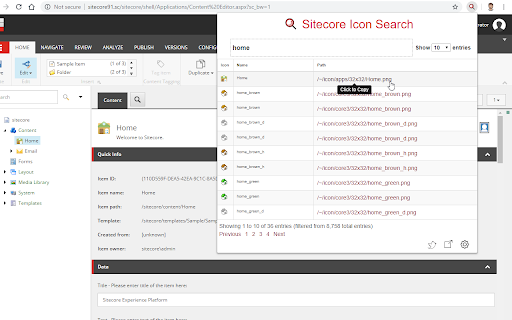

Sitecore Icon Search Chrome Extension The Sitecore Icon Search Google Chrome extension is a converted version of the Sitecore Icon Search Web App. It assists developers to search and add Sitecore icons without ever leaving the tab. 1) Navigate to a template or item and click the Icon field. 2) Click the Sitecore Icon Search extension icon. 3) Search and click the icon link you want to use. The extension automatically: - Enables the Standard Fields checkbox under the Views tab in the Ribbon (if it's not already enabled). -Sets the Icon field under the Appearance section to the selected icon (user does not need to select the Icon field). A copy of the selected icon's relative path will still be copied to the clipboard. -Saves the item.

Digital Herd - Sitecore Content Hub
This extension provides a collection of shortcuts and tools for the Sitecore Content Hub. Visit https://www.digital-herd.com/sitecore-partnership/chrome-extension/

Datalayer Checker
The easiest way to debug and check the dataLayer implementations without having to use the browser console! We are happy is happy to release Datalayer Checker 3 with several new features and a revamped design! NEW VERSION AVAILABLE! 🔹 Redesigned interface and intuitive user experience 🔹 Integrated event search engine 🔹 Flexible variable visualization: table format or JSON object 🔹 Google Tag Manager container injection removed (to respect manifest v3 rules) EXCLUSIVE FEATURES: 🔹 Capture what matters! Save up to 100 dataLayers with our revolutionary "Snapshot" function 🔹 Deep analysis! Verify your dataLayers in batches by methodically inspecting your captures 🔹 Organize efficiently! Structure your workspace with intelligent filters by domain, dataLayer name, or specific search (e.g.: event_name) to automatically classify your snapshots 🔹 Stay up-to-date! Reopen all your snapshot URLs to capture new data and compare them instantly Transform your analytics experience with Datalayer Checker! Because we're passionate about analytics...

Amazing Icon Downloader
Easily find and download SVG Icons from a certain cloud management portal. This extension only works for a certain cloud management portal - hopefully you are here by word of mouth. If you are here randomly, then this tool probably isn't for you. This is an unofficial extension, so I can't actually say the name of the cloud management portal it is for :-) Main features: - Easily view all icons on a page - Search to filter down long lists of icons - Rename and download any single icon, in .svg or .png format - Bulk download all icons as a .zip file

Web Scraper Helper for Coveo Web Sources
Helper to quickly create and test web scraping configurations for Coveo Cloud V2 sources. This chrome extension will allow you to quickly create and preview a Web Crawler's advanced config json.
