
hehijbfgiekmjfkfjpbkbammjbdenadd
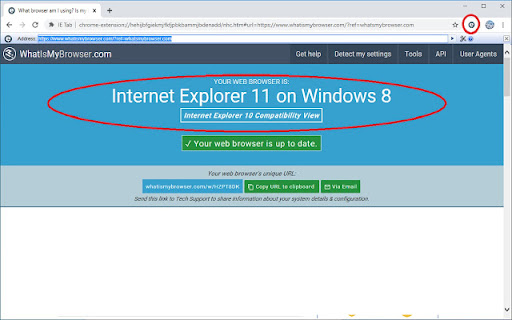

Display web pages using IE within Chrome. Use Java, Silverlight, ActiveX, Sharepoint, and more. IE Tab exactly emulates Internet Explorer, and enables you to load your web pages with different versions of IE (IE7 - IE11) FULLY SUPPORTED IN WINDOWS 11 AND AFTER INTERNET EXPLORER IS REMOVED IN FEBRUARY 2023. Please note that IE Tab for Windows does require the use of a separate executable, ietabhelper.exe. You can read more about that in the FAQ below. * Group Policy support for enterprise deployments * Securely use the old IE rendering engine * Use Java, Silverlight, and ActiveX in Chrome seamlessly IE Tab uses the Internet Explorer rendering engine. This rendering engine can't be directly accessed from a Chrome extension, so we need a helper process to communicate between the Chrome extension and the rendering engine. No. Chrome used to support a technology called NPAPI (the Netscape Plugin API) which allowed extensions to access local computer resources. IE Tab used to use that functionality to access the Internet Explorer rendering engine. But Chrome removed NPAPI support, so we were forced to implement a new solution, and that solution requires a separate helper executable. From a technical standpoint, the only real change is that our code moved from an NPAPI .DLL file to a helper .EXE file. 3. Is the IE Tab Helper application safe? Absolutely! IE Tab has always used native code, and we have always treated the security of our 2+ million users very seriously. So you can rest assured that this helper executable is secure and trustworthy. 4. I'm an enterprise customer, how do I deploy the IE Tab Helper automatically? We have enterprise deployment options, please contact us at support@ietab.net for details. The Privacy Policy for the IE Tab extension can be found here: http://www.ietab.net/privacy-policy

Softdreams công cụ ký điện tử
Extension ký số dữ liệu

Einvoice Signing
Thaison Technology Development Co., Ltd Ký số hóa đơn Công ty phát triển công nghệ thái sơn Plugin cài đặt vào trình duyệt Chrome/Cốc Cốc cho phép của e-Invoice sử dụng chứng thư số qua USB Token cắm vào máy tính người dùng

购物党自动比价工具-AI看差评和商品对比
浏览更多:https://www.gwdang.com/v2/app/extension/

Content Farm Blocker
If you hate content farms, and want to prevent to open it from mistakenly click. You may install this extension to block them.
