
hebjaboacandjnlnhocfikmaghgbfjlp
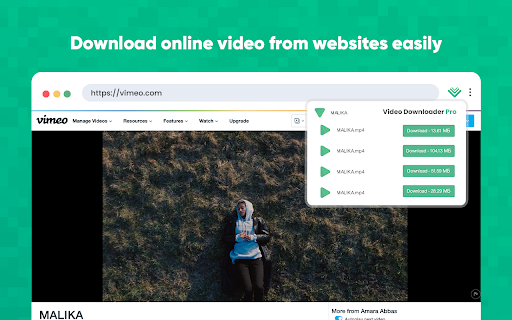
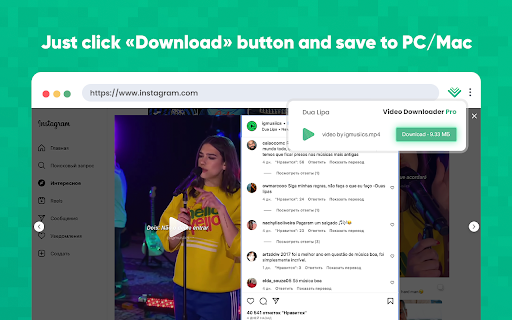


Video downloader is a lightweight and ultra fast tool that allows users to easily download videos from popular websites. Are you yet looking for a solution to download video from websites? Video Downloader for Chrome is the easiest way to save video file in any format and in original quality. Video Downloader Pro is a straightforward Chrome extension that provides a convenient way to download videos. Extension boasts a user-friendly interface and can be installed effortlessly within a few seconds. Video downloader manager If you are looking for a powerful manager, try this video downloader manager to download video, you won't regret it! Save videos playing on a website to a hard disk: - Click extensions icon - Select necessary video - Click the Download button - Enjoy owning it on your drive Please note: Some webpage need you to start playing the video first to help this Chrome tool find video! Important information: Due to the privacy policies and terms of use of Google and YouTube, videos are not saved from YouTube. However, you can use it to download and save any video you want on many other websites. In summary, Video Downloader Pro serves as an outstanding and time-saving tool for individuals seeking quick and effortless access to video content across various social media platforms. With its intuitive design and wide array of features, it is an essential extension for anyone who frequently engages with social media platforms. If you have problems or videos that can't be saved, please don't give a bad rating, but email us and help improve the extension. Thank you!

Video Downloader Web
Download videos from popular websites in different resolutions and watch it later with video downloader. One click to save video. Video Downloader Web is a Chrome extension for downloading video from websites you want (with possible restrictions by the website’s privacy and copyright policies.) Download videos from websites and watch them offline! The extension works on sites - Twitter, Facebook. These platforms offer an endless stream of engaging videos, from news clips to viral memes and music videos. However, most of these platforms do not have a built-in download feature, which makes it challenging to save videos offline for future reference. Video Downloader is an easy-to-use tool for downloading videos from various websites and saving them for offline use. Using extension is easy: 1. Install the Video Downloader extension and open a web page with a video. 2. Click the extension icon. 3. In the Video Downloader pop-up window, select the video you want to download – and it will be saved to your device in the best quality available. Thanks to Video Downloader Web, you can save your favorite videos and watch them later: When your device goes offline during a commute, long-haul flight, or internet outage, you’ll still have access to your downloaded videos! Use video downloader for free without any registration.

GetVid - Video Downloader
A HLS, DASH and more formats video downloader with advanced features. Download videos from Vimeo, Telegram, Facebook, Instagram and more than 1000+ websites with this powerful Video Downloader. Save adaptive streaming formats like HLS and DASH with ease. GetVid is a professional video downloader that helps you download, record, and manage videos from popular websites and streaming platforms. It supports downloading private videos where you have permission to view. ✅ Story & Reels Saver Perfect for saving social media content. Supports downloading: - Private and public Instagram, Facebook, Tiktok Reels, Videos and Photos. - Providing high resolution video download with audio included. ✅ HLS (m3u8) & DASH Support Detects and downloads adaptive streaming formats like HLS (.m3u8) and DASH (.mpd). Ideal for saving live stream playbacks. ✅ Video Recorder Record live streams or videos directly from the page if a download link isn't available. ✅ Picture downloading and frame extraction Easily download images and extract frames from videos on websites instantly to your local folders with just one click. ✅ Custom Download Folder Choose and save your preferred local folders. Downloads will be saved directly to the selected location for faster and better file management. ✅ Private & Secure We respect your privacy. We never track or store your browsing historyy. 1. Add the extension to Chrome. 2. Pin the extension icon. 3. Enter into guest mode or sign in with an account. 4. Play any video and click the download button! 🚫 Important Note: - YouTube video downloads are not supported due to Chrome Web Store policy restrictions. - Please respect copyright laws and only download videos for personal use. - DRM protected videos are not supported. ✨ Start saving your favorite videos today — from Instagram stories to Facebook lives. Fast. Safe. Powerful.

Video Downloader professional
Download online videos in various formats from any websites. Video Downloader save video and watch it later. Video Downloader professional for fast downloading online videos from any webpages. The popular Chrome extension supports many video formats. Watch favorite moments with friends or show useful guides to business partners even if you aren't online. Save interested video files to review them later on your PC. You can try Video Downloader professional and notice the difference! Use extension for free without any registration. Save in different available formats and qualities according to your needs. How video downloader works? - After installing the extension, go to a website that contains video resources. - All available video files that are on the page will be detected by the extension. Once found, an number mark is shown on the extension icon indicating that media file is available for download. - A green Download button will appear on the video itself, along with all the available video file sizes. - You just have to choose the size of the video you want to download. - Nothing complicated! You do not need to register an account to use this video saver. You can download any video or audio without register. Download using popup icon: Available for downloading video files are shown after clicking popup icon of the extension. Number shown on popup icon of the extension corresponds to q-ty of video available for downloading on page. Note: Video Downloader is not a Youtube Downloader. Due to restrictions of the Google Web Store Policies and Developer Program Policies we can not download Youtube Videos. Thank you for understanding. We really hope that our extension will be useful to you! We look forward to your feedback and ratings! Also write your suggestions for improving the functionality.

Video Downloader for U
Video downloader extension allows users to save videos from various online platforms in just a few clicks. Save videos for free. Video Downloader for U is a powerful extension for the Chrome browser to save videos from popular video hubs. This tool is the easiest and fastest way to save online videos from mainstream websites. Run saved video later at any time even without an internet connection. Save files and share with friends funny moments. Keep downloaded files on your PC for future watching. Find and download online videos from different sources and gather your own collection of music clips, funny cats, or fitness workouts. Take videos with yourself and run them offline at any time. Training videos or jokes from websites, exciting travels from Vimeo, or even entertainment once, all these and even more are available now for online downloading. Video downloaders have become an increasingly popular way to save videos from various online platforms like Facebook, Twitter, Vimeo, Dailymotion, and others. These platforms offer an endless stream of engaging videos, from news clips to viral memes and music videos. However, most of these platforms do not have a built-in download feature, which makes it challenging to save videos offline for future reference. One of the essential features of a video downloader extension is the ability to download videos from multiple platforms. For example, Facebook, Twitter, Vimeo, and Dailymotion are some of the most popular video-sharing platforms, and users may want to save videos from any of these platforms. - some web pages need you to start playing the video first to help this video downloader find it. - due to the privacy policies and terms of use of Google and YouTube, videos are not downloaded from YouTube. However, you can use it to download and save any video you want on many other websites. Use video downloader for free without any registration.
