
hchlgfaicmddilenlflajnmomalehbom
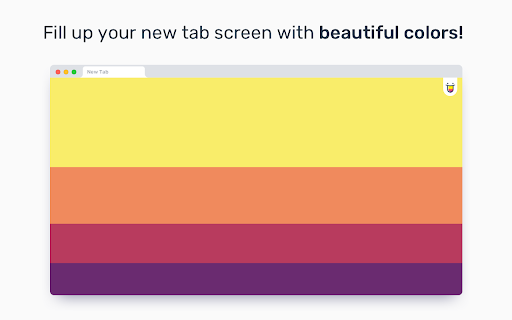


A beautiful color palette with every new tab! Color Tab fills up your "new tab" screen with a beautiful color palette from the best of Color Hunt's collection. Each time you open up a new tab, the page will be replaced with a random color combination.

ProTab | Arbfonts
Pro Tab categories for Graphic Designers! Pro tab : easy and fast to navigate Graphic Design websites and resources

Infinity New Tab
Infinity New Tab allows you to customize your New Tab page Based on the past knowledge, Infinity considers that New Tab should be equipped with better features and minimalist design. Today we redefine New Tab as a pursuit of minimalist aesthetics, one-stop service experience and less content for more features. A new generation of tab means a more accessible and powerful New Tab. Allow elegant and easy use of chrome. Infinity New Tab: Customize chrome New Tab; Open an era of page adding, which means that the URL will be added to the New Tab no matter which page you are browsing; Goggle Mail Reminder, Weather Tips, Todos, History Management, App Management, Notepad Application like Evernote, HD wallpapers, Bing, Baidu and Goggle Search can all be innovatively found in New Tab. Offer more simple and convenient applications. Infinity Features: 1. Wonderful Icons: With flat design style, including more than 200 domestic and international popular icons. 2. HD Wallpapers: Carefully select 365 wallpapers from 35,000 HD ones to match the icons so that a new wallpaper is available for each specific day; Of course, you may also select the pictures from your computer as the wallpaper 3. Cloud Sync: Back up real-time data to the Cloud, and allow Onekey Recovery from the Cloud. 4. Intelligent Mail Notification: Gmail Mail Reminder. 5. Todos: Check the things to be done and the things that have been done at any time. 6. Personalized Search: Select your favorite search engine and customize additional personal search engine. 7. App Extension Management: Manage your extensions quickly and conveniently. 8. History Management: View your search history. 9. Notepad: Record life details.

Toby: Tab Management Tool
Your productivity hub. Save and organize your browser tabs from anywhere. Close your tabs without fear. Toby has them. If you have 40+ browser tabs open right now and you're afraid to close any of them, Toby was built for you. Toby lives on your new tab — a visual workspace for organizing your browser sessions into collections. Save everything in one click, sync across every device you use, and come back tomorrow to find it all exactly where you left it. No more rebuilding your workspace from scratch every morning. No more anxiety about closing the wrong window. Used daily by teams at Google, Netflix, Amazon, HubSpot, and IBM, plus 300,000+ individuals in 144 countries. ☁️ Cloud Sync — Your collections follow you across devices and browsers. Save a session on your laptop, open it on your desktop. No exports, no manual backups. 🤖 Toby AI — Let AI name, sort, and group your open tabs automatically. ⚡ Session Save & Restore — Close your entire browser and reopen everything with one click. No more "don't close this window" anxiety — and no more losing track of previously opened tabs. 📁 Collections & Spaces — Organize tabs into projects, topics, and areas. Your whole digital world, visible at a glance on every new tab. Switch between work contexts easily. ✋ Drag & Drop — Move tabs between collections with a click and drag. Organize on the fly without breaking your flow. 🔍 Instant Search — Find any saved tab across all your collections in seconds. No more re-Googling things you already found, no more digging through browser history for that doc you had open last week. 🔗 Toby Links — Type to/docs or to/standup in your browser and jump straight there. No bookmarks, no digging. ✅ Toby Next — Turn tabs into a prioritized to-do list. Work through your day without losing your place. 📝 Notes — A personal notepad built into your workspace. Capture ideas without leaving Toby. 📌 Quick Access — Pin Toby to your toolbar and save or open collections from any window, any time. 🎨 Light/Dark mode & Themes — Pick the look that fits how you work. Light, dark, or somewhere in between. #1 Chrome Extension on Product Hunt. Featured by MIT Tech Review, Business Insider, and Google Chrome's feature page. ★★★★★ If Toby has changed how you work, a review helps us keep building. We only request the permissions Toby needs to function. We never access website content, never sell data, and are committed to protecting your privacy.

Muzli - Design inspiration hub
Your daily dose of design with industry news, tools, and inspiration - all in one place. Muzli takes the center stage as it replaces your default tab and becomes your simple and beautiful design oriented home page. Loved by hundreds of thousands designers worldwide, Muzli is the leading go-to browser extension for creative professionals. Once installed, Muzli becomes your visual hub for the latest and most cutting-edge Design, UI, UX, and interactive content. It serves daily content from all major design and inspiration sources that ensures you will never miss the next big thing. Plus, our hand-picked, professionally curated "Muzli Picks" journal ensures you're treated to the crème de la crème of design inspiration. You can always make Muzli personalised, by choosing from over 160+ creative design sources that cater to your unique interests, so you can always find the content that resonates with you the most. We always try to deliver a design-centric browsing experience that ensures you will always keep up with the creative realm and make your exportations feel seamless.
