
hcebdfjagkhbghgfakndlkdgcakookkd

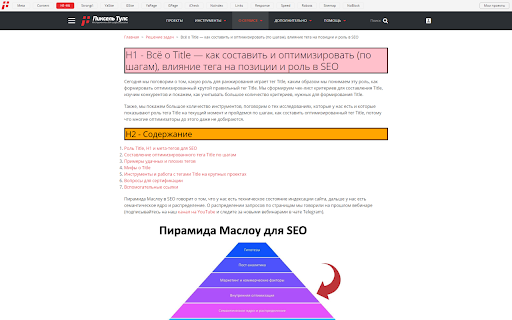

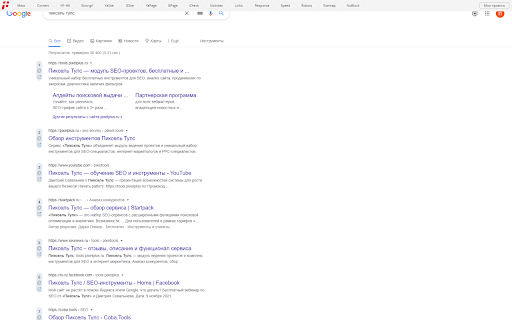
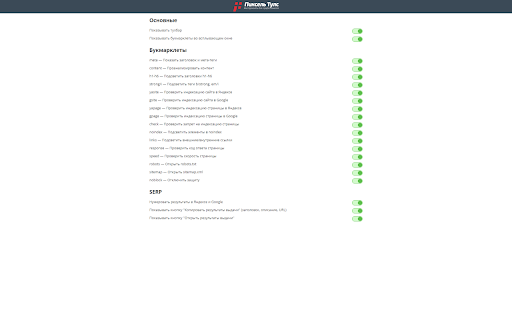
Все удобные опции для SEO-специалистов под рукой! Быстрый анализ сайта, URL, работа c SERP. Тулбар от Пиксель Тулс — это бесплатное расширение, которое позволит упростить решение ежедневных задач SEO-специалиста и интернет-маркетолога, такие как: • Анализ сайта. • Анализ страницы. • Анализ SERP. • Анализ Яндекс.Вордстат. Сразу же после установки вы получите 16 инструментов: • Meta — Показать заголовки и мета-теги. • Content — Проанализировать контент страницы. • H1-H6 — Подсветить заголовки h1-h6. • Strong/i — Подсветить теги b/strong, em/i. • YaSite — Проверить индексацию сайта в Яндексе. • GSite — Проверить индексацию сайта в Google. • YaPage — Проверить индексацию страницы в Яндексе. • GPage — Проверить индексацию страницы в Google. • iCheck — Проверить запрет на индексацию страницы. • NoIndex — Подсветить элементы в noindex. • Links — Подсветить внешние и внутренние ссылки. • Response — Проверить код ответа страницы. • Speed — Проверить скорость страницы. • Robots — Открыть файл robots.txt. • Sitemap — Открыть файл sitemap.xml. • NoBlock — Отключить защиту. 3 функции SERP: • Нумеровать результаты в Яндексе и Google. • Копировать результаты выдачи (заголовок, описание, URL). • Открыть результаты выдачи. 1 функцию Яндекс.Вордстат: • Окно со списком регионов. Если у вас есть предложения, как улучшить тулбар или нашли ошибку, обязательно напишите об этом в службу поддержки или в комментариях.

Ubersuggest - SEO and Keyword Discovery
Keyword search volume, CPC and insights for all keywords you search. Works with Google, YouTube and Amazon. SEO tool by Neil Patel. Ubersuggest is a FREE chrome extension and a powerful SEO tool that shows you keywords monthly search volume, CPC & competition data. The Ubersuggest extension will not only provide you with insightful data related to a specific keyword query on Google™ but also on sites like YouTube™, Amazon™ & more. Yes! When you go to YouTube or Amazon and perform a search, you will see data on suggested keywords. Once you install the Ubersuggest keyword research tool, all you have to do is go to Google, YouTube, or Amazon and perform a search. That is where you will see data around the keywords and search terms. And if you want more details on any given keyword you searched for, just click “view all” next to the search bar and you will get access to even more keywords and SEO insights. The value in all the data that is available for a single search query is that it allows you to get more granular with your search queries in order to find keywords and phrases that you can rank for. • Ubersuggest SEO extension also has graphs and trends! These graphs break down the total monthly search volume that displays monthly mobile searches and desktop searches for a particular keyword. • When you perform a search on Google, there are now traffic estimations under each URL. And if you are more of a visual person, in the right-hand sidebar you can also see the traffic estimation for any result in the top 10. • BackLink data: Above the organic results, you will see a speech bubble that breaks the average authority of the sites that are ranking (domain score) and the average number of referring domains the top 10 results have (backlinks). You can use this data to improve your link building strategy. • You can customize your location and language. • You will also have: Trend chart, Related keywords, ""people also search for"", Trending keywords & long-tail keywords. While visiting any website you can click on the icon ""U"" on your browser tab (under extension spot) and you will be able to see the following metrics: ★ Domain metrics – you’ll see a quick overview of each domain. From the number of organic keywords a site ranks for, to their estimated organic traffic, domain score, and even number of backlinks. ★ Historical traffic – you will see an organic traffic chart of the last 6 months to any given site. ★ Top pages by country – want to know the most popular pages on your competitor’s site? This table will show you just that. ★ Top keywords by country – you will also view the most popular keywords that drive traffic to that site. Use Ubersuggest to improve page rankings and to get ideas on how to climb the SERPs from searches valuable to your business. The complete list of metrics, data, and features available with Ubersuggest is: • Different keyword ideas • Content ideas • Google keywords • Amazon keywords • YouTube keywords • Top ranking pages • Keyword analysis and details • Site audits • Backlink profiles • Search volume • CPC • Highly-targeted keyword suggestions • The average number of backlinks • Domain score • Pinterest shares • Facebook shares • A comprehensive chart that breaks down • Percentage of SEO clicks your search term gets • Different age groups that search for your term If you have any questions, comments or suggestions, contact us at: support@ubersuggest.com --------------------------------------------- Website: https://ubersuggest.com/ Data for the extension provided by Ubersuggest: https://neilpatel.com/ubersuggest/ Frequently asked questions: ★ Do you ever upgrade/modify the extension? Yes, we do! In fact, at this very moment, we’re working on features that are probably going to be added in 10 months from now. We have a goal of making Ubersuggest the best SEO and Marketing extension out there, and we take this mission very seriously. ★ Can I suggest additional features to be added to the extension? We’d love that! Please feel free to reach out to support@ubersuggest.com with the subject line “Chrome extension”. We listen to our users attentively to make sure we’re adding features that will truly impact your workflow by saving you hours of work and giving you the data you need. ★ What browsers is the extension available on? At the moment, our extension is only available for Google Chrome. But we do have plans to incorporate other browsers too. ★ Are all of the features totally free to use? In our Chrome extension, you will get access to all of the features for free with plenty of daily data limits. You can upgrade to access even more data if you so desire but it's not required to use the app.

Mr. Joel's Seller Tools & SEO Helper
Stop guessing and start growing your TPT store. The Mr. Joel’s Seller Tools extension is the ultimate browser companion for the main Mr. Joel Web App. It brings powerful SEO data, AI writing tools, and rank tracking directly onto your TPT product and edit pages. Instead of switching tabs constantly, get live insights and optimization tools right where you work. 🚀 5 Powerful Tabs to Supercharge Your Workflow: 1. 🏆 Hub (Product Improvement Dashboard) Your central command center. The Hub analyzes your currently viewed product to surface high-leverage opportunities instantly. Health Score: Get an instant 0-100 quality score based on title length, readability, and keyword usage. Seasonal Cues: Automatically detects if your product matches upcoming holidays or seasons. Quick Wins: Identifies "low-hanging fruit" fixes that can boost your visibility immediately. 2. 🧠 Coach (On-Page Audit) Your personal SEO consultant. The Coach tab scans your listing in real-time to ensure it meets best practices. Actionable Checklist: Checks for bullet points, clear CTAs, grade/subject tagging, and keyword density. Live Feedback: See your score update in real-time as you edit your description. 3. 🔍 Research (Keyword Analyzer) Find winnable keywords without leaving the search bar. Competition & Popularity: Instantly see total product counts and popularity signals for any search term. Opportunity Badges: Keywords are labeled as "Gold Mine," "Good," or "Niche" to help you prioritize. Avg Price Data: See the average pricing on page one to position your product competitively. 4. 📈 SEO (Live Rank Tracker) Stop guessing where you rank. Live Position Tracking: See exactly where your product lands in search results for specific keywords. Historical Data: View a graph of your rank history to see if your recent changes are working. Competitor Insights: Analyze the top 5 ranking products for any keyword to see why they are winning. 5. ✨ Rewrite (AI Description Generator) Writer’s block is a thing of the past. Full Description Rewrites: Turn a few bullet points into a professionally formatted, HTML-ready description with "How to Use" sections, Learning Objectives, and more. Direct Integration: Load your current description from the page, rewrite it with AI, and save it back to your app library in one click. 💡 How It Works This extension works as a companion to the Mr. Joel's Seller Tools Web App. Navigate to any Product Page or "Edit Product" page on TeachersPayTeachers. Open the extension to sync the product data. 🔒 Privacy & Security Secure: We use secure authentication to sync data with your main dashboard. Private: Your store data is yours. We do not sell or share your product insights. 📝 Disclaimer Not affiliated with Teachers Pay Teachers. "Mr. Joel's Seller Tools & SEO Helper" is an independent tool created by sellers, for sellers. It is not affiliated with, endorsed by, or partnered with Teachers Pay Teachers (TPT) or its parent company.

SEO | ASO | Search Ranking & Keyword Tool
SEO & ASO optimization tool. Complete on page ASO & SEO Analysis. Find rankings, ratings & short description Play Store, Google SERP 🔍 𝗢𝗽𝘁𝗶𝗺𝗶𝘇𝗲 𝗬𝗼𝘂𝗿 𝗦𝗘𝗢 & 𝗔𝗦𝗢 𝗘𝗳𝗳𝗼𝗿𝘁𝗹𝗲𝘀𝘀𝗹𝘆 𝘄𝗶𝘁𝗵 𝗢𝘂𝗿 𝗖𝗵𝗿𝗼𝗺𝗲 𝗘𝘅𝘁𝗲𝗻𝘀𝗶𝗼𝗻! Track keywords on Google SERP and Play Store instantly. With this all-in-one SEO ranking toolbar and ASO keyword tool, you can analyze rankings, ratings, descriptions, installs, and on-page SEO in just a few clicks. Forget manual rank checks—our search ranking tool gives you real-time insights into keyword positions and competitor strategies. Perfect for marketers, developers, and SEO specialists. Analyze Title tags, Meta descriptions, and result snippets. Track indexed pages, Core Web Vitals, and SERP result count. Interlinking and outgoing link checker (Ahrefs-style attributes). One-click detailed SEO report for deep analysis. Detect gaps in page rankings Track rankings for your own site by adding a URL in config Check keyword rankings from 1 to N with installs, ratings, and character counts. Get AppVector Keyword Difficulty Score and ASO keywords suggestions. Generate keyword tables from Title and Short Description using our ASO keyword tool. Track images, videos, and review URLs. With one click, run a complete site SEO analysis: Page Speed Insights Detailed image data with missing alt text Use the search ranking tool to get: Exact SERP result count for any keyword. Live search rankings for websites across regions. All-in-one SEO ranking toolbar for on-page audits. Integrated ASO keyword tool for Play Store optimization. Smart SEO search keyword tool for competitor analysis. Accurate search ranking tool for SERP tracking. 👉 Optimize your search & app strategies with ease—download our Chrome extension today

ROSSK SEO Extension: Free SEO Checker, Link Analyzer, SEO Toolbar & Audit.
Gain SEO insights on any site you're visiting with just a click. Made by SEO Expert with 15+ years of experience. The simplest way to run an SEO website audit of your current browser window. Click on the extension icon and watch as it pulls on-page insights, including analysis of metadata, indexing, canonical tags, hreflang tags, web vitals, H tags, robots.txt, sitemap.xml, and server status. Additionally, use advanced features like the page rendering analyzer, disabling AI overviews, disabling JavaScript, user agent switcher, schema markup analyzer, Open Graph, and link analyzer with our 5-star, top-rated seo extension. No bloat, no ads, no unnecessary permissions—just a simple way to get an SEO report for any web page in a few clicks. Key Features of ROSSK SEO EXTENSION 💻 1️⃣ On-Page SEO Report ✅Quickly assess crucial on-page SEO elements such as meta tags, word count, heading structure, hreflang tags, X-robots, robots.txt, sitemap and canonical URLs. 2️⃣ Page Rendering Checker ✅This feature will allow you to compare client-side rendering (CSR) versus server-side rendering (SSR) for SEO, you can overlay the two versions of a webpage to visualize where differences occur. 3️⃣ User-Agent Switcher ✅User-Agent Switcher is a tool or browser extension that allows you to change the user agent string that your browser sends to websites. 4️⃣ Disable AI Overviews ✅This feature will allow you to test how search engines & users experience a webpage with or without JavaScript, ensuring that critical content & links are accessible & indexable even when JavaScript is turned off. 5️⃣ Disable JS ✅This feature disables AI-generated overviews from Google search results. Not all users value AI-powered summaries and insights that may clutter search results, this tool delivers a legacy, clean, simplified interface that prioritizes traditional search results. 6️⃣ Open Graph Markup ✅Checks social tags like Open Graph Tags and Twitter Cards, along with image optimizations. 7️⃣ Structured Data Checker ✅ Displays JSON-LD structured data in a concise view, eliminating the need to dig through page code. 8️⃣ Link Checker and Highlighter ✅Identifies and categorizes all outgoing links on a page. ✅ Highlights links based on different attributes such as external, internal, do follow and nofollow and exporting feature. ✅Detects broken links and redirects, providing actionable insights for link optimization. 9️⃣HTTP Header Reader ✅Our SEO toolbar allows users to inspect HTTP response headers for any visited URL. ✅Essential for diagnosing redirect issues and optimizing page load times. 1️⃣ 0️⃣ Additional Information about this extension ✅ User Data Handling: The SEO toolbar respects user privacy by not storing or disclosing browsing details beyond what is necessary to provide the specified functionalities. ✅ Terms and Privacy: ROSSK SEO EXTENSION general terms and conditions and maintains a strict privacy policy to safeguard user data. Extension Policy https://rossk.com/extension-policy
