
hcdbcahipmenkfgfpfmiodkncfkeannn
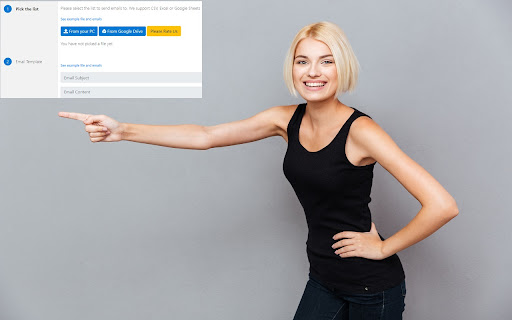
Simple app to send emails to multiple destinations at the same time This simple app allows you to send emails to multiple email addresses at the same time. You can pick the list of email addresses from your computer or Google Drive (Google Sheets, Excel or CSV files are supported). Personalize the emails you send with first names, last names etc to increase the response rate. This software is 100% free and is a free & simple email marketing solution for companies/businesses who do not need to email many prospects. Here is how you get started. 1) Install our software Mail Merge for Gmail 2) Create the list of people you wish to send emails to, add in details such as first names & last names 3) Create the email template you wish to use 4) Begin sending out emails E-mails are sent out instantly from your Gmail account and can be seen inside the "Sent" folder of your Gmail account. Our software has sample templates/CSV files which you can modify to suit your own needs. Just modify the email template and you can start sending out emails today. Disclaimer: Please note this extension is NOT made by Google and is made by an independent development team. All copyrights belong to their respective owners. Google doesn’t endorse or sponsor this Chrome extension. Mail Merge for Gmail is not owned by, it is not licensed by and is not a subsidiary of Google Inc.

Gmail App - Mail Application for Gmail™
Use Gmail app for Windows and Mac to boost productivity. Get notifications and read emails in Gmail desktop app for macOS and PC. 🔥 Optimize your email with Gmail apps, a Chrome extension for Windows & Mac. Get it now to boost your email management. 🔐 Your data is strictly protected by Google Security mechanisms: Encryption, Multi-factor Authentication, and Regular Audits. 1️⃣ Effortless Access: ● With just a click, access your Gmail inbox messages directly from your desktop. ● Eliminate the need to open a browser window. 2️⃣ Download and Installation: ● Download Gmail Apps for Mac or Windows - it is quick and easy! ● Visit the Chrome Web Store, search for "Gmail App" and click on the "Add to Chrome" button. ● When Gmail com app download is finished within seconds, you'll have access to all the features you need to manage your emails effectively. 3️⃣ Seamless Integration: ● Once installed, the gmailapp seamlessly integrates with your desktop environment. ● Whether you're on Windows 10, 11 or Mac, enjoy a consistent experience across all your devices. 4️⃣ Powerful Features: ● From accessing your inbox messages to composing new emails, this Google email app offers a wide range of features to enhance your productivity. ● Mark all emails as read with a click. ● Organize your inbox with labels and filters, and more. ● Do Not Disturb Gmail app mode. ● Listen emails, translate mail and customize account. ● Gmail Dark Mode is now available! ● Save Email in PDF! 5️⃣ Gmail AI: ● AI Summary: Instantly generate gmail summaries for long or complex emails. ● AI write E-Mail: Create polished emails using gmail app AI compose email tools. ● AI reply Gmail: Get context-aware responses tailored to your message tone. ● AI Inbox Assistant: Automatically highlight priority emails using intelligent AI sorting. 📨 Efficient Email Management. 1. Archive Emails: Declutter your inbox by archiving addressed or non-essential emails. 2. Delete Unnecessary Emails: Keep your inbox tidy by removing unwanted messages. 3. Star Important Emails: Prioritize crucial emails for quick retrieval and attention. 4. Summarize Emails: Get brief AI summary of your Gmail AI mails. 5. Save Emails to PDF easily! 🔔 Real-Time Notifications. - Stay Informed: Receive instant notifications on your desktop for important emails. - Prompt Response: Respond promptly to incoming messages, enhancing communication efficiency. - Work Flexibility: Stay updated even when taking breaks, ensuring timely responses. 🚀 Instant Access. 📌 Single-Click Launch: Access the Gmail com ap instantly from your desktop or taskbar with just one click. 📌 Efficiency Boost: Enjoy immediate access to your inbox without opening a browser window, saving valuable time. 📌 Streamlined Workflow: Enhance productivity by eliminating unnecessary steps and simplifying sendemail management. 🔕 Do Not Disturb Mode - Schedule Your Peaceful Time 1. Take control of your Gmail web app's notifications by scheduling Do Not Disturb mode on any day and at any time. 2. Choose between muting just sound or silencing all notifications, ensuring complete focus or tranquility from any pc. 3. Customize your schedule to fit your lifestyle and enjoy uninterrupted time on your device, whether for work, relaxation, or sleep thanks to the Google Mail application's reliable functionality. 🔝 Enhanced user experience. ➤ Quick and efficient access to all features: Enjoy immediate access to the Google Mail app's functionalities without delay. ➤ User-friendly interface for effortless navigation: Navigate seamlessly through the Gmail desktop version app's intuitive interface with Gmail Dark Mode. ➤ Unique email features: listen mail and translate emails, change account colors and labels, save email to PDF in just one simple click. ❓How secure is the Gmail App? 💡The Gmail Apps adheres to strict security standards to ensure the safety of your email data. It utilizes encrypted connections to Gmail servers and follows Google's security best practices to protect your information. ❓Is the Gmail App user-friendly for beginners? 💡Absolutely! This application of Gmail for macbook offers a user-friendly interface that's intuitive and easy to use. Whether you're a seasoned Gmail for desktop user or new to email management, you'll find the app straightforward and accessible. 👆🏻 Download Gmail App for Windows or Mac to enhance your email management. ❗ Extension provides additional features like entire functionality will work only if you have a paid subscription.

MergeMail
Mail merge for Gmail Send and track bulk emails in Gmail. MergeMail makes it easy to send and track personalized batch emails in Gmail: - Put your contacts in a Google Sheet - Compose an email in Gmail with personalization variables - Send and track a batch of emails Features include: - Mail merge - Email tracking (opens, clicks, and UTM codes) - Templates - Unsubscribe links - Attachments - Email previews - Scheduled emails - Integrations Send up to 50 emails per day for free! It's the best alternative to Gmass and YAMM (Yet Another MailMerge).

Mass Unsubscriber: One-Click Email Cleaner for Gmail
Mass Unsubscriber: One-Click Email Cleaner for Gmail One-Click Email Cleaner for Gmail. Have a clean email account again. Start by clicking scan, then simply check the senders you want those emails deleted from and you get the option to unsubscribe, delete, or both. Free versional allows scans of the last 30 days in the inbox. This will capture roughly 90% of those pesky senders. Upgrade to $9.95/year for Unlimited full-history scans (beyond 30 days) We do not log or store your emails. Simply a search for the 'unsubscribe' button is made, and those emails are organized by sender and the software gives you the option to delete and unsubscribe them. There is no AI used. A POST request is sent to the senders UNSUB email object in the email header (the invisible metadata of the email), as well as an email to their UNSUB email, also in the header. If those fail, your personal inbox will send them an email requesting an unsubscribe. Thus, not all unsubscribe attempts are successful, and the reality is that sometimes you are forced to fill out the form at the bottom of their emails. The only data we keep is your email address and basic usage counters (scan/delete/unsubscribe totals) to run the product and enforce plan limits. Happy Unsubscribing!

Send from Gmail (by Google)
Makes Gmail your default email application and provides a button to compose a Gmail message to quickly share a link via email This extension will open a Compose window in Gmail when you click any email address on a webpage. It also provides a button that will create a Gmail message when clicked, using the page title as the subject and selected page text and link address as the message. For setting the domain name of your "Google Apps for your domain" account, click Options. By installing this extension, you agree to the Terms of Service at https://chrome.google.com/extensions/intl/en/gallery_tos.html
