
hbnacnjboobkibgbhhgihaadbfnlmplb



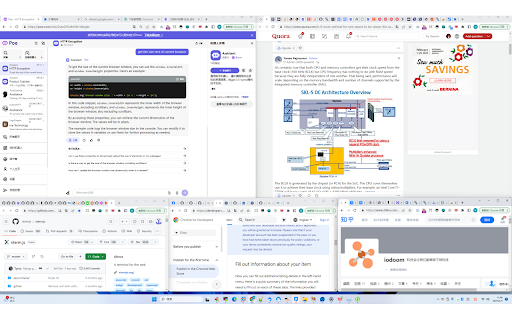
Arrange browser windows up to your saved user-defined grid layouts in one-click, and with multi-monitor support!

Custom Scrollbars
Give your browser a personal touch with customized scrollbars! Give your browser a personalized touch with custom scrollbar colors! You can select from any range of colors and toggle between the default width and thin scrollbar... or hide it altogether if that's what floats your boat.

Windows Layout and Tabs Organizer
Save and restore entire browser window layouts with one click. Perfect for multi-screen setups and workflow organization. "Windows Layout and Tabs Organizer" Chrome extension that allows users to save and restore complete browser window layouts, including all open tabs, window sizes, and positions. It supports multi-window setups, making it useful for users who work with multiple screens or need different browser layouts for various tasks. With one-click restoration, you can quickly reopen saved sessions without manually reorganizing your tabs, improving workflow efficiency and saving time. v1.4 Export / import layouts to a JSON file — back up your setups or move them to another computer "What's new" changelog — click the version pill to see what changed in each release Layouts load gracefully on different monitor setups — windows that no longer fit on your current displays are repositioned automatically instead of erroring out v1.3 Simple view toggle — compact one-line rows for the saved layouts list Widen popup toggle — give long layout names more room "Active" indicator now clears on Chrome restart instead of persisting stale state from a previous session v1.2 Drag-and-drop reordering of saved layouts (grab the left-side handle) Overwrite a saved layout in place — no more delete-and-recreate Saving with a duplicate name prompts to overwrite instead of erroring out Active-layout indicator highlights the last loaded or saved layout Custom tooltips on toolbar buttons v1.1 Initial release: save, restore and delete window layouts Preserves window state (maximized, position, size) and tab properties (pinned, active, URL) Storage quota warnings

Window Resizer
Resize and align the current window to the predefined position with multi-monitor support This is a powerful layout resizer extension for browser windows. This extension enables the user to adjust the current window's layout size based on the pre-defined set or any new custom dimension. Each dimension is visually shown in a toolbar popup for easy access. The extension gets left, top, right, and bottom positions in percent unit and changes the window size to these values. This extension detects all the monitors in your system and allows one of the monitors to be the reference for the alignment. Also, this extension supports keyboard shortcuts for the first six alignments in the popup. It means that you can re-align to any of these six alignments without opening the popup and just by pressing a user-defined keyboard set. Each item in the popup is draggable. The user can change the arrangement of the items or even remove or add new items. Features: 1. Supports percent values. So it is compatible with different monitors 2. Automatically fill the current window size when the popup is open. This way, you can add this layout size to the table without any configuration needed. 3. Supports layout adjustment by moving blocks around. 4. Supports import and export options to sync settings between different browsers. 5. Written on top of manifest version 3. The extension is completely idle when it is not active (no resource usage). 6. You can define a custom window size for the startup. Once the extension loads, it sets this user-defined window size for the currently active window.

Window Resizer
Resize browser windows to test layouts on different resolutions with multi-window support. Window Resizer is a simple utility tool that allows to resize your Chrome windows to any specific size. It supports multi-window control. It is useful for developers and designers that want to test in various resolutions. - Precise inner height calculation. - Add & delete preset sizes. - Resize specific window. - Show tabs for open windows. - Beautiful interface. This is the first release of Window Resizer, feedback and feature requests are welcome! We do not track any user information.
