
hbhcidbbomecikflbcolacgmfdhidhao
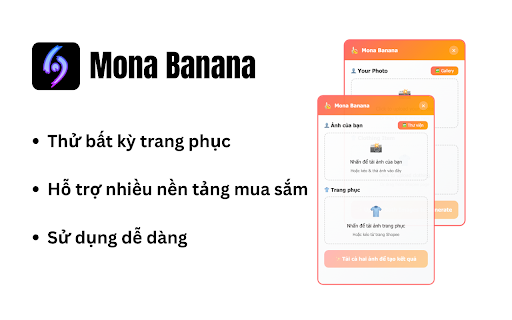

AI-powered try-on extension for e-commerce sites - Try any clothes with AI technology on Shopee, Lazada, Amazon, Tiki, and eBay

TikTok Dễ Ẹc
TikTok tools for filtering, auto-scroll, local library, speed control, capture and downloads TikTok Dễ Ẹc là bộ công cụ tối ưu hóa trải nghiệm xem TikTok trên trình duyệt. Extension cung cấp hàng loạt tính năng tự động hóa, quản lý nội dung và tải xuống mạnh mẽ, phục vụ từ nhu cầu giải trí cá nhân đến nghiên cứu nội dung chuyên nghiệp. 🛡️ QUYỀN RIÊNG TƯ & BẢO MẬT: Dữ liệu của bạn (lịch sử, bookmark, notes) được lưu trữ 100% cục bộ trên trình duyệt cá nhân. Extension hoạt động mượt mà, không thu thập dữ liệu trái phép.

J2TEAM Security
J2TEAM Security is a comprehensive privacy and security extension that helps protect you from phishing attacks, enhances your browsing experience, and gives you control over your online privacy. Security & Privacy Features: - Anti-Phishing Protection: Blocks fake Facebook login pages and phishing attempts in real-time - Website Blocker: Block access to distracting or harmful websites with custom block lists to improve productivity and safety - Anti-Clickjacking: Protects against clickjacking attacks - Remove Tracking Parameters: Automatically removes fbclid and other tracking parameters from URLs - Block Cryptocurrency Mining: Prevents unauthorized cryptocurrency mining scripts - Block Facebook Pixel: Blocks Facebook tracking pixel for enhanced privacy AI Assistant: - Built-in AI Assistant accessible via side panel (Sidebar) - Supports AI models: OpenAI GPT and Google Gemini - Bring Your Own Key (BYOK) - You need to provide your own OpenAI or Gemini API key to use this feature - Helps answer questions and provide assistance while browsing without leaving your current page Facebook Privacy Controls: - Hide Read Receipts: Browse messages without sending "seen" notifications - Hide Typing Indicator: Type messages without showing the typing indicator - Hide Story Views: View Facebook Stories anonymously without leaving a view mark - Facebook Timer: Track and manage your Facebook usage time to reduce time spent on social media Productivity & Convenience: - Google Shortcuts: Quick access to Google services (.new domains) for faster navigation - Extension Manager: Manage your installed Chrome extensions efficiently - requires optional management permission (feature not enabled by default) - Bookmark Cleaner: Find and remove duplicate or broken bookmarks - requires optional bookmarks permission - Tab Manager: Organize and manage browser tabs efficiently - requires optional tabGroups permission - Most Visited Sites List: Display your frequently visited sites in Sidebar for quick access - requires optional topSites permission - CSS Fixes for Medium: Improved Vietnamese font rendering and layout on Medium This extension requests the following optional permissions only when you enable the corresponding feature: - Management: For the Extension Manager feature to manage installed Chrome extensions - Bookmarks: For the Bookmark Cleaner feature to find and remove duplicate/broken bookmarks - Top Sites: For displaying the list of frequently visited sites in Sidebar - Tab Groups: For the Tab Manager feature to organize tabs into groups All of these permissions are OPTIONAL and are only requested when you use the corresponding feature. You can enable/disable each feature in the extension settings according to your preferences. Google Analytics Disclaimer: This extension uses Google Analytics to collect extension usage statistics to help improve user experience. If you want to opt-out of Google Analytics, please visit https://tools.google.com/dlpage/gaoptout

YouTube Dubbing – Translate & Dub
YouTube Dubbing is a browser extension that translates and dubs online videos in real time. No need to read subtitles—just listen in your native language and understand foreign videos instantly, as naturally as watching local content. Open any video on YouTube, Bilibili, Udemy, or Coursera—YouTube Dubbing automatically translates the subtitles and plays AI dubbing with no extra steps. Just hit play to start. ★ Free — Dub up to 5 videos per day for free, perfect for everyday watching and language learners. ★ Premium — Unlimited videos, AI subtitle enhancement (GPT / Claude), preserve background audio, smart multi-speaker detection, and priority customer support. Core features: - One-click translation & dubbing — Press play to automatically translate subtitles and start dubbing, saving time and effort. - AI subtitle enhancement (Premium) — Even if a video has no subtitles (YouTube & Bilibili), AI can generate subtitles automatically and then translate and dub them. - Multi-model translation (Premium) — Supports leading LLMs like GPT and Claude for more natural and accurate translations. - Rich voice library — Male and female voices, multiple regional accents, automatically matched to the best voice for the target language. - Adaptive playback speed — Dubbing stays in sync at 0.5× to 2× speed. - Preserve background audio (Premium) — Keep original music and sound effects for a more immersive experience. - Smart multi-speaker detection (Premium) — Distinguish different speakers and assign different voices for richer, more natural dialogue. - Cross-platform support — Available on Chrome, Firefox, and Android. - Multi-site support — Works with major platforms like YouTube, Bilibili, Udemy, Coursera, and more. - Universal video dubbing — Even when a video is not covered by the extension’s built-in one-click support, YouTube Dubbing can intelligently detect the media source and guide you to download the video and upload it to our server for subtitle recognition. You will receive an email when processing is complete, then come back and watch. - Subtitle Summary — Subtitle Summary is not limited to YouTube; any website supported by the extension can summarize subtitle content. - Subtitle Editor — If the translation or dubbing still is not satisfactory, copy subtitles from Subtitle Editor to your preferred AI model for translation, then paste them back and save. After manually enabling “skip translation for same-language subtitles,” the extension can dub with your custom subtitles.

VEO Automation - Auto VEO & Nano Banana on Google Flow
Auto VEO & Nano Banana your prompts at scale. Batch generate and auto-download videos and images on Google Flow. VEO Automation is an Auto Veo, Auto Flow tool built to fully automate your workflow on Google Flow (labs.google.com/fx/tools/flow). No more manually creating projects or filling prompts one by one — let Veo run automatically. This extension turns Google Flow into a batch-processing engine, allowing you to auto-submit prompts, auto-generate videos and images, and auto-download results at scale. 🔥 What VEO Automation does Auto Veo prompts continuously without manual interaction Batch generate AI videos and images in parallel Automatically download videos and images in multiple resolutions Handle long prompt queues safely with concurrent processing 🤖 Auto Veo Batch Processing Queue dozens or hundreds of prompts and let VEO Automation automatically: Create new projects Fill prompts and configurations Submit generation jobs Track generation progress Move to the next prompt 🎬 Auto Video Generation Automatically generate videos using: Text to Video Image to Video Components to Video Supports generating multiple videos per prompt and parallel execution Supports video downloads in 720p, 1080p, 2K, and 4K 🖼️ Auto Image Generation (Banana Pro) Automatically generate images using: Text to Image Image to Image Edit images before generating new images to keep character consistency Automatically download images in 1K, 2K, and 4K Upload and save images directly into the project folder ⚙️ Professional Automation Controls Concurrent prompt processing Smart handling for large image uploads Automatically chain the final image from the previous video into the next prompt 📊 Real-time Queue Monitoring Visual progress tracking Live prompt status inside the Side Panel ✅ Perfect for Content creators AI video producers Automation & productivity users Anyone who wants to Auto Veo at scale
