
hbfpdkldpojnfngelhnbenfpjkakdmjk

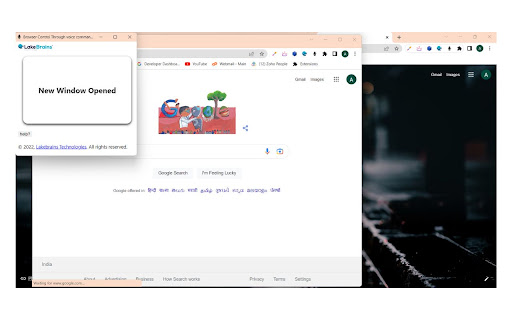

This extension ease the work of the user . The user just need to add the extension in their chrome and give the commands what they… This extension ease the work of the user . The user just need to add the extension in their chrome and give the commands what they want the browser to do.

YourVoice - Control Browser by Voice
YourVoice: control your browser by your voice! English Description: YourVoice is an extension to control your browser with your voice. We use AI and NLP to help you navigate the web easily with main focus on making the web more accessible for the people with disabilities and the blind. We are proud to support Malaysian and English languages. Our extension is your friendly companion on the web, that helps in browsing, learning and having fun online without needing to look at the screen. You can speak normally with YourVoice and it can understand from your conversation with it what you then does the actions needed on your browser. Simply press and hold backquote ( ` ) key to start saying what you want and release for the AI to process and reply to you. We support conversational mode as well as straight command mode as below. **English Guide** Under Topic of: USER MANUAL Command 1: say "User Manual" Under Topic of: WEB SURFING COMMANDS Command 1: say "Go" "to", then the website URL you want. Command 2: say "search for". Then what you like to search Google for. Command 3: say "summarize page" to summarize the page for you. Command 4: say "search YouTube for". Then what you like to search youtube for. Command 5: say "read page". To read aloud the page in a systematic manner. Command 6: say "read links". To read aloud the links and buttons texts in the page. Command 7: say "Click". then say the text of what you like to click. Command 8: say "scroll" "down" or "up" to scroll down or up. Command 9: say "auto scroll" down or up" to activate auto scrolling the page down or up. Under Topic of YouTube video Controls Command 1: say "pause" or "play" "video" to pause or play the video Command 2: say "next" or "previous" video to go to next or previous video in line. Command 3: say "mute" or "unmute" video to mute or unmute the video Command 4: say "toggle captions" to toggle the captions "on" or "off". Command 5: say "toggle full screen" to toggle full screen "on" or "off". Command 6: say "toggle theater mode" to toggle theater mode "on" or "off". Command 7: say "activate mini player" to activate mini player mode. Command 8: say "expand mini player" to expand the mini player to normal mode. Under the topic Tabs Management Command 1: say "Go back". To go back. Command 2: say "Go forward". To go forward. Command 3: say "Refresh Page". To refresh page. Check the official website for more info about the supported commands and more are coming in the future in the insha'Allah. *How to use*: To record, hold Backquote key & start saying the commands To stop: release it to end your command Feel free to contact us at support@yourvoice.site for any command additions, special requests or enquires. We also offer a rehabilitation program online, that equips the blind and disabled with important real-world skills. Visit our website yourvoice.site for more info. *Note*: YourVoice can be used on chromium-based browsers like Chrome, Edge. It supports chrome version 116 and above. Acknowledgment: Thanks for SYSTRAN for allowing the use of faster-whisper under MIT license. Thanks for Silero Team for allowing the use of VAD-Silero under MIT license.

Handsfree for Web - Voice Control
Browse the web using just your voice This app is useful to navigate the web handsfree. There are hundreds of commands supported, everything you can do manually with the mouse and keyboard now you can do it just by talking to the computer. Browse the web Open websites, click things, move around Complete forms Dictate text, fill any type of inputs, copy and paste Use the browser Manage your bookmarks, downloads, history and tabs Reproduce media content Control the video and sound content Search something Do a global search using google or find some text into the current web page Help You can ask for help anytime, anywhere, you'll get a full list of available commands Check out the entire command support in the website www.handsfreeforweb.com or in the forum https://community.handsfreeforweb.com/

VoyceeTube
Enjoy YouTube with your voice Have you ever thought of controlling YouTube with voice!! control YouTube while you exercise, Drive, If you are specially abled and cant operate YouTube with your hands. Here's an extension for you!!. With this you can enjoy YouTube with voice just by simple voice commands given below : 'sam Hello' : This will wish hello messages to user, 'sam mute' : Wil mute video, 'sam unmute' : Will unmute video, 'sam play' : Play video, 'sam stop' : pause video, 'sam pause' : Pause video, 'sam next' : Next video would be played, 'sam previous' : Previous video would be played,, 'sam show captions' : Enable captions, 'sam hide captions' : Disable captions, 'sam (show) description' : shows video description, 'sam mini player' : Play video in miniplayer, 'sam movie (mode)' : Play video in theaterMode, 'sam default (mode)' : Play video in defaultMode, 'sam full screen' : FullScreen, 'sam vminimize' : Minimize video, 'sam like' : like video, 'sam dislike' : dislike video, 'sam subscribe' : Subscribe channel, 'sam (scroll) down' : scrolldown, 'sam (scroll) up' : scrollup, 'sam unsubscribe' : unSubscribe, 'sam search (for) *text': search for anything on YouTube with voice, 'sam skip (ad)' : skipAd, 'sam visit ad' : visitAd, 'sam join (channel)' : join, 'sam trending (videos)' : show trending videos, 'sam speed *tag(x)' : speeds video by argument you pass eg:- "speed 1.5" : This will speed up video by 1.5x "speed 2x" : This will speed up video by 2x 'sam volume 25%' : change volume to 25%, 'sam volume 55%' : change volume to 55%, 'sam copy (video) (link)' : copies video link, 'sam (my) liked videos' : Shows your liked videos, 'sam (my) subscriptions' : Shows your subscriptions, 'sam watch later (videos)' : Shows video added to watch later, 'sam library' : goes to library, 'sam history' : shows history, 'sam expand' : expands miniplayer to default player, 'sam share' : copy, 'sam save (to watch later)' : save video to watchlater, 'sam autoplay (on)' : autoplay on, 'sam autoplay (off)' : autoplay off, 'sam visit channel' : visit channel, 'sam go to music' : shows music, 'sam go to gaming' :shows gamming, 'sam go to movies' : shows movies, 'sam go to news' : shows news, Note: Round brackets in voice commands are not mandatory while saying commands. You can Ignore them.

EchoLog AI Voice Assistant
EchoLog AI Voice Assistant: Improve web accessibility with voice commands for hands-free browsing and a better user experience. Navigate the web effortlessly using voice commands! EchoLog AI Voice Assistant is a browser extension designed to enhance accessibility and provide a seamless hands-free browsing experience. Whether you have mobility impairments or simply prefer voice-based control, EchoLog lets you interact with websites using just your voice. Key Features: ✅ Hands-Free Navigation – Open links, click buttons, control videos, get page descriptions and interact with web pages using voice commands. ✅ Accessibility-Focused – Designed to assist users with mobility challenges and vision problems. ✅ Essential Web Controls – Scroll, switch tabs, and navigate effortlessly. ✅ Form Filling & Submission – Enter text into input fields and submit forms with voice. ✅ Media Control and Page Description (New in this Version!) 🔹 Play, pause, toggle full screen, return to the default view, and exit full screen using voice. 🔹 Describe the page, what are the heading on this page, the cheapest flight, etc. ✅ Easy to Use – Install the extension, enable microphone access, set up your API, and start issuing commands. ✅ Works Across Websites – Compatible with most web pages for smooth interaction. Voice Commands Supported: 🗣 Open – Load a website by saying "Open website.com" or "Open News." 🗣 Click – Select elements like "Click Sign-In" or "Click Play." 🗣 Scroll – Move up, down, left, or right on a webpage. 🗣 Tab Navigation – Switch between browser tabs with voice. 🗣 Go Back/Forward – Navigate browser history hands-free. 🗣 Fill Value – Enter text into input fields. 🔹 Example: "Set value Hello, How are you? in the message box." 🗣 Fill Value and Enter – Enter text and submit it. 🔹 Example: "Set value Beyonce songs and search." 🗣 Media Control (New!) – Control videos and media players with voice: 🔹 "Play video" / "Pause video" 🔹 "Full screen" / "Exit full screen" 🔹 "Default view" 🗣 Page Description (New!) – Describe page elements 🔹 Example: "Tell me all the video names on this page." 🔹 Example: "Describe this page." Who Can Benefit? 🔹 Users with mobility impairments and vision problems. 🔹 Anyone looking for a voice-controlled browsing experience Enhancing Digital Accessibility EchoLog is committed to making web navigation more inclusive and intuitive. Try it today and browse the web effortlessly—no mouse or keyboard needed!
