
hbflaeaeaoabekejplknlenmohgoaodj

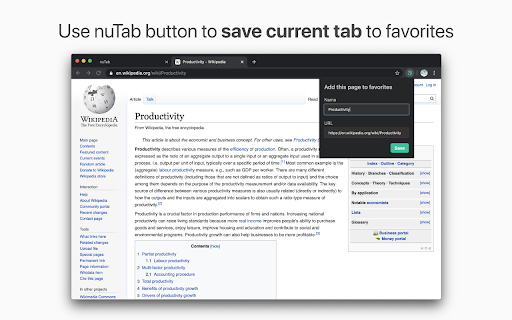
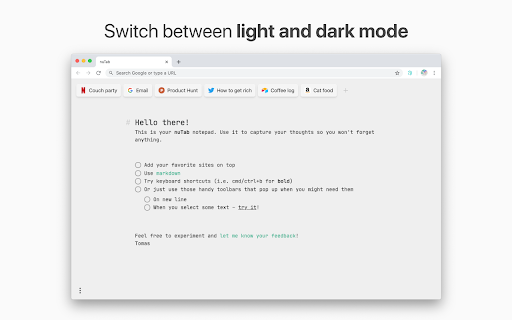
Capture your thoughts and save favorite pages in a new tab nuTab is the place for your notes, drafts and todos where you won't ever forget them. 🔒 Privacy Your notes and favorite pages are saved only on your machine 📦 Export Download a markdown export of your notes anytime 💚 Favorite links Save sites you visit frequently or just don't want to forget 🌗 Dark and light mode Switch between two beautiful themes 🚀 Blazing fast Because you don't have time to wait for the new tab to load

Tab Notes
Unlike other similar apps, this one allows you to keep more than one note. ✔ Different note in each tab, not the same note everywhere. ✔ Offline & private. Notes never leave your computer. ✔ Search notes by clicking on the extension icon. ✔ Manage and open your notes from anywhere in Chrome.

Moment - New Tab Markdown notes & task list
Don't lose what grabs you in the moment. Don't lose what grabs you in the moment. Moment gives you a new tab experience where you can enjoy beautiful pictures whilst still giving you the functionality of taking notes. Create and track task lists or write down, Remember you had something left to do but don't know what? Just open a new tab! Moment supports markdown to nicely format your notes.

Vaux Tab
Vaux Tab Manager and Window Organizer Vaux is an intuitive window manager with many robust features and simple interface. Perfect for tab management and window organization. Take your organizing skills to the max with Vaux! Latest feature: Share your saved windows with other Vaux users! Tab manager Window position recall Share windows with other Vaux users. Dark Theme Icon. Toggle icon from options page.

Tab Notes
Allow you to write anything in new tab Features: * Easy-to-use: Just open new tab, and write down thoughts. * Auto-save: No worries about saving things when writing. * Cloud sync: Automatically save your notes across devices using GitHub gists. * Theme: Support light and dark theme. * Lightweight and fast * Multiple notes: Create as many notes as you like. * Browser-action with shortcut: You could use it without changing your current new tab page. * Open-source Shortcuts * Ctrl/Cmd + U: To open the browser-action tab notes.
