
hapodabojpphnloafpaapmcpofcbanaj
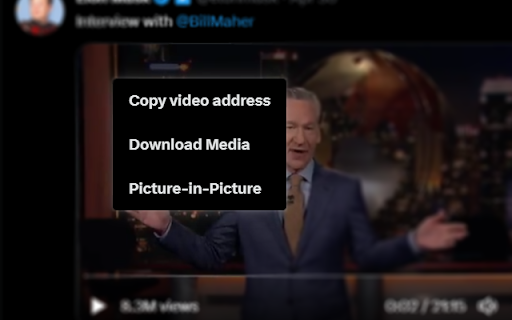
Adds some extra features to Twitter, including video download, picture-in-picture, and more. Introduces additional features and abilities to your Twitter experience. For example, easier saving of media (such as GIFs and Videos), as well as support for Picture-in-Picture (video pop-outs). Other options available in Options (click the ☰ icon next to the extension, select Options from list) include the ability to hide "Who to Follow" and "What's Happening" sidebar items, wrap tick-escaped inline code with tags, make voice tweets downloadable, and convert video timestamps to clickable links.

Twitter Video Downloader -x video downloader - VidSaver.io
Download Twitter videos in best quality with one simple click. A powerful media extension designed to enhance your online experience and enable you to save videos from Twitter. Features - Can download any available format - No ads, spyware or malware; - Easy to download; - No regis and free How to use? - Go to Twitter website - Click on the download button (after installing the extension, the button will appear at the bottom of the video, if not, refresh the page)

Twitter Media Only Toggle
Credit goes to Greasy Fork user Cro, from whom I referenced the script. Modified to be an extension that has an extra button below the tweet button that is reactive to the theme you have. If you do not see the new button, please refresh the page.

Clean Twitter/X.com (Hide Tweets,Ads,etc)
A browser extension that filters out unwanted tweets. (Hides tweet by keywords, Hides ads, etc) Clean Twitter/X.com is a browser extension designed to enhance your Twitter browsing experience. It allows you to hide tweets in Twitter threads that contain specified keywords. Additionally, it provides options to hide Ad tweets and suggestions for who to follow or subscribe to. Key Features - Keyword Filtering: Set specific keywords to filter out unwanted tweets. - Hide or Notify: Choose to either hide the tweet/Ads completely or display a notice that the tweet/Ads was hidden. - Granular Options: Customize your filtering preferences for tweets, ads, and suggestions separately. - Privacy-Focused: No tracking or sign-in required. All options can found in the extension popup menu.

Keep Twitter scroll position
Twitter annoyingly keeps losing your scroll position when browsing reply threads. This extension fixes that. UPDATE: Twitter/X has fixed this bug, and this extension is no longer needed (but maybe you'll like that this extension highlights the last-read reply tweet). When you're browsing the replies, and replies-to-replies, of a popular tweet, you may be surprised to see that hitting the back button from a 'replies-to-replies' thread puts you back at the start of the original reply thread, instead of at the position you last were. You now have to scroll down (sometimes a long way down) to continue your reading of the original tweet's replies. This extension fixes the user experience by auto-scrolling to your last position in the reply thread, and highlighting the tweet you last read. This extension is open-source. The source code is here: https://github.com/ackinc/keep-twitter-scroll-position.
