
hagcapmimfcbfdhgmdnabeifnfbicmij
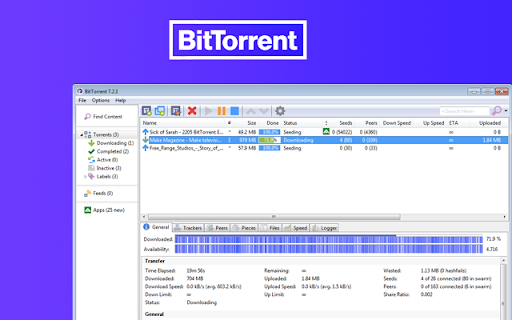
Send Link to BitTorrent For Chrome BitTorrent Add magnet with One Click %100 WORKING Send a link to the BitTorrent Web UI and BitTorrent PC UI The extension adds an item in the contextual menu when right click is done over a magnet link. You can then, send that link to the BitTorrent UI without leaving the current page. Allows to instantly begin download of a torrent or magnet link into a configurable set of directories in BitTorrent. Very useful, if… Allows to instantly begin download of a torrent or magnet link into a configurable set of directories in BitTorrent. Very useful, if you have BitTorrent on a dedicated machine.

Webtor.io - Watch torrents online
Any torrents are available online. Just open torrent-file and start watching absolutely free and without registration. Usage: Download torrent-file and new tab with it's content will appear immediately! Magnet links are also supported. What's new? 1. Torrent file handling improved ("Allow Access to file URLs" option must be enabled on extension settings page) Features: 1. Instant streaming - You don't have to wait while the whole file loads. Webtor will start streaming from the first byte. You don't have to think where to download torrents and spend your hard drive space anymore. 2. Download everything as ZIP-archive - yes, you had share ability earlier as well, but now we have separate button. On click it will show dropdown with all available social networks. 3. On-the-fly transcoding - Webtor automatically converts audio and video to the desired playback format suitable for your browser. Webtor supports video in AVI and MKV formats and lossless FLAC audio. 4. Cross-platform - you do not need additional extensions and plug-ins. Webtor streams torrent-files on any device where the Chrome browser starts, whether it's Windows, Mac or Linux. 5. Absolutely free -Webtor only supported by ads without any restrictions. 6. No registration - We do not track your activity and do not store any data about you. Your visit is absolutely anonymous. 7. On a big screen - Webtor can cast video to your TV screen. TV box with Google Cast support required.

Torrent Snag
Automatically detect torrent and magnet links and send them to your torrent handler or download directly. Effortlessly manage torrents from any website with Torrent Snag Torrent Snag automatically detects torrent and magnet links on any webpage you visit, making it incredibly easy to send them to your preferred torrent client or download them directly. No more right-clicking, copying URLs, or switching between applications. Key Features: • Automatic Detection - Instantly finds torrent and magnet links on any page • One-Click Download - Send torrents directly to your favorite client • Multi-Client Support - Works with qBittorrent, Transmission, Deluge, and more • Direct Download - Save files directly to your computer • Multiple Language Support - 10 languages supported • Clean Interface - Minimal, non-intrusive design • Privacy Focused - No tracking, no ads, no data collection • Fast & Lightweight - Minimal resource usage How it works: 1. Browse any website normally 2. Torrent Snag automatically detects available torrents and magnet links 3. Left click the extension to send all discovered links to your client 4. Right click and show found links and manage which ones to send to your client 5. Directly right click on a link and send to your client directly. Perfect for users of torrent sites, open-source software repositories, Linux distributions, and legitimate content sharing platforms.

BitTorrent | Torrent WebUI Sender
BitTorrent Torrent WebUI Sender Find all links in a popup or right-click to send & choose the download folder instantly. BitTorrent | Torrent WebUI Sender The ultimate torrent helper! Supercharge your torrenting workflow with the most intelligent and feature-rich Web UI sender for BitTorrent and uTorrent Classic! BitTorrent | Torrent WebUI Sender seamlessly integrates your browser with your torrent client, transforming how you download. It eliminates manual work by automating everything from link discovery to download organization, making your experience faster, cleaner, and more efficient than ever before. The extension is smart, too. Its icon automatically lights up when it finds downloadable links on a page,letting you know it's ready for action without ever being intrusive. * Choose Download Folder on the Fly: The ultimate power feature! Right-click a link and select the exact download directory from a dynamic list fetched directly from your client. No more post-download sorting! * Smart Link Detection Popup: Click the extension icon to instantly see a clean list of all .torrent and magnet: links found on the current page. * Intelligent Page Awareness: The extension icon automatically changes from grayscale to full color when it detects downloadable torrent links on a page, providing a subtle but clear visual cue. * One-Click Actions: From the convenient popup list, you can instantly send any link to your client or copy it to your clipboard with a single click. * Powerful Context Menu: The classic right-click menu is now supercharged. Send links to your default directory or choose any of your custom folders on the fly. * Clear Notifications: Get instant feedback when you send a link, copy a URL, or if the extension can't connect to your client. You're never left guessing. * Modern & Simple Configuration: A completely redesigned, user-friendly options page makes setting up your client's Web UI details a breeze, with clear step-by-step instructions. 1. Install the Extension: Add the extension to your Chrome browser. 2. Configure Your Settings: * Open the extension's "Options" page. * Enter the Port, Username, and Password for your BitTorrent/uTorrent Web UI. (These details must match the settings in your client under Options > Preferences > Advanced > Web UI). * Click "Save Settings". 3. Start Downloading: * Method 1 (Popup): Visit a page with torrents. The extension icon will light up. Click it to see all links and send them from the list. * Method 2 (Right-Click): Right-click any torrent or magnet link, hover over "Add Torrent to...", and select your desired download folder. --- Privacy: Your privacy is paramount. This extension does not collect or share any personal data. All your settings are stored exclusively on your own computer.

Transmission Torrent Sender
Send and manage torrents in Chrome on the Transmission server. Seamlessly add, access, and control torrents with Chrome. Effortlessly integrates the Transmission BitTorrent client with your Chrome browser, staying out of the way until you need it. Right-click to send any link to Transmission Magnet links fully supported Compatible with private trackers — configure in the options page Built-in UI for managing torrents directly in Chrome View your torrents: Downloading, Seeding, and Paused Dark mode theme (see in the options) Manage them with ease: Pause, remove individual or multiple torrents at once Quick access to the full Transmission web interface
