
gponaeheichdmgfjoihhceedlhngnggj
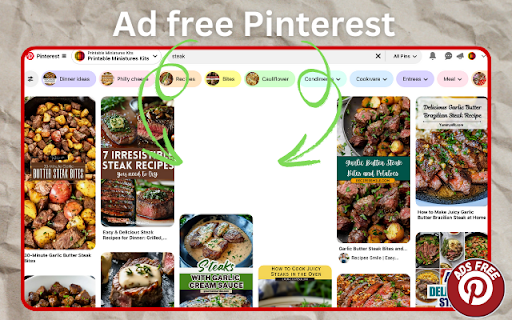

Chrome extension is designed to remove promotional content and ads from all Pinterest websites once and for all. It supports multiple languages and regions, ensuring users worldwide will enjoy a seamless ad-free journey on Pinterest. Why Choose Our Chrome Extension? Ad-Free Browsing on Pinterest Forever - Our extension eliminates all ads and promotional content from Pinterest permanently. Whether it’s sponsored pins or promotional boards, you’ll never see them again once the extension is installed. No matter where you are in the world, or what language you speak, our extension will give you Pinterest in its cleanest, most distraction-free form. Works on All Pinterest Sites - Whether you’re browsing localized versions of Pinterest or the global platform, our Chrome extension seamlessly removes ads across all versions. Key Features of the Extension 1. Instant Ad Removal Once installed, the extension immediately removes ads and promotional content from your Pinterest feed. There’s no need for configuration or setup—it works automatically. 2. Multi-Language Ad Blocking Our extension is designed to detect and block ads in more than 40 languages. That means you can use any region or language version of Pinterest without interruptions. 3. Lightweight and Efficient The extension is optimized for performance, ensuring it won't slow down your browser or interfere with other extensions. 4. Automatic Updates We regularly update it for new changes that Pinterest introduces once in a while. Moreover, the updates themselves will appear automatically without any extra measures on your side, such as installation steps. 5. Easy Installation Installation requires just a few mouse clicks; after installing, you may have the facility of ad-free Pinterest viewing without interruptions. How It Works Step 1: Download the Extension Go to the Chrome Web Store, then search for our Pinterest ad blocker and click "Add to Chrome." This literally takes only a couple of seconds. Step 2: Instant Ad Blocking The extension starts working straight away, removing ads and sponsored posts from Pinterest. Installation requires no extra setup-out-of-the-box compatibility is ensured. Step 3: Free Pinning Zone Feel liberated to discover Pinterest. Be amazed with quicker page load times, more visually appealing interface, and flowing inspiration. Step 4: Software Updates Our extension updates automatically to stay compatible with Pinterest’s latest changes. You’ll always have a reliable ad-free experience. Our extension blocks ads and promotional content across all languages supported by Pinterest. 1. Improved Focus Ads can be very distracting, especially when you're trying to find ideas or inspiration. By removing ads completely, our extension lets you focus solely on your pins and boards. 2. Faster Browsing That might be because sponsored content and ads slow down your browser. Without them, Pinterest is much faster and more pleasant to navigate. 3. Better Aesthetic That's actually the beauty of Pinterest in general, but without ads, both your boards and feed appear cleaner, more organized, and overall more visually appealing. 4. Privacy Protection Some of these ads track your web habits. By blocking the ads, our extension helps bolster your privacy, allowing you to browse with a freer conscience. Frequently Asked Questions 1. Is the extension really free? Yes! Our extension is free. There are no hidden charges or premium features. Install it and enjoy Pinterest without ads forever. 2. Does it work on all versions of Pinterest? Absolutely. The extension supports all regional and language versions of Pinterest, ensuring a consistent experience worldwide. 3. Will it slow down my browser? Not at all. Our extension is lightweight and optimized to work efficiently without impacting your browser's performance. 4. How can I update the extension? Updates are automatic. Whenever we release a new version, it will be updated in your browser without any action required from you. 5. Can I turn the extension off if needed? Yes, you can toggle the extension on and off from your Chrome settings anytime. Get a smoother, faster, and distraction-free Pinterest experience. Install now and enjoy the difference!

PinSight - Pinterest AI Control
Spot AI-generated content on Pinterest and control how AI pins are displayed in your feed. If you are tired of constantly seeing AI content when browsing Pinterest, this extension is for you. The tool finds AI pins without you having to access their individual page. You can chose to hide them completely, blur them out, or simply add a clear label on the images so you know what’s human-made and what’s not. No account is needed and no personal data is accessed. 1. Install the extension and open Pinterest as usual. By default, AI pins will just be labelled. 2. To change the behavior, click the PinSight icon in your toolbar to open the settings. 3. Choose how you want AI-generated pins to be handled : - Hidden = remove AI pins from your feed. - Blurred = keep them in the feed but blur the image (you can unblur them by clicking on the "Show AI pin" button). - Labelled = show them normally but with a clear AI badge in the top right corner. 4. Refresh the page with the dedicated button to make the changes take effect. The extension will automatically update your feed as you scroll ! The process has been optimized for good speed and performance by keeping track of the pins that have already been processed in the page.

Pinterest Dark Theme
Adds a dark theme to pinterest, still a work in progress so expect some small bugs. Makes Pinterest Dark Mode, still a Work In Progress so expect some small bugs.

Pinterest Ads Blocker
Are you tired of Ads disrupting your carefully curated boards? Pinterest Ads Blocker is the ultimate solution to clean up your feed instantly. We don't just hide ads; we keep your browsing aesthetic intact. Unlike other blockers that leave ugly white spaces or broken layouts, our intelligent extension detects sponsored content and gives you two powerful options to handle them: 1. Seamless Replacement (Smart Mode): Automatically replaces ads with similar, organic images from your feed. You won't even notice an ad was there! 2. Clean Hiding: Simply removes the ad space for a minimalist look. 🚫 Smart Ad Detection Instantly identifies and blocks "Sponsored" posts and promoted pins in your Home Feed, Search Results, and Related Pins. 🎨 Maintain Your Aesthetic Our unique "Copy Similar Pin" feature replaces ads with relevant images, ensuring your grid remains beautiful and uninterrupted. No more jarring holes in your feed! ⚡ Blazing Fast & Lightweight Optimized for performance with zero lag. Scroll as fast as you want; the ads vanish before you see them. 📊 Live Statistics Track how many ads have been cleaned from your feed daily and historically via the popup dashboard. 🔒 Privacy First This extension works locally on your device. We do not track your browsing history or collect any personal data. ⚙️ Easy Customization - Toggle the blocker On/Off with a single click. - Choose your preferred blocking style (Mask with Image vs. White Space). HOW TO USE: 1. Install the extension. 2. Visit Pinterest. 3. Browse normally – the ads are already gone! 4. Click the extension icon to see your blocked stats or change settings. Take back control of your inspiration. Download Pinterest Ads Blocker today and scroll in peace!

Pinterest - LIGHT & DARK THEMES
You can click on the extension logo to change the theme from among a dozen themes. If no themes are displayed in the pop-up, it is likely due to JavaScript being disabled. Please enable it. Many thanks to Filipermaster and maguzzz for their contributions. For commercial purposes, use Gmail email. For support or simple questions purposes, Github or « pdt.derived241@passmail.com » instead. Sorry to you all who waited for an update, I’ll try to keep it up to date. 03/10/26
