
gpgbiinpmelaihndlegbgfkmnpofgfei

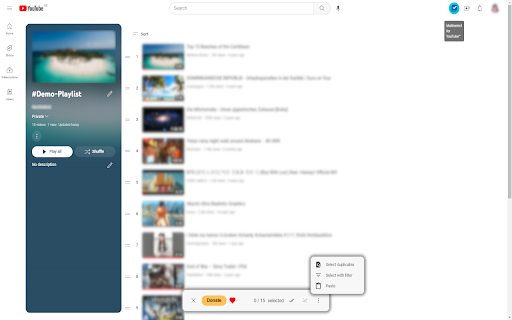


Move, sort, and copy videos in your playlists faster and easier. This extension will save you a lot of time managing your playlists. The operation has been simplified so that you can complete your tasks even faster. Additional features you've been waiting for. ✔️ Supports the new interface Manifest V3 ✔️ The user experience has been redesigned from the ground up ✔️ Same display dark/light as in YouTube™ ✔️ Selected videos are clearly highlighted ✔️ Icon button to toggle multiple selection on/off ✔️ Action bar ✔️ Context menu 🚀 Keyboard navigation 🚀 Copy, cut and paste videos ✨ Find duplicates 🎁 Select videos with title filter

Youtube Playlist Guru: Search, Sort, Filter & Track Playlist Progress
Calculate playlist duration, search/sort/filter videos, and track your YouTube playlist watching progress—simple and fast. YouTube Playlist Guru - Search • Sort • Filter • Track Progress • Total Duration Supercharge your YouTube playlists with a fast, lightweight, and user-friendly tool designed for creators, learners, and binge-watchers. YouTube Playlist Guru helps you search, sort, filter, and track progress across any playlist, while accurately calculating total duration and remaining time based on your playback speed. Works seamlessly with YouTube’s Light and Dark themes. ❤️Why You’ll Love It 👉 Lightning fast & lightweight: Minimal overhead, smooth scrolling, instant operations. 👉 Clean, intuitive UI/UX: Purpose-built controls that feel native to YouTube. 👉 No sign-in or setup: Install and use directly on playlist pages. 🌟Core Features 🔎 Powerful Search 👉 Search by video title and channel name to quickly locate what you need in large playlists. ↕️ Pro Sorting (Both Ascending & Descending) 👉 By Index: Maintain original order or reverse it. 👉 By Title: A → Z or Z → A. 👉 By Channel Name: Group by creators instantly. 👉 By Video Duration: Shortest → Longest or vice versa. 👉 By Watching Progress: See not-started, in-progress, and completed in your preferred order. 🎯 Precision Filters 👉 By Video Index: Exact matches or ranges. 👉 By Channel: Include only selected creators. 👉 By Duration: >, ,

Drag & Drop Playlist Creator for YouTube
Make unlisted YouTube Playlists by dragging thumbnails into the sidebar. ▶️ Create unlisted playlists: Click the extension button while browsing YouTube to open the drag and drop sidebar. Drag YouTube thumbnails into the box and click open playlist.

YouTube Watch Later Organizer
Automatically organize your Watch Later videos by topics - no setup required YouTube Watch Later Organizer - Your Smart Video Library Manager Transform your YouTube Watch Later playlist into an organized, searchable library! This extension automatically categorizes your saved videos into topics, making it easier than ever to find and watch the content you've saved. 🎯 Key Features: - Smart Topic Detection: Videos are automatically categorized into topics like Tech, Education, Entertainment, and more - Powerful Search: Quickly find videos by title, channel, or topic - Dual View Options: Switch between Grid and List views to browse your way - Real-time Updates: Syncs automatically with your Watch Later playlist - No Setup Required: Works instantly after installation - Privacy-Focused: All processing happens locally in your browser ⚠️ IMPORTANT NOTE: For best results, please follow these steps: 1. Open your YouTube Watch Later playlist 2. Scroll down to the bottom of the playlist until all videos are loaded 3. Then click the extension icon This ensures all your videos are properly organized and categorized. Perfect for: ✓ Content creators collecting inspiration ✓ Students organizing educational content ✓ Tech enthusiasts managing tutorials ✓ Anyone with a growing Watch Later list Why You'll Love It: - Save Time: No more endless scrolling to find that one video - Stay Organized: Your videos are automatically sorted into relevant topics - User-Friendly: Clean, intuitive interface with dark mode - Zero Configuration: Install and start using immediately - Performance: Lightweight and fast, doesn't slow down your browsing How It Works: 1. Install the extension 2. Open your YouTube Watch Later playlist 3. Scroll to load all videos 4. Click the extension icon 5. Browse your videos organized by topics! Note: This extension requires access to youtube.com to organize your Watch Later playlist. All processing happens locally in your browser - we don't collect any data.

Playtube: Youtube Playlist Manager
Alphabetically re-order playlists when you save to the playlist More features are on the way - alphabetize playlist on sidebar - search playlist when saving video - etc... This is a third-party tool and not endorsed by or produced by Youtube or Google.
