
gpfjgnojlfaeolinkbpcjjomklilhfco

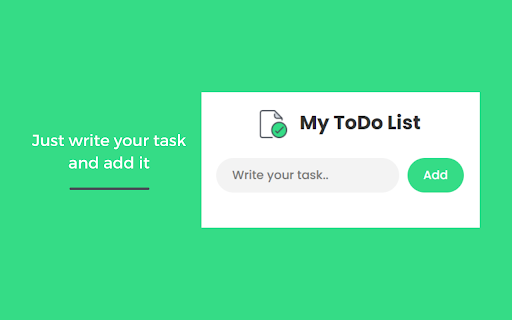
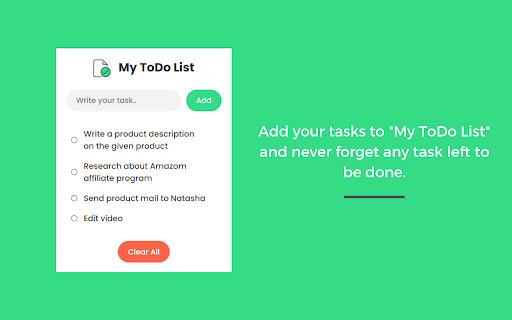
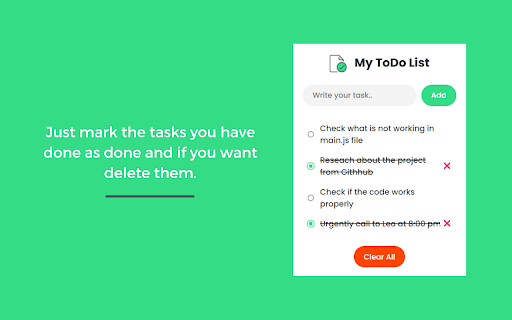

Smart To-Do List with dark mode, task priorities, and local storage. Stay organized, edit tasks, and boost your productivity. My ToDo List – Simple, Powerful, and Beautiful Task Manager Organize all your tasks effortlessly with My ToDo List – a modern, lightweight Chrome extension designed to keep your productivity on track. 🌗 Dark & Light Mode – Switch themes based on your preference or system setting. ⭐ Task Prioritization – Mark important tasks and stay focused on what matters most. ✏️ Edit Tasks Anytime – Update task names, status, and details with ease. 🧩 Persistent Storage – Your tasks are saved automatically using Chrome's local storage. 🗂️ Organized Sections – View tasks by type: All, Completed, and Pending. 🛠 Built for speed and simplicity, My ToDo List helps you stay organized without any distractions. Start managing your tasks like a pro — right from your Chrome browser.

minimalist and simple to use to do list
A simple easy to use minimalistic to-do list extension for Chrome Streamline your productivity with our easy-to-use, minimalistic to-do list Chrome extension - no sign-in required! Have you ever found yourself forgetting important tasks while browsing the web? Or do you simply enjoy the satisfaction of checking off completed items on your to-do list? Our extension is here to help. Keep track of your tasks and stay on top of your day with our user-friendly interface.

ToDo List : explode your productiviy
ToDo List : explode your productiviy Meet your new productivity ally, "ToDo List." This Chrome extension is here to help you skyrocket your efficiency and make the most out of your day. Say goodbye to scattered thoughts and hello to a focused, organized, and productive you! Effortless Task Management: With "ToDo List," adding, organizing, and prioritizing tasks is a breeze. It's your digital assistant for tackling your to-do list with precision. Deadline Alerts: Never miss a deadline again. Set reminders and receive notifications to keep you on track and ensure you meet your goals. Custom Categories: Categorize your tasks for better organization. Whether it's work-related, personal, or something in between, create the categories that make sense for you. Task Notes: Add important notes and details to your tasks, so you have all the information you need at your fingertips. Progress Tracking: Watch your productivity soar as you complete tasks. "ToDo List" provides visual progress tracking to keep you motivated. Dark Mode: Whether you're a night owl or just prefer a sleek look, toggle on Dark Mode for a more comfortable and stylish experience. Enhanced Productivity: Keep all your tasks and deadlines in one place for easy management, resulting in improved productivity. Reduced Stress: With deadlines and tasks under control, reduce stress and enjoy a more relaxed approach to your daily responsibilities. Time Management: Efficiently allocate your time and focus on what truly matters, thanks to organized task lists. Goal Achievement: Reach your goals faster by tracking your progress and staying committed to your to-do list. Level up your productivity with "ToDo List." Download the Chrome extension now and unlock your full potential.

TaskDrift
TaskDrift — A beautifully simple task manager with smart capture, reminders, themes, history and backup support. 🚀 Organize Your Day, Stay Ahead & Get More Done! TaskDrift is your all-in-one productivity companion, beautifully designed for Chrome. Experience effortless task management, smart reminders, encrypted cloud sync, and a vibrant, customizable interface — all while keeping your data private and secure. 📝 Quick Task Entry — Add tasks with due dates, times, priorities, categories, and rich descriptions. Choose between compact or expanded input styles. 🧠 Smart Date Parsing — Just type naturally! "Meeting tomorrow at 10am" or "Lunch 14 Feb" and TaskDrift automatically sets the date and time. 🔄 Recurring Tasks — Set tasks to repeat Daily, Weekly, or Monthly. Completing one automatically schedules the next. 🏷️ Custom Categories — Create, rename, and manage your own categories. Filter tasks instantly with one-click category pills. ⏰ Smart Reminders — Get timely Chrome notifications with customizable lead time (1–120 minutes). Never miss a deadline! ☁️ Encrypted Cloud Sync — Optionally sign in to sync tasks across all your devices. Your data is protected with AES-256 end-to-end encryption — only you can read it. 🎨 7 Beautiful Themes — Light, Dark, Ocean, Sunset, Mint, Rose, and Night. Pick the one that fits your mood. 📊 Productivity Dashboard — Track your completion rate, current streak, tasks by priority, and a 7-day completion history chart. 📅 Task History — Review, restore, or permanently delete completed tasks. Full control over your data. 🔃 Backup & Restore — Export all tasks and history as CSV. Import them on any device to pick up where you left off. 🖥️ Full Page Mode — Expand to a spacious, distraction-free tab view for focused task planning. 🖱️ Right-Click Capture — Select any text on a webpage, right-click, and choose "Add to TaskDrift." 📐 3 Popup Sizes — Small, Medium, or Large — resize the extension popup to your preference. 🔗 Works with My Canned Notes Pro — Uses the same account for seamless cross-product productivity. • No ads, no tracking — your productivity is not a product. • Works fully offline — cloud sync is optional, not required. • Fast, intuitive, and visually engaging. • Perfect for students, professionals, and anyone who wants to stay organized. TaskDrift requests the following permissions — each is essential for a specific feature: • storage — Save your tasks, settings, and history locally on your device. • notifications — Show reminder alerts when a task is due. • alarms — Schedule reminders to fire at the right time, even when the popup is closed. • contextMenus — Add the "Add to TaskDrift" option in your right-click menu. • activeTab — Read selected text on the current page when you use the right-click or keyboard shortcut to capture a task. • scripting — Enable the keyboard shortcut (Ctrl+Shift+Y) to capture selected text from any page. • Host access (supabase.co) — Securely sync your encrypted tasks to the cloud when you choose to sign in. No data is sent without your explicit login. 🎁 Ready to Supercharge Your Productivity? Install TaskDrift now and experience a smarter, more colourful way to manage your day! [3.4.0] - 2026-04-05 • Cloud Sync — Encrypted cross-device task synchronization with merge/replace conflict handling. • Custom Categories — Add, rename, and delete your own categories with filter pills. • End-to-end AES-256-GCM encryption for all synced data (tasks, history, categories). • Shared authentication with My Canned Notes Pro. • FAQ page updated with sync, category, and encryption info. • Improved sync status UI with real error reporting. • Bug fixes: sync reliability, tombstone merge logic, session token refresh. [3.3.0] - 2026-03-15 • UI Style toggle — Choose between Compact and Expanded task input. • Productivity Dashboard with completion charts and streak tracking. • Category filter bar above task list. [3.2.0] - 2026-02-15 • Cross-product account integration with My Canned Notes Pro. • Profile panel with sync status and account details. • Merge/Replace conflict modal on first login sync. [3.1.0] - 2026-01-31 • Smart Date Parsing — Automatically detects dates and times in task text. • Recurring Tasks — Daily, Weekly, or Monthly repeat options. • Context Menu — Right-click to add selected text as a task. • Keyboard Shortcut — Ctrl+Shift+Y to quickly capture tasks. • Productivity Dashboard — Visual charts for completion history and priority distribution.

To-Due List
A simple to-do list to organize your tasks To-Due List is a simple but useful tool to organize all of your tasks, such as writing essays, or attending meetings. Features: 1. Rank/prioritize tasks 2. Set a due date 3. Sort tasks chronologically 4. Check off completed tasks 5. Toggle light/dark mode 6. Set notifications to be received before the due date How to get started: 1. Create a task using the button with the "+" symbol in the bottom right corner 2. Write a short description of the task and set a date and time 3. Set notifications using the button with the bell icon in the top left corner, selecting the checkboxes for what times you would like to be notified before an upcoming task
