
gmlbhbdkhnfhhmhdjopdbcfliajcafde
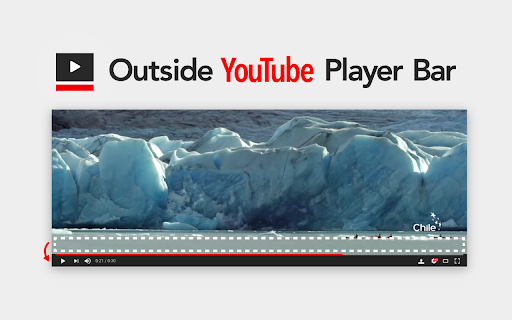


Display YouTube's player bar outside the video. Have you been impatient with the video with overlapping player bar? Adding this extension makes it possible to move the player bar outside the video. ・Works on video page ・Added player bar toggle button ・Blends in with YouTube's user interface ・Live streaming page support ・Default view & Theater mode both support ・Full screen mode support ・Behavior settings can be configured for each mode ・Support dark theme user interface ・Open source code About the extension requesting permissions: https://github.com/1natsu172/Outside-YouTube-Player-Bar/issues/112 See https://git.io/vNFtI for release notes.

Shorts Deflector
Seamlessly play YouTube Shorts with the normal desktop interface Why does clicking on a YouTube Short on a desktop bring up the mobile-optimized interface? With no video scrubbing, harder to access comments, less accessible view count, and more, it makes no sense to use on a desktop. Shorts Deflector is an extension that allows you to seamlessly watch YouTube Shorts with the normal desktop interface. By using several techniques, this extension is super fast; you will barely notice the switch to the desktop viewer. Install now and try it out for yourself! Upon install, the "Read your browsing history" permission may seem alarming, but this permission is only used to detect page updates.

DetailedTime
YouTube動画の公開時刻を表示するやつ ◆どんな機能? YouTube動画の公開時刻を表示します。 ◆使い方 動画タイトルの横に「詳細」の文字が出るのでそれをクリックしてください。 ◆注意事項 ※ライブ配信の場合は配信開始時刻になります。 ※完璧な動作保証はできません。ご利用は自己責任で。 ※ブラウザの横幅が狭い場合・動画タイトルが長すぎる場合には「詳細」の文字が出ないことがあります。 ◆他の機能 YouTube用の自作拡張まとめ https://null.style/app ◆不具合を見つけたら 作者Twitter(@nulltypo)までご連絡お願いします。レビューには回答できません。 ◆免責事項 このChrome拡張によりいかなる損失や損害などが発生しても責任を負いかねます。ご了承ください。

MaxChat
Wide chat area for YouTube Live ◆features This extension spread YouTube Live chat area to the bottom of the browser. You can also press the refresh button to reload the comments. ◆If you find a problem Please contact me on Twitter (@nulltypo). I can't respond to reviews. ◆Disclaimer I'm not responsible for any loss or damage caused by this extension.

FloatFrame
YouTubeの動画を固定するやつ ◆どんな機能? YouTubeの動画を見ながらコメント欄を読むことができます。 動画を上の方に固定して浮かせ、スクロールしても動かなくなります。 ◆使い方 サイト左上のボタンをクリックするとオン/オフの切り替えが可能です。 ◆注意点 起動中はシアターモード、ミニプレイヤー、フルスクリーンにできません。 ◆他の機能 YouTube用の自作拡張まとめ https://null.style/app ◆不具合を見つけたら 作者Twitter(@nulltypo)までご連絡お願いします。レビューには回答できません。 ◆免責事項 このChrome拡張によりいかなる損失や損害などが発生しても責任を負いかねます。ご了承ください。
