
glpelpaljileehhngbcjpkehidnipifg
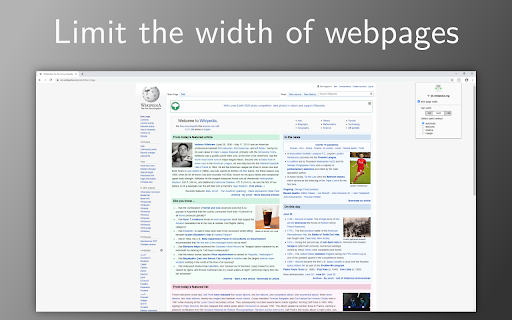

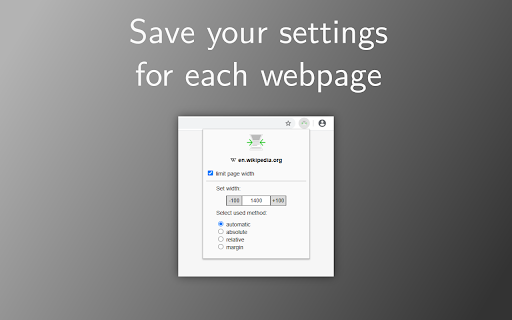
Limit the width of webpages for a better widescreen experience Ever felt like some pages just don't really work well on widescreens? Now you can limit the width of webpages with this simple extension. Just save your preferred width on a per domain basis! Note: This extension is still in development and might not work well with every website. Feel free to report any issues at https://github.com/nilshellerhoff/widescreen-browsing/issues

Auto Zoom from Width
Zoom to fit the screen width. Caution ・Zooming may not work well depending on the page structure.

Ultrawide Monitor for YouTube
Do you own a ultrawide monitor? Always hated the fact you couldnt use the entire monitor space when you were watching videos on your computer or on Youtube? Thats because most videos are sized 16:9 and our software can help solve this issue. Make the most of your ultrawide monitor when you use our software. Our software helps to stretch the video to be more horizontal and it allows you to use up the entire screen. The downside to this is the resolution would be a bit off, but its a tradeoff most users who have ultrawide monitors are willing to accept. There is also another setting where the video can be cropped to fit your ultrawide monitor Try this software which is designed specifically for ultrawide monitors. Use the entire screen when you watch Youtube videos.

ChatGPT Widescreen
Enhances ChatGPT with wide/full/tall-screen + spamblock modes. Also works on poe.com #2 UX Product of the Week on Product Hunt! ⚡ Works with: chatgpt.com + poe.com 💻 Programming code — Improves readability by preventing single lines from wrapping and obfuscating code 📃 Multi-step instructions — Keeps more steps on ONE page for easier review 📙 Long recipes — Allows you to cook without getting mouse or trackpad greasy from having to scroll • Taller Chatbox: Expand the chatbox vertically • Wider Chatbox: Expand the chatbox horizontally in Wide Screen mode • New Chat Button: Show New Chat button in chatbox • Hidden Footer: Hide site footer • Hidden Header: Hide site header • Mode Notifications: Show notifications when toggling modes/settings • Spam Block: Hide spam banners from cluttering the page • One-click button access to browse more AI extensions NOTE: Settings auto-sync to other tabs for the same site (e.g. activating Hidden Header on chatgpt.com will apply to all chatgpt.com tabs, but poe.com headers will remain visible)

Ultrawidify
Removes black bars on ultrawide videos and offers advanced options to fix aspect ratio. Removes unnecessary black bars from the videos. Youtube and Twitch are officially supported by default. You can enable it for other sites as well, but support for other sites is not guaranteed. 1️⃣ Automatic aspect ratio detection (not supported on websites that utilize DRM. You may want to turn this option off when on battery power or when experiencing performance issues) 2️⃣ Crop to aspect ratio 3️⃣ Stretch video 4️⃣ Zoom video to aspect ratio
