
gkompgmhhdflejbdgfjlmipjpjfdoclm
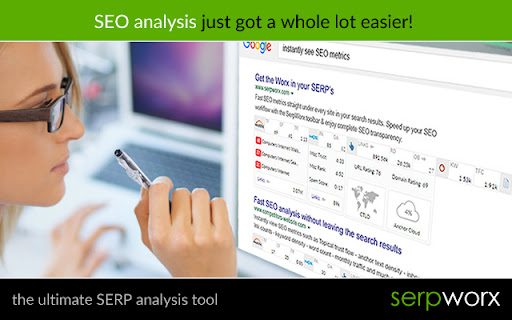


SerpWorx SEO extension. Free trial version, no cc req, only $29.95 p/m. Instant SEO metrics in your search results & on any site. With the SerpWorx SEO tool you can instantly view the SEO metrics of all ranking sites for any keyword without ever leaving the Google results page or the website you're on. This is the absolute fastest way to check over 30 SEO metrics in just a click. This is a free 3-day trial version with no CC required to try it. SerpWorx is $29.95 p/m as per our pricing page here: https://www.serpworx.com/pricing/ Step 1: Search for any keyword you want in Google. Step 2: You'll now see all of the SEO metrics for each site in a beautiful toolbar that sits underneath every site in the search results. Step 3: Compare each sites SEO metrics with results from Majestic SEO, Moz, aHref's and SEMrush and more. See exactly why sites are ranking where they are and completely revolutionise your SEO workflow. It simply doesn't get any better than this! SerpWorx also works on any website you visit too! What's included in the SerpWorx toolbar: Majestic SEO metrics: 1. Trust Flow & Citation Flow 2. Topical Trust Flow categories 3. Total inbound link counts for root and page URL Moz Metrics: 1. Domain & Page Authority 2. Moz Trust 3. Mox Rank 4. Spam Score 5. Total inbound link counts for root and page URL aHrefs Metrics. 1. Total inbound link count for root & page URL fetched from live index 2. aHrefs URL Rating 3. aHrefs Domain Rating 4. aHrefs keyword anchor text density Note: aHrefs account required SEMrush Metrics: 1. Total keyword visibility with search volume and positions 2. Monthly traffic Onsite SEO Metrics 1. Total heading tag count & heading tag text 2. External Outbound link count 3. Page word count 4. Keyword density of actual search phrase on page 5. Google +1's for page 6. Facebook Shares 7. Domain first indexed (age) as per Wayback Machine 8. Site hosting location 9. Site build with technology 10.Google page speed results 11.Broken link checking & count 12.Mobile friendly check 13.Indexed pages Having all of these metrics provided straight under each site in the search results completely streamlines your workflow and provides you with a concise SEO analysis of each site. Become a 'SerpWorx Insider' today and start checking SEO the easy way.

PageOptimizer Pro
The PageOptimizer Pro extension syncs with the on page SEO tool, PageOptimizer Pro This is the official Chrome Extension for PageOptimizer Pro. The extension serves two purposes: 1. The extension syncs with your PageOptimizer Pro account for faster processing and more accurate location results. 2. With this extension you can open your PageOptimizer Pro recommendations while editing your pages within your Page Builder or CMS. You can edit directly in most Wordpress Page Builders such as Elementor, Oxygen, and Thrive Architect, just to name a few. You can also edit directly in CMS's such as Wix, Shopify, Squarespace, and many more. The PageOptimizer Pro extension also works with Google Docs if that is where you manage your content. Additionally, you can give your content writers a secret key to access your recommendations without having to log into PageOptimizer Pro. To see the full list of compatible Page Builders and CMS's, please visit: https://pageoptimizer.pro/compatible-editors/ This extension is for paid users of PageOptimizer Pro. For more information on PageOptimizer Pro or to start your free trial, please visit: https://pageoptimizer.pro

Ahrefs SEO Toolbar
Save hours with a complete toolkit in one SEO extension. Insights for on-page, keyword research, and link analysis on any webpage. Ahrefs toolbar is free and gives you detailed SEO insights without leaving your browser. 🌍 Global SEO research (No VPN needed) Switch regions, Google domains, languages, and get new keyword ideas directly in search results. 📃 On-page SEO data in 1 click Check titles, meta descriptions, headers, and technical SEO factors like canonical tags and indexation directives in one click. 🔗 Link analysis made easy Highlight links on the page, trace redirects, filter outgoing links, spot broken links, and export all the data to CSV. 🛠 Detailed SEO research tools Save URLs from open tabs or a SERP, switch user agents to see pages like Googlebot, read HTTP headers, and get performance data for page speed insights. ✨ Paid Ahrefs users unlock Ahrefs metrics: See domain and page-level metrics like keyword counts, traffic estimates, referring domains, and more - directly on every site or result. 📌 Note: Ahrefs subscription is required for access to Ahrefs metrics. The core tools of this SEO extension remain completely free.

NoFollow
Outline nofollow links, detect nofollow and noindex meta tags on webpages. Features website filtering and custom CSS outline styles. :: Features ★ supports NOFOLLOW, UGC, and SPONSORED attribute values ★ supports search engine specific robot meta tags ★ disable or enable extension for defined websites v6.0.0 - switched to extension manifest V3 - added export and import - added keyboard shortcuts - removed "Remember minimised state" setting - now it always remembers minimised state across browser restarts - misc code improvements v5.3.3 - fixed visual issues in extension options for high pixel density screens v5.3.2 - trying a fix for errors on Mac OS v5.3.0 - ignore certain errors in logger - added CSP for better security v5.2.2 - fixed issue where extension would not mark links with image nested more than one level deep v5.2.0 - support for UGC and SPONSORED attribute values (there is no way to visually distinguish it from NOFOLLOW value at this time) - replaced facebook and twitter share links on options page v5.1.0 - improved the way injected script communicates with background script - fix: improved error logging v5.0.0 - new: added outline for links without nofollow attribute ("DoFollow" links) - new: added outline for external links - new: added "D" button next to each style input so you can easily restore default style value - new: inject content scripts to already opened browser tabs on extension start, this should improve user experience on extension install and update - change: updated minimum requirements to Chrome v39 - change: updated default outline styles (this will be noticed only by new users) - change: merged content scripts into one script, should use less resources now - change: made sure that extension doesn't try to load itself into pages from web store to avoid "no permission" errors - change: improved error logging - change: removed Google+ icon and updated Facebook and Twitter icons ===> Full changelog on the website

FatRank - SEO Rank Checker
Check your website's ranking position in Google search results across different countries * Please Note: This extension will use your Google local search settings and will include local listings as a rank position. To stop this make sure your location in Google search settings is set to your country i.e 'United States'. * Fat Rank is a FREE lightweight in browser keyword rank checker tool. Simply visit a website, click the Fat Rank icon, type in your keyword and it will tell you where that website ranks in Google and which page URL ranks. It is very practical and usable for both competitor research, prospecting and even simple quick ranking reports for your clients. Visit a website, click on the extension icon and type a keyword or key phrase and the extension will return the current Google ranking position for that domain and also provide you with the url of the page the keyword ranks for. It will search down to a ranking depth of 100. If the domain doesn't rank for a keyword within the top 100 positions, it will simply display 'Not found'. You can make multiple keyword / key phrase checks and these will all store within your session history tab where you can export via a CSV as report for your client. Beautifully simple, usable and practical tool designed for SEO's by SEO's. * Fat Rank is counting local results how do I stop this and check country wide? This extension will use your Google local search settings and will include local listings as a rank position. To stop this make sure your location in Google search settings is set to your country i.e 'United States'. * What does 'Not Found in Top 100 Results' mean? This means the website you are viewing does not rank within the top 100 results for the keyword you entered. We only check up to the 100th result for speed. * What does 'Try Again Later, Google is Blocking Searches' mean? Fat Rank uses your browser behind scenes to check a keyword ranking position. If you do too many keyword checks within a short period of time Google temporarily block search results. We recomend to leave the extension for a while and try again later.
