
gknodemjjckmkncijnedcpogffimkmbm

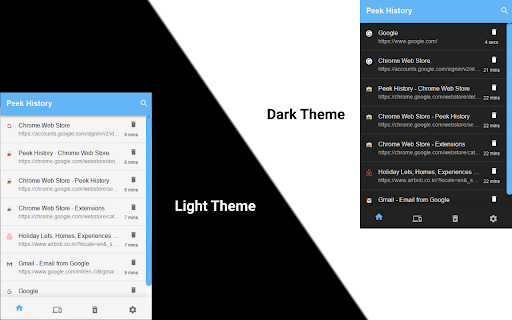

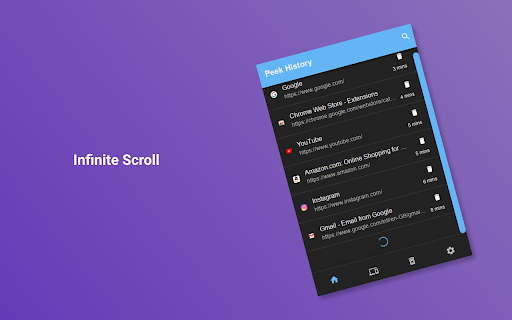
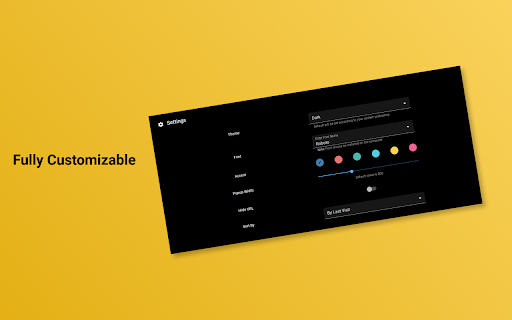
A simple and minimal extension for quickly peeking and managing history. 🔔 Heads Up: I worked on this project in my initial days just to learn extension development. It's time to call it a day. The functionality it offered is now a default feature in the Chrome browser, making this project obsolete. Unfortunately, I won't be making any more updates. This extension helps you to quickly peek at history in the popup that helps you view, search, and delete your history without distracting you from your work. It also lets you restore your sessions across devices (Reopen recently closed tabs/windows or tabs/windows on other devices). - 🔵 Toggle Peek History (Open/Close extension popup) - Ctrl + Shift + H - 🔍 Quickly Search in History - Alt + S (After opening popup) - ⚙️ Open Extension Options/Settings - Alt + O (After opening popup) - 📑 See Recently Closed Tabs/Other Tabs - Alt + ➡️ Right Arrow (After opening popup) - 🔢 Open nth number of history link or the recently closed tab - Alt + (1 - 9) Number Keys This extension does not collect any of your personal data. Please provide feedback if you like this extension. Thanks 😄

Closed Tabs History
Displays recently closed tabs and allows to restore them. Extension displays recently closed tabs and allows to restore them.

Pop-up History
0.3.0 - Update extension to support Manifest V3. - Support dark mode UI. 0.0.4 - Can set the display order. 0.0.2 - Searches from all histories. - Option page added. * Because the same history is not displayed, the setting of the maximum number is not necessarily correct.

Simple History Manager
This extension will replace Chrome's default history manager. It can search or clear browsing history by date range. How to use: • Click this extension's icon • Click menu item from Chrome -> History -> Show Full History • Use Chrome keyboard shortcuts, Windows/Linux is Ctrl + h, Mac is ⌘ + y

Simple Sexy Undo Close Tab
Manage your browser history and recently closed tabs This is a product similar to SimpleUndoClose and Sexy Undo Close Tab. Since these products have not been updated for several years and do not support the latest Chrome manifest V3 protocol, I created this one. To pay tribute to the pioneers, I chose this name. It should be noted that I am not a programmer. Every line of code in this extension was completed by Github Copilot. I have tried my best to test and ensure that the current functions are usable. However, given the current limitations of AI capabilities, it may be difficult to expand more features in the short term. The biggest difference between this product and previous Undo Close Tab products is that it allows you to view and search your browsing history simultaneously. This is designed to solve the scenario where it is difficult to quickly find the webpage you were on before jumping to another tab and closing it. Since all the code is generated by AI, I can't guarantee that the architecture is clean and efficient. In fact, even though I don't know how to code, I can still see that some parts of the code are clearly not the best way to do things—like the multi-language section. If you like this product and want to help make it better, or if you want to write a better version yourself, feel free to use the code. Version 1.10: ✨ Features - Multi-keyword AND Search: Search now supports multiple keywords separated by spaces (e.g., "nba reddit"). Results must contain ALL keywords (in title or URL), regardless of order or position. 🐛 Bug Fixes - Fixed long-press delete search results: Previously, deleting search results via long-press failed to remove items from "Recently Closed" tabs due to an undefined variable error. - Fixed count refresh on single item deletion: When deleting a single tab while a search filter is active, the tab counter and pagination now correctly refresh based on the filtered count instead of incorrectly jumping to the full storage count. Version 1.9: - I'd like to thank a friend of mine. This update has fixed an infinite loop bug that he discovered, which occurred when the favicon couldn't be retrieved. Version 1.8: - Optimize the UI for dark mode. - Fixed some bugs that occurred when deleting tabs. - Added the feature of holding to delete search results. Version 1.7: - Added a feature to display URLs, which can be turned off in the options. - Added a feature to copy URLs. - Added a shortcut key setting for opening the last closed tab (Note: This has not been rigorously tested and there may be bugs). - Optimized some UI issues. - Fixed several minor bugs that do not affect usability. Version 1.6: - Added a feature to automatically clear the tabs of incognito windows or all tabs when closing. Version 1.5: - Optimize performance - Add the function to clear recent tabs Version 1.3: This is a significant update. Please check the options to see if there are any features you might need. - Fixed the issue where clicking on a record once on Mac might open two tabs. - Added an option to allow displaying search and tabs below the extension. - Added an option for a waterfall-style loading feature (since I think most people probably won't really flip through many pages to find a record but will choose to search instead, I personally recommend everyone switch to this loading method, which should be more convenient).
