
gkjljknnkogcgndejajchomapofgiinf
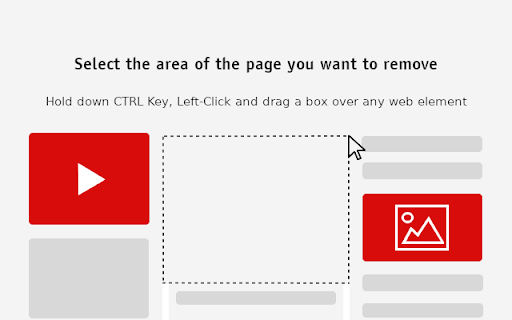

Best element hider for Chrome™. Remove distractions in a breeze. Hold down Ctrl key, then left-click and use the mouse to drag a box over any element or intrusive ad to erase it from the page. Hide any distracting web element and clean up your favorite websites with just a few clicks. With over a million downloads on Play Store, Excelling Apps is now offering Chrome extensions.

Snip - Remove Web Elements
Remove any element from any website with just one click With Snip you can remove any element from any website with just one click. So it only shows what you want to see. You choices are saved. So next time when you visit the same page those elements will be gone as well. With Snip you can undo or redo recent changes. You can also review all removed elements and revert any of them. If you login with your Google account, your choices will be synced to all your devices using that same account. Version 2.10 changes: -Add the feature to snip an area of a web page. Version 2.9 changes: -Temporarily remove the login button. Version 2.3 changes: -Handle the case when first using Snip and the rules don't exist. Version 2.2 changes: - Fix the issue that removed elements will appear for a few seconds when reloading the page. Version 2.1 changes: - Improve performance when analyzing the page.

Simple Element Remover
Remove elements from the page Simple Element Remover is a Chrome extension that allows users to select and remove elements from a webpage. It's useful for removing unwanted content like tall, sticky navigation bars that cover the content when you zoom in on a page for better reading. Use it to declutter your browsing experience! - Select elements to remove by clicking on them. - Undo the last removed element by pressing Cmd+Z (macOS) or Ctrl+Z (Windows/Linux). - Supports multiple languages: English, Portuguese, and Spanish. 1. Click on the Simple Element Remover icon in the Chrome toolbar. 2. Hover over elements to highlight them. 3. Click on an element to remove it. 4. Press Cmd+Z (macOS) or Ctrl+Z (Windows/Linux) to undo the last removal. 5. Press ESC to deactivate the extension. The following languages are supported: - English - Portuguese (Brazil) - Spanish

Element Hider - Clean Your View
Hide unwanted elements on any website. Just select an element, confirm - and it's gone forever! Supports restoring hidden elements. Element Hider - Clean Your View Tired of cluttered websites? Element Hider is your ultimate tool to declutter any webpage! Simply enable the edit mode, hover over unwanted elements, and click to hide them forever. Perfect for removing annoying ads, distracting widgets, or any unnecessary content. Persistent Changes: Hidden elements stay hidden even after page reload Multi-Language Support: Works in English and Russian Say goodbye to distractions and hello to a cleaner browsing experience with Element Hider!

Web Cleaner - Hide & Block Elements
Right-click to hide any unwanted website element. Remove ads, popups, and clutter for distraction-free browsing. Easily remove, hide, or block unwanted content on any webpage with a simple right-click. This powerful webpage customization tool helps you clean up cluttered websites and remove distracting elements. Perfect for creating a cleaner, more focused browsing experience! ✨ Perfect for: - Creating distraction-free reading environments - Removing annoying popups, ads, and banners - Customizing news sites and social media feeds - Taking clean screenshots - Blocking unwanted website sections - Making websites more focused and readable Take control of how you browse the web - customize any website with just a right-click.
