
gjhejidajnchnadcangcodljgdmenipa
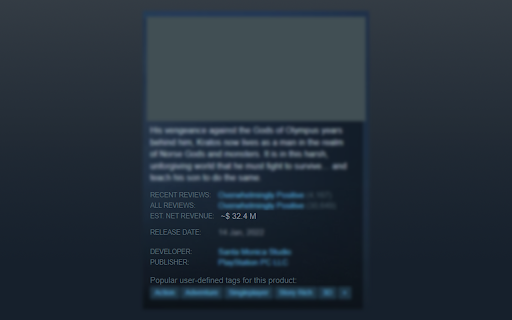
This plugin shows the game's revenue inside the Steam store page. It uses the Boxleiter method to calculate estimated app owners then calculates cuts, refunds etc. The number shown should not be seen as true data, it's only an estimate.

Game Revenue Estimate
Add revenue estimate to Steam app pages. Click the extension once to turn it on. This extension shows the estimated total revenue generated by a game on steam based on its price and total reviews using a simple algorithm. The price is shown in brackets after the games title in the currency shown on the page. The estimate is a guide only and should not be used in any financial planning.

Steamworks Extras
This extension shows additional information about your games in Steamworks report pages. Features: - Improved sales chart and… This extension shows additional information about your games in Steamworks report pages. Features: - Improved sales chart and table with different data types and view categories - Enhanced wishlists chart with splits by countries and regions, including an extra table with regional wishlist information - Reviews chart, along with a table of reviews divided by language - Enhanced traffic chart with the ability to see any categories by impressions, visits, and even click-through rate - Refunds page overhaul - Lifetime developer revenue calculation - Full revenue flow visualization with configurable taxes and royalties - Final revenue calculation for the current date range - Improved layout for sales, wishlist and refunds report pages The extension collects information about your game and stores it locally. The extension does not send your data anywhere outside your browser. Discord (for support and bug reports) https://discord.gg/zmpUPnP4BM Extension is open source. Feel free to contribute: https://github.com/Flakky/steamworks-dev-chrome-ext

Steam Review Summarizer
Summarizes Steam reviews with the power of OpenAI's GPT models. This extension adds a new section to the game page on Steam. It summarizes the reviews for that game using OpenAI's GPT models. You need to provide your own a OpenAI API Key to use this extension! To do this you need to register an account on https://openai.com/. After that you can get your API Key here: https://platform.openai.com/account/api-keys If you get any error code when entering your API Key please refer to the OpenAI API Documentation: https://platform.openai.com/docs/guides/error-codes/api-errors If you get an error about exceeding your quota please make sure that you: 1. did not reach your billing limit: https://platform.openai.com/account/billing/limits 2. you have entered your payment credentials and created a new API key after that. There are problems with free accounts as you can read here: https://community.openai.com/t/opentai-api-request-error-you-exceeded-your-current-quota-please-check-your-plan-and-billing-details/82538/29 Changelog: v1.4 - Adds dynamic model loading. Choose any GPT model thats available to you by the OpenAI API.

alike03's Subscription Info on Steam
See on Steam if the game is currently available on any Subscription package like Xbox Game Pass PC & Console, Ubisoft+ or EA Play Have you ever bought a game only to discover later that it was already included in a subscription service you're subscribed to? You're not alone; I've experienced that frustration too. So, I thought, "What if I could see this information directly on Steam?" This addon checks your game selections against a database, displaying current availability on Xbox Game Pass for PC and Console, Ubisoft+, EA Play, and EA Play Pro. Enjoy an ad-free experience with alike03's Subscription Info. You can support me by purchasing games through my affiliate link on the Contributors Page—it provides a small contribution to me at no extra cost to you. If you're feeling generous, you can also support me directly via PayPal or Ko-fi. Your support is greatly appreciated!
