
gijnkelbkbmaekkkgoalpimggbmoahol

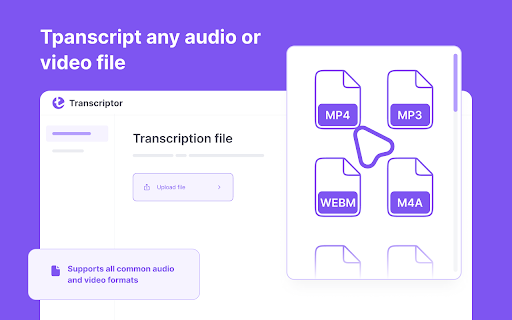

Audio-to-text conversion tool that transcribes audio from meetings, lectures, songs, and podcasts into text Audio Transcriptor is a transcription application that allows people to input text from audio. The accuracy of this application is comparable to manual transcription accuracy. This is because the software can accurately identify words, even if they are spoken with different accents or at different speeds. Audio transcription is an important part of content creation for many companies. The problem is that it can be difficult to find the right people for this work. Transcribing audio material into text requires a lot of time and effort, so many companies turn to automatic transcription instead. Automatic transcription software can be used by anyone with a computer or mobile device, and it can provide the same accurate results as manual transcription. The cheapest option without compromising quality Audio Transcriptor is a transcription service that provides audio transcription at the lowest price. The company also offers a free trial version that can be used to transcribe interviews, podcasts, or speeches. The transcription industry is rapidly evolving, and Audio Transcriptor wants to be at the forefront. They are constantly looking for new ways to improve their services to offer their clients the best possible experience. Full list of Audio Transcriptor features Audio Transcriptor is an audio-to-text conversion tool that transcribes audio from meetings, lectures, songs, and podcasts into text! Audio Transcriptor supports mp3, mp4, and other file formats, so you can easily convert audio into text! The speech-to-text conversion app offers 60 minutes of free transcription. So, you can check the accuracy of your dictation. How to use Transkriptor in 5 steps? 1. Download the Transkriptor extension for Chrome. 2. Register. 4. Upload your file from which you want to get the text. 5. Click the Transkript button. Use Transkriptor for: * Creating subtitles for videos * Transcribing online lectures into text * Recording video calls in Google Docs

Otter.ai: Record & Transcribe Meetings - Google Meet & Web Audio
Live transcription, summary, AI chat for meetings or website audio — Zoom, YouTube, online lectures, and more. No bot in Google Meet Otter.ai Chrome Extension offers real-time transcription, AI-powered summaries, and ChatGPT-style Chat to online meetings and any tab with audio—all inside Chrome. Compatible with Zoom, Microsoft Teams, and Google Meet. No-bot in Teams or Google Meet. Also compatible with YouTube, Coursera, online lectures, podcasts, and any website on Chrome browser. KEY FEATURES - Live transcription & captions – High accuracy so you never miss a word - Smart meeting summaries – bullet points, action items, and insights after the call. - AI chat with your meeting – Ask “What’s the deadline?” or “Summarize next steps” and get instant answers. - No-bot in Google Meet – no extra participant joins your call. - YouTube captions – Great for high-quality transcripts and language learning. - Works everywhere – from webinars and online classes to Twitter/X Spaces and LinkedIn Live - Search & share – locate any sentence later; export to Google Docs, Slack, CRM HOW TO PIN THE EXTENSION AND LOG IN: - After downloading, tap the extension icon, then tap the pin icon to add it to your browser bar. - You need to log in to use Otter. Tap the pinned Otter logo in your browser bar to log in to or sign up for an Otter account. HOW TO USE WITH GOOGLE MEET: - Remain logged in to use Otter. - After you join a Google Meet meeting, an Otter extension pop-up will open and ask if you want to - Record the meeting on your device, with no bot in the meeting. - Send AI Notetaker to the meeting as a normal participant. - You can see live transcript in the meeting. HOW TO USE WITH ZOOM: - Open a Zoom URL in your Chrome browser. - An Otter extension pop-up will open and ask if you want to send AI Notetaker the meeting to get an automatic meeting summary - However, if AI Noteteker is already scheduled to attend the meeting, you will not receive this pop-up. - You need to sync your calendar to enable Otter AI Notetaker to automatically join and record future meetings on your calendar. HOW TO TRANSCRIBE AUDIO ON THE BROWSER: - Open the website you want to transcribe the audio of, such as YouTube, online lectures, etc. - On this website, open the Otter Chrome Extension, and click “Record”. - If you mute or pause the audio or video you want to record and transcribe, the audio will not be recorded. - An overlay with live transcript will appear on the website that is being recorded. You can minimize the overlay.

Transkriptor Transcribe Audio to Text
Convert audio to text. Automatically record and transcribe your meetings, and other conversations with Transkriptor. Transkriptor: AI-Powered Chrome Extension that Converts Speech to Text Transkriptor provides the best automatic transcription experience for your meetings. Transkriptor takes automatic notes for you in more than 100 languages and dialects, including English, French, German, Spanish, Chinese, and Portuguese. Transkriptor Chrome extension is easy to use. Press record before any virtual meeting, and let Transkriptor work its magic. You can use Transkriptor for any meeting in Google Meet, Microsoft Teams, and Cisco Webex. Transkriptor is also available across Web, iOS, and Android. How to Use Transkriptor? 1. 📥 Download the Transkriptor Chrome Extension 2. 🔕 Turn off all other sounds and notifications on your computer 3. 🎧 Use a headset with a boom to speak directly into the mic and avoid sound echo 4. 🎙️ Test your microphone by talking and ensuring it picks up sound 5. ▶️ Press the record screen button in the extension 6. 📑 After the meeting, press "Transcribe" and get your transcript 7. ✍️ Edit your transcription by fixing punctuation and grammar mistakes Use Transkriptor For: ★ 📄 Taking Automatic Notes for Remote Meetings ★ 🎓 Online Classes/Lectures ★ 📜 Transcribing Video Calls into Google Docs ★ 📊 Summarizing a Speech File ★ ⚡ Running Effective Scrum Meetings Transkriptor is a transcription service that provides secure transcriptions. All transcriptions are securely stored in your browser or Google Drive. Transkriptor is the best transcription software and also offers a subtitle generator and voice-to-text online. 🎥 Transkriptor Extension Transcribes Your Audio and Video Recordings Transkriptor is an AI-powered Chrome extension that converts speech to text files. It's a free online tool developed to make transcription faster and more efficient. The goal was to create something easy-to-use, affordable, reliable, and, most importantly - quick. Transkriptor does not require additional software or hardware for audio conversion; it can be used as soon as you install the extension in your browser. 📝 How to Record Meetings and Transcribe with Transkriptor Chrome Extension? 1. Download and install the Transkriptor Chrome Extension 2. Press the record button before starting your meeting 3. After the meeting ends, press “Transcribe” 4. Edit the transcription for punctuation and grammar 5. Export your transcription in your preferred format ❓ Why Should You Transcribe Your Recordings? Transcriptions are often required by those who are deaf or have difficulty hearing. Manual transcription can be time-consuming, especially for lengthy recordings. Transkriptor simplifies the process by providing an automated solution that requires no human effort, making it faster and more efficient. Transkriptor saves you time by providing an automatic solution that generates transcripts instantly. It eliminates the need to wait for a human transcriptionist and reduces the manual effort required to convert speech into text. It's a cost-effective option for individuals and businesses. 💼 Best Features of Transkriptor ★ 99% transcription accuracy ★ Supports all file formats (.mp3, .wav, .aiff) ★ Voice commands and keyboard shortcuts for faster editing ★ Works with any microphone; no additional hardware needed ★ Online transcription, no installation required 🧠 How to Make the Most of Transkriptor’s Intelligent Features Make sure your recordings are clear and crisp for the best transcription accuracy. Transkriptor’s intelligent word detection automatically detects pauses and breaks in the recording, making the transcription easier to edit. Transkriptor is ideal for students, meeting participants, journalists, and anyone who needs an accurate and fast way to transcribe audio to text. It helps users convert their presentations, interviews, and lectures into text effortlessly. Transkriptor allows you to transcribe audio or video files, making it an invaluable tool for content creators. It offers a highly accurate solution for generating written content from spoken words, even for users with different accents or speaking speeds. 📋 The Full List of Features of Transkriptor ★ Speech-to-text transcription for meetings, classes, and interviews ★ Supports over 100 languages ★ Convert audio and video files to text ★ 99% transcription accuracy ★ Integrated note-taking and in-line commenting ★ Subtitle generation and export options ★ Zapier integration for automated workflows ★ Secure storage in-browser or in the cloud ★ Available across Web, iOS, and Android ★ Collaborative editing for team projects ★ Free trial with 90 minutes of transcription ★ Export to TXT, SRT, and Word formats

Speech to Text
Convert speech to text instantly with this voice dictation extension. Transcribe audio,voice memos files to text with high accuracy 🎙️ Turn Your Voice into Text Instantly with the Speech to Text Chrome Extension 🧾🖱️ Need to transcribe audio to text quickly and accurately? This powerful speech to text Chrome extension is your ultimate tool for effortless voice to text conversion, voice typing, and dictation. Whether it's a quick voice memo, a podcast, or a meeting — we've got you covered 🔥 🚀 Key Benefits of Our Speech to Text Tool 1️⃣ Fast and accurate voice to text transcription 2️⃣ Real-time speech recognition with just one click 3️⃣ Upload audio files for instant audio to text conversion 4️⃣ Full integration with google docs voice typing 5️⃣ Lightweight, fast, and secure — no sign-up needed 🔐 Use your voice to write faster, smarter, and without distractions 🎯 🎧 How It Works – Simple & Efficient ➤ Click the mic icon to start speaking 🎙️ ➤ Watch your words turn into text in real-time 📝 ➤ Upload an audio file to text converter for longer recordings ➤ Copy, export, or edit your content on the spot ➤ Use voice typing in Google Docs like a pro 💼 It’s that simple. No clutter, no confusion — just powerful speech to text software 💪 💡 Use Cases That Make Life Easier • Take hands-free notes with speech to text • Record interviews and transcribe audio recording to text • Create blogs, emails, or books using only your voice 🧠 • Use as a dictation app while multitasking • Turn audio into text for reports, captions, and study notes Whether you’re a student, a journalist, or a busy entrepreneur, this tool saves hours every week ⏳ 🌐 Supported File Formats for Upload You can easily upload and transcribe speech to text using: The audio to text converter processes your files with incredible accuracy using automatic speech recognition 🤖 🗣️ Multiple Languages & Accents Speak your native language with confidence! This speech to text tool supports: ▸ English 🇺🇸 ▸ Spanish 🇪🇸 ▸ French 🇫🇷 ▸ German 🇩🇪 ▸ Portuguese 🇧🇷 ▸ Italian 🇮🇹 ▸ And more 🌍 Perfect for multilingual teams, global meetings, and international content creators 🌐 📓 Compatible With Google Docs and More Unlock the power of google docs voice typing with a single click 🖱️ Just open a doc, activate the mic, and enjoy smooth voice typing ✍️ Great for writing essays, reports, or planning your next big project 📑 📱 Who Is This Extension For? 1️⃣ Content creators needing fast transcribe audio to text 2️⃣ Students who want to transcribe audio to text from lectures 📚 3️⃣ Professionals using dictation software during work 💼 4️⃣ Podcasters and YouTubers who need quick captions 🎙️ 5️⃣ Anyone who wants to save time and boost productivity 🧠 🛠️ Tools All in One: Record, Dictate, Transcribe This isn’t just a voice to text app — it's a complete transcription app: Record with your mic 🎤 Use it as a voice recorder with transcription Store your drafts safely Copy and paste anywhere 📋 🔒 Private, Secure, Reliable We care about your privacy. All data and voice transcription are handled locally or through encrypted channels 🔐 No data is stored or shared — your content stays yours 🛡️ 💼 Perfect for Business, Study, and Everyday Life Whether you’re creating a to-do list, responding to emails, or writing chapters of a book — voice to text software gives you full control, faster than typing ⌨️ ➤ Draft ideas with transcribe audio to text ➤ Create transcripts for meetings ➤ Generate searchable content from audio files to text ⚙️ Why You’ll Love This Extension ✅ 100% Free ✅ Easy to use ✅ High-accuracy speech recognition voice ✅ Full support for audio to text converter needs ✅ Ideal for dictation, transcription, and note-taking ✅ Functions as a reliable text to speech converter if needed 🔥 Start Using Voice to Text Now Don't let your ideas fade — capture them instantly using your voice 🔥 Install our speech to text today and turn your microphone into a productivity superpower ⚡ 📌 Speak. Convert. Save. Repeat. 📌 Your go-to tool for audio into text, anywhere, anytime 📌 Join thousands of users loving this smart voice to text app 🎯 Ready to boost your productivity and eliminate typing fatigue? Install the ultimate speech to text software now and take control of your time ⏱️

Audio to Text Converter
Audio to text converter is designed to effortlessly transcribe audio to text. Convert audio to text with the latest ai transcription Why Choose the Audio to Text Converter? Audio to Text Converter makes it simple to transcribe: whether you need to record a lecture, summarize a meeting, or just convert audio to text. Its AI-driven algorithms handle a variety of accents, speech patterns, and even background noise, ensuring that tasks like voice to text and audio to text transcription are effortless and precise. User-Friendly: Quickly install the extension and start converting audio to text without any hassle. High Accuracy: Advanced AI ensures converted audio or speech are precise and accurate. Time-Saving: Transcribe automatically to focus on more important tasks. ⭐ Supports multiple audio formats, including MP3, WAV, and others. ⭐ Compatible with popular video platforms like YouTube to convert audio speech to video text. ⭐ Offers multilingual ai transcription for wide voice to text opportunities. ⭐ Transcribes not only previously recorded audio, but also real-time events including speech to text. ⭐ Provides export options of audio transcription by copying to clipboard or downloading as txt. This versatile tool is more than just an app to transcribe audio to text. It boosts productivity, making it an ideal choice for anyone needing an audio convert to text tool. ✔ Real-Time Transcription: Perfect for capturing live events or webinars instantly. ✔ Multilingual Support: Break language barriers with seamless audio to text conversion in multiple languages. ✔ Flexible Export Options: Save your transcribed audio, video or speech in the format that works best for you. ✔ And many more: With audio file to text converter. This tool is designed for a wide range of users: Students: Simplify note-taking with voice to text technology. Journalists: Accurately transcribe interviews. Content Creators: Convert recorded speech to text and scripts. Professionals: Document meetings efficiently via transcript generator. Anyone: Looking for fast and reliable audio to text transcription. 1️⃣ Simple Interface: No technical expertise required. 2️⃣ Regular Updates: Continuous improvements to stay ahead of user needs. 3️⃣ Dedicated Support: Quick and helpful responses to any queries. 4️⃣ Privacy-Focused: Ensures secure and confidential handling of user data. This tool is perfect for drafting papers, creating subtitles, or summarizing long-form content like podcasts. Its reliable transcript generator guarantees professional results tailored to your specific needs. ❶ Convert audio file to text for personal, academic, or professional projects. ❷ Transcribe live or recorded speech to text. ❸ Convert MP3 audio file to text for easy editing. ❹ Use it as an audio recording to text converter for on-the-spot transcription. ❺ Generate subtitles using its video to text converter feature. Download the audio to text converter extension from the Chrome Web Store. Upload an audio or video file or start a live transcription. Edit the text output as needed. Save or Export the final version in your preferred format. Why It’s the Perfect Fit The Audio to Text Converter google extension excels at handling complex scenarios, such as noisy environments, overlapping speech, and technical jargon. Whether you’re working on class notes, turning podcasts into articles, or documenting brainstorming sessions, this service simplifies your workflow. It even converts MP3 to text smoothly, adapting to diverse needs. By using the audio to text converter app, you can: 1. Save time and focus on what truly matters. 2. Enhance productivity with minimal effort. 3. Get professional-quality results with ease. The last but not the least Embrace the future of transcription with our audio to text converter google extension. From converting audio files to text to generating transcripts from video content, this tool is designed to meet diverse needs. Whether you're looking to transcribe audio recordings to text or convert mp3 audio files to text, our audio converter to text ensures accuracy and efficiency. Every word matters, and this audio to text converter ensures you never miss a detail. Experience the future of transcription today with the audio to text converter ai transcription app.
