
gidcfccogfdmkfdfmhfdmfnibafoopic
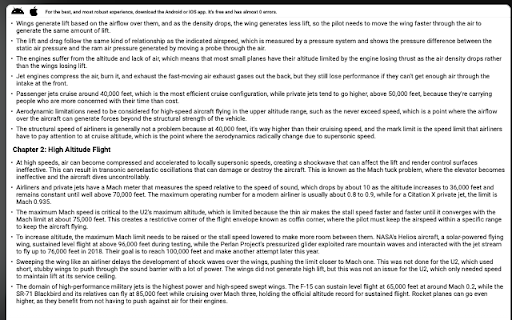


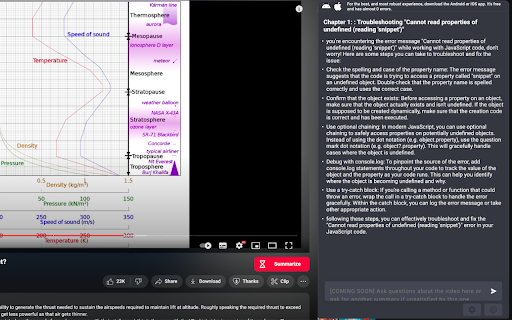
Let ChatGPT watch YouTube videos for you, stop wasting time and harness the power of artificial intelligence to make you more… Let ChatGPT watch YouTube videos for you, stop wasting time and harness the power of artificial intelligence to make you more productive and a better learner. ✅ Say goodbye to clickbait videos ✅ Works for super super long videos ✅ Easy-to-read Chapterized parts & bullet points, detailed but succinct ⏳ Works for any length youtube videos, be it 5 minute or 1 hour 🔒 Completely local, no data collected. 🔒 🆓 Fully free with 0 ads 🌐 11+ Languages 🦾 Automatic setup 🤖 Automatic error warning and handling for you 🎨 Embedded GUI, direct interaction with ChatGPT without leaving youtube ⚙️Prompts optimized for summarisation and video comprehension and explanation 🌚 🌝 Light / dark theme Great for: 🎙 Podcasts and interviews 📺 News reports 📱 Product reviews 🙇🏻♀️ Educational videos 🛠 Tutorials 1. Improvements in reliability 2. 5 new languages: Korean, Bahasa Indonesia, Bahasa Melayu, Slovak, Urdu 3. Huge optimizations for speed 4. Better, more elegant UI 5. More robust system 6. More lightweight Introducing the ultimate YouTube video summarization tool: our Chrome extension and mobile apps, powered by ChatGPT, OpenAI's newest natural language processing model. With our extension, you can summarize any-length YouTube videos in just a matter of seconds, with summaries that are of the highest quality and fully representative of the original content. With the power of ChatGPT, YoutubeGPT quickly and easily gets you the most important information from any YouTube video by creating high-quality & fully representative, easy-to-read summaries in chapters and bullet points. It summarizes YouTube videos using artificial intelligence/AI. YouTube summary by ChatGPT.

YouTube To Transcript: AI Summarizer & Chat
Get instant YouTube transcripts with AI summaries, insights, and chat features. Ideal for faster learning and note-taking. YouTube to Transcript instantly turns any YouTube video into text you can use. Get accurate transcripts, AI-generated summaries, key insights, timestamps, and even chat with the video’s content. Perfect for learners, researchers, and creators who want to save time and understand videos faster. ⚡ Instant transcripts for any YouTube video 🧠 AI summaries, key points & takeaways 💬 Chat with the video to ask questions or clarify content ⭐ Works directly on YouTube or via popup 📘 Great for studying, note-taking, and research

YouTube Video Summary & AI Chat - Summd
AI-powered YouTube video summarizer with timestamps. Chat with any video - ask questions and get instant answers SUMMD sits right next to your YouTube video and gives you the key points in seconds. No more scrubbing through timelines, no more watching at 2x speed hoping you don't miss the good part. How it works: Open a YouTube video. That's it. SUMMD automatically summarizes it with clickable timestamps so you can jump straight to what matters. Want to go deeper? Ask questions about the video - like having a conversation with someone who already watched the whole thing for you. What people use it for: → Students pulling key points from lecture recordings → Devs skimming through hour-long conference talks → Curious people who watch way too much YouTube (no judgment) → Anyone tired of "this video could've been 5 minutes" Features: • Auto-summary with smart timestamps — appears the moment you open a video • Chat with the video — ask specific questions, get precise answers • Frame analysis — pause and ask about what's on screen • Works in 17 languages Works with any YouTube video: tutorials, lectures, podcasts, reviews, documentaries, conference talks, interviews, music breakdowns, cooking videos, tech reviews, and more.

Youtube Transcript AI Summary
Get AI generated summary for Youtube video transcript with ChatGPT, Claude. Chrome extensions enhance browser functionality and user productivity. This extension provides four core features for processing long-form content using AI-powered tools. ⚡Automatic AI Summary The automatic AI summary feature integrates with the OpenAI API to analyze and condense lengthy text. OpenAI's language models process large volumes of content and generate concise summaries. This youtube video summarizer functionality works across multiple content types, enabling rapid content review without manual processing. Users can quickly extract key information from articles, documents, or transcripts through automated analysis. ✋Manual Summary Processing The manual summary feature allows direct content submission to ChatGPT, OpenAI's large language model. This option provides greater control when automatic summaries require refinement or when users need to summarize a youtube video with specific parameters. Manual processing enables customized analysis based on user-defined criteria and context requirements. ✋Text Splitting Functionality The text splitting feature divides long content into smaller, manageable sections. This improves readability and helps users navigate extensive documents more effectively. The feature addresses concentration challenges and supports varied reading preferences. Text segmentation reduces cognitive load while maintaining content coherence and logical flow. ⚙️Customized Prompt Entry The customized prompt entry system allows users to specify analysis parameters for the AI summary function. Custom prompts direct the algorithm's focus toward specific content aspects, improving summary accuracy and relevance. This feature enables targeted information extraction and personalized content analysis based on individual requirements. 🎯Implementation Benefits These four features combine to create an efficient content processing toolkit. The extension serves students, researchers, and professionals who regularly handle substantial amounts of written material. Users gain time efficiency while maintaining comprehensive content understanding through automated and manual processing options. Version: 1.1.4 1- Support for GPT4 added. 2- Added more GPT models and removed deprecated ones. 3- Added support to select different subtitle language for summaries. Version: 1.0.6 Introducing Pro Features and improved ChatGPT integration. Version: 1.0.2 1- This version now automates ChatGPT via it's Pro version. This breaks long texts into chunks so the limit of ChatGPT isn't breached and you get the accurate summaries. 2- In Pro version, we support getting Captions for Youtube videos and summarize them accordingly. 3- More control on prompts that can be used on both OpenAPI and ChatGPT.

Contextly: YouTube AI Assistant. Summary, Transcript & Translate - ChatGPT
Chat with any YouTube transcript: real-time AI Summary & summarizer, SponsorBlock, translate, powered by ChatGPT, Gemini and Claude 🧠 Contextly: The Ultimate AI Copilot for YouTube Transform the way you learn, study, and explore YouTube with Contextly, the all-in-one AI assistant that turns every video into an interactive experience. Ask questions, get instant answers, generate summaries and chapters, translate conversations, and discover insights — all directly on the video page. Whether you’re a student, professional, or lifelong learner, Contextly helps you save time, understand faster, and learn smarter from any video. 🗝🗝🗝 Bring Your Own Key (BYOK) — Enhanced Privacy and Control for Contextly Users The new Bring Your Own Key (BYOK) feature in Contextly gives users complete control over how their data and AI interactions are managed. With BYOK, you can now connect your own OpenAI API key directly to Contextly, allowing you to take full advantage of the tool’s intelligent capabilities while maintaining full ownership and transparency over your usage. By using your own API key, you decide how tokens are consumed, what model versions are used, and how data flows through your personal OpenAI account. This means that none of your interactions are processed through Contextly’s shared infrastructure — everything remains tied to your own credentials. Whether you use GPT‑5 for research, writing, coding, or brainstorming, BYOK ensures your data stays private and your experience remains flexible and aligned with your workflows. Setting it up is straightforward: just open the settings panel, paste your API key once, and Contextly will handle the rest seamlessly. From that point on, all responses, summaries, and analyses are generated securely through your key, with no compromises on speed, reliability, or quality. BYOK is designed for professionals, developers, and privacy‑conscious users who want to unlock the full power of Contextly while keeping complete autonomy over their AI usage. It’s your data, your rules — now fully supported by Contextly. AI supported for BYOK: ChatGPT, Gemini and Claude. More vendors coming soon... 🔹 Real-Time AI Chat for YouTube Talk to an intelligent AI that actually understands the video you’re watching. Ask questions, get instant explanations, and explore complex ideas without pausing the video. 🔹 Instant YouTube Video Summaries Get concise, high-quality AI summaries powered by Gemini and GPT models. Choose between short, medium, or detailed summaries — complete with timestamps and key takeaways. 🔹 Smart YouTube Chapter Generator Automatically create chapters and outlines for any video. Jump to the most relevant sections instantly with one click. 🔹 Intelligent In-Video Search Find exactly where something is mentioned — no more endless scrubbing. Search keywords, phrases, or topics and navigate to precise timestamps. 🔹 “Lyrics Mode” with Live Translation Turn YouTube videos or speeches into interactive lyric sheets. Translate words in real time and get contextual meanings, pronunciations, and cultural notes. 🔹 Shorten & Condense YouTube Long YouTube Videos Too long? Let Contextly intelligently shorten tutorials, lectures, or podcasts into a compact, watchable version that keeps the essentials. 🔹 Image & Visual Search Pause the YouTube video, click on any frame, and ask the AI to describe, analyze, or find similar images across the web. Perfect for visual learners and researchers. 🔹 Multilingual AI Assistant (120+ Languages) Chat, translate, and summarize YouTube videos in your preferred language. Contextly automatically adapts to your browser’s language — English, Español, Français, Italiano, 日本語, 한국어, العربية, and more. 🔹 Personal Timeline & History All your AI conversations, summaries, and chapters are stored securely. Revisit them anytime and continue chatting from where you left off. 🔹 Smart Notes & Sharing Export your AI chats, transcripts, or video insights for research, writing, or study sessions. Perfect for content creators, journalists, and students. 🔹 SponsorBlock Automatically detect and skip sponsor segments while watching YouTube videos. Contextly identifies sponsored intervals in real time and lets you bypass them instantly for an uninterrupted, streamlined viewing experience. Unlike traditional video summarizers, Contextly isn’t just about compression — it’s about understanding. While other extensions stop at generating summaries, Contextly lets you interact with the video content, explore context, and build real knowledge. It combines the best of ChatGPT, Claude, and Gemini-powered AI in a sleek, distraction-free sidebar built for YouTube. Contextly’s features are powered by advanced large language models, optimized for speed, accuracy, and context awareness — so answers always stay relevant to what’s happening in the video. 💡 Perfect For 🎓 Students & Researchers — Master any topic faster with summaries, transcripts, and interactive Q&A. 🧑🏫 Educators & Trainers — Turn YouTube videos into dynamic lessons with interactive breakdowns. 🎬 Content Creators & Reviewers — Extract quotes, data, and scenes with AI search and timestamped transcripts. 🌍 Language Learners — Translate, explain, and interpret spoken phrases or lyrics in real time. Install Contextly from the Chrome Web Store. Open any YouTube video — the Contextly sidebar appears automatically. Chat with the video, summarize it, translate it, or generate chapters in seconds. Save and share insights or continue your previous sessions anytime. 🌐 Additional Highlights 🧩 Works seamlessly with all YouTube videos (lectures, podcasts, news, music, tutorials). ⚡ Powered by next-gen AI engines (Gemini, GPT-4, Claude, Mistral). 🔒 Privacy-friendly: nothing is shared without consent. 🆓 Free to try — premium plans available for unlimited AI interactions. ⚙️ Contextly Options — Customize Your YouTube Experience Take full control of your YouTube interface with Contextly Options, the ultimate YouTube customization tool designed for productivity and focus. Hide anything you don’t want to see — comments, recommendations, ads, Shorts, end screens, info cards, and distracting elements — and create your own clean, minimal, distraction-free YouTube layout. With this feature, Contextly goes beyond AI interaction: it becomes a complete YouTube enhancer and blocker that helps you filter noise, declutter your feed, and design your own perfect YouTube experience. Great for students, educators, and professionals who want smart productivity on YouTube without distractions. 🧰 Contextly Tools — Power Features for Smarter Watching Contextly also includes a suite of YouTube power tools directly integrated into the video player — giving you total control over playback and interaction. With Contextly Tools, you can: 📸 Capture high-quality screenshots of any video frame instantly. 📝 Copy or download full transcripts with timestamps for notes or research. 🔊 Boost volume beyond YouTube’s limit, perfect for quiet YouTube videos or laptop speakers. 🖱️ Scroll with your mouse wheel to adjust volume, speed, or brightness on the fly — smooth and intuitive. 🔁 Loop any part of a video or replay entire sections automatically. ⚡ Enjoy fine-tuned playback control that makes YouTube feel faster, smarter, and more responsive. Together, these AI-powered YouTube tools transform the platform into your personal video research studio — perfect for learning, content creation, or productivity workflows. Contextly transforms passive watching into active understanding. Experience the new way to interact, learn, and explore — right on YouTube. Download Contextly today and unlock a smarter, faster, multilingual YouTube experience Permissions: This extension allows you, after clicking the “Crop” button, to capture an image of the video player in the active tab. The permission “Read and change all your data on the websites you visit” might appear very broad, but we request it solely to: detect the YouTube video player in the page you’re on; capture the visible screenshot of the video to let you select and crop the region you want; we do not access or transmit any other webpage data or content without your explicit action. The process is entirely under your control: you click the button, you select the area, you confirm the crop.
