
ghllanmmeheljcddinjiiplnadhmadhl
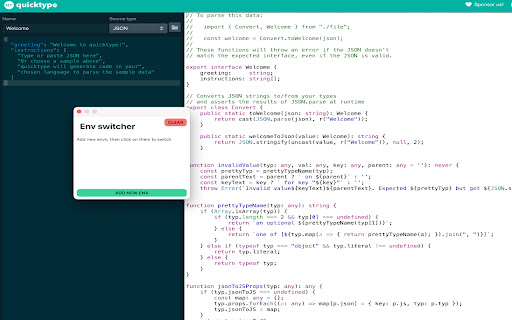
Alright, this Chrome extension is like a magical unicorn that farts rainbows and turns your boring old URL into a shiny new one! This extension allows you to quickly switch between different environments, such as development and staging, while preserving URL parameters.

Advanced RegEx URL Redirector and Text Replace
Redirect URLs and replace text or links on web pages using Regular Expressions. Advanced RegEx URL Redirector and Text Replace Redirect URLs and replace text or links on web pages using Regular Expressions. Syncs across devices. Detailed Description: Powerful tool for developers and power users to automate web browsing tasks. Use Regular Expressions (RegEx) to redirect URLs, replace text content, or modify links on any website. L - Link Replacement: Modify href, src and other attributes dynamically. Fix broken links or swap resource URLs on the fly. T/t - Text Replacement: Replace visible text on webpages. Supports both Case-Sensitive (T) and Case-Insensitive (t) matching. Live Preview: Test your Regular Expressions with real-time validation and result preview before saving. Excluded Domains: specific domains or URLs where rules should not apply. Sync & Backup: Your rules are automatically synced to your Google account. Easily Import and Export settings as JSON. Performance: Optimized with Mutation Observers to handle dynamic content efficiently without slowing down your browser. Perfect for SEO testing, environment switching (prod/dev), or simply customizing your web experience.

URL Editor
Edit URLs with ease! Easily see, edit, remove, and add URL parameters as well as path segments. No more dragging your mouse across your URLs. Simply use URL Parameter Editor.

URL Regex Replace
A Chrome extension that allows users to perform regex find and replace on the current tab's URL. The **URL Regex Replace** is a Chrome extension that allows users to perform regex find and replace on the current tab's URL. This extension is useful for modifying URLs, testing, or redirecting to different environments. It now includes an options page for managing frequently-used find and replace pairs and a revamped popup with two tabs for ease of use. If you were using the previous version of this extension, also called `Prepend URL Chrome Extension`, the feature is still there! Just use the `^` character in the 'Find' field and the string you want to prepend in the 'Replace' field.

simple URL replacement
URLの文字列を部分的に変換する ▼使い方 1. 拡張機能のアイコンを押下(ポップアップ表示) 2. 「変換したい文字列」と「変換後の文字列」に任意の文字列を入力 3. 「登録する」ボタンを押下(「変換したい文字列」と「変換後の文字列」を登録) 4. 「URLを変換する」ボタンを押下(登録した内容を基にURLの一部の文字列を変換する) ▼例 変換したい文字列: aaa、変換後の文字列: bbb (aaa → bbb) 変換前のURL:https://google.com/aaa 変換後のURL:https://google.com/bbb ▼補足 誰でも簡単に利用できるように、とてもシンプルな拡張機能にしています。 情報量を減らすため、テキストやボタンなどを最小限に収めている影響で、登録できる文字列セットは1組のみとなっています。
