
ghjdchifgiedhcmkboddlhibiihihcfc


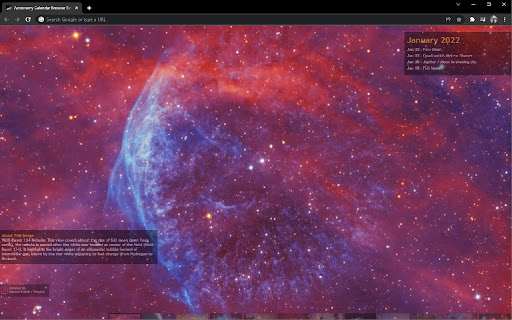

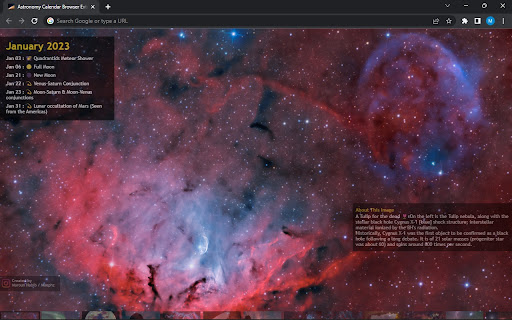
Replaces the New Tab background with an interactive calendar with background space images taken by Maroun Habib / Moophz. Astronomy Calendar for celestial events. This replaces the blank New Tab background with an interactive calendar along with descriptive space images taken from across the world by Maroun Habib / @Moophz

Themefy
Animations and interactive background in every tab Transform your new tab experience with Themefy. Watch your new tab come to life with beautiful generative arts, mesmerizing animations and delightful interactions. ✅Dynamic Interactive tabs: Every time you open a new tab, Themefy surprises you with beautiful, dynamic interactive tabs. From mesmerizing gradient colors to animated patterns, enjoy a unique visual treat with each new tab. ✅3D Animations: Tell a story with captivating 3D Interactions, creating an immersive and interactive experience. Watch as your new tab comes to life with dynamic 3D elements that react to your interactions. ✅Generative Art: Let your inner artist come to life every time you open your browser. Immerse yourself with beautiful generative art as they paint in front of you. ✅Intuitive and User-Friendly: Themefy is designed with user experience in mind. It’s easy to install, simple to use, and offers a delightful surprise every time you open a new tab. No more monotony—just pure, vibrant creativity. 🤩Break the Monotony: Say goodbye to the dull, standard new tab page. Themefy injects excitement and curiosity into your browsing routine, making every new tab an opportunity for discovery. 🤩Visual Delight: Enjoy a blend of art and technology with dynamic p5.js sketches, gradient colors, mesmerizing generative art, and interactive 3D animations. Themefy transforms your new tab into a canvas of creativity. 🤩Constant Innovation: We are committed to continuously enhancing Themefy with new features and content to keep your new tab experience fresh and exciting. 1️⃣Install Themefy: Download and install the Themefy extension from the Chrome Web Store. 2️⃣Open a New Tab: Simply open a new tab to experience the delightful surprises that Themefy has in store for you. 3️⃣Enjoy!! Enjoy the unique visual treat and stay productive.

Astronomy Picture of the Day APOD by The Trav
Displays the Astronomy Picture of the Day (APOD) and allows you to review similar images of planets, stars, galaxies and nebulas Your New Tab page will now be the Astronomy Picture of the Day (APOD)! Your top sites are shown in the top left of the page to maintain some usefulness from the default new tab screen. Set your APOD to show you Today's APOD a set number of times before switching to a Random APOD. Use the menu bar options to set the number of times each day you want to see the most current APOD before it starts showing Random APOD's. Each day this setting will update! APOD by The Trav has the following features: * The fastest loading APOD extension available. * Use the options in the Chrome menu bar to set "Today" or a "Random" APOD on new tab. * Save your favorite APOD's for viewing again with the "Save Favorites" button at the bottom right. * Toggle through the history of viewed images with the Left and Right arrow keys. - TopSites Permission is simply to show you your top sites in the top left of the page. - Storage Permissions are used to save your Favorites.

Mandala Maker
Make beautiful and intricate mandala drawings with few easy steps ● It has a lot of customization options, where you can change the canvas symmetry, background color, brush settings, apply shadows, and much more. ● It even has some predefined patterns which you can use to draw. 📍 Canvas Customization - you can change the background color - can change the canvas center - apply center at the touch - canvas mirroring 📍 Brush Customization - multiple brushes styles - different color types - random color selection - change brush sizes and type 📍 Shadow Properties - apply random shadow - select different shadow sizes and color 📍 Patterns - select from predefined patterns - multiple patterns to draw with

Home page by Scott
Home page with a new photo each day, by Scott Sheppeard. When you open a new tab, it will have the time displayed on a different image each day, featuring photography by Scott Sheppeard.
