
ggkhgjoafaampdpnefhhjgplgckfnohl
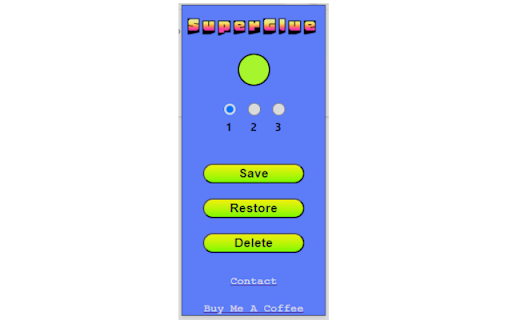
Easily Save And Restore Your Pinned Tabs. Save your pinned tabs in style! 3 Save Slots and 3 buttons. This intuitive extension does exactly what you need, with a user-friendly interface! Removing all tabs on delete is bugged so feature has been shelved for now. Fixed issue where indicator turned green while saving with no pinned tabs. Changed method of storage to use the bookmarks system, for data persistence in the event the user clears browser data. Fixed an issue where the pinned tabs would reset in save slot, when no tabs were present.

BlankSlate
BlankSlate is an open-source, lightweight new tab extension designed for users who prefer a clean and minimal browsing experience. BlankSlate is an open-source, sleek and simple new tab extension designed for users who want a clutter-free browsing experience. With a minimalist interface and no unnecessary frills, BlankSlate provides a blank canvas for users to start their browsing session, making it the perfect choice for those who value simplicity and efficiency.

Scout AI
Enhance your web browsing experience by navigating through any article's content with the click of a button Scout AI is a powerful Chrome extension designed to enhance your web browsing experience by providing a convenient way to explore and navigate through any article online. Whether you're conducting research, studying, or just browsing your favorite websites, Scout AI offers an intuitive tool to organize and access content with ease. Article Outline Exploration: Scout AI intelligently identifies and extracts the sections present on a webpage, creating a user-friendly outline for quick reference. Intuitive Interface: The extension presents a sleek and user-friendly interface, allowing you to effortlessly view the article outline in a neatly organized list. Instant Access: Click on any heading in the outline, and Scout AI will smoothly scroll to the corresponding section on the webpage, saving you time and effort.

Batch Cache
The Batch Cache allows you to organise your extensions in a neat dashboard. You can create lists for different use cases and edit the names of the lists and listed extensions. The next feature we added was the ability to append URLs. This is really helpful and saves time by taking a URL you are visiting and by clicking the extension and one of your saved sites you can open in a new tab and run the URL through a scan like a website page speed loading test as an example. Some use cases: Ahrefs Wayback Machine Google Page speed Insights and many more. This extension was designed to keep your browser clean and organised and to save you time. Enjoy using the Batch Cache. We dont capture any personal information, we do bookmark your saved URL addresses to your account for quick reference as is the nature of this extension.

URL Jumper
Navigate the web with your own aliases instead of URLs. Type a name, press Enter, jump. URL Jumper enables mapping aliases to URLs to make navigating the web faster. By default, `Alt+M` navigates in the current window and `Alt+N` navigates in a new tab. Typing a name in the popup and pressing Enter will navigate you its corresponding URL. `name URL` pairs can be set in the settings page. You can also write comments along with your `name URL` pairs by using \ (a backslash) for documentation purposes. Use cases: - You have an IP address URL that you want to connect to: "dashboard http://192.168.1.136:8083" - You want to use generic and short names: "benefits https://www.manulife.ca/personal.html" If you find any bugs, or think that another feature would be worth it to add, please don't hesitate to open up an issue or a pull request in the GitHub repository.
