
geifimkfaillkbjmfkgkdabicfgnbdic


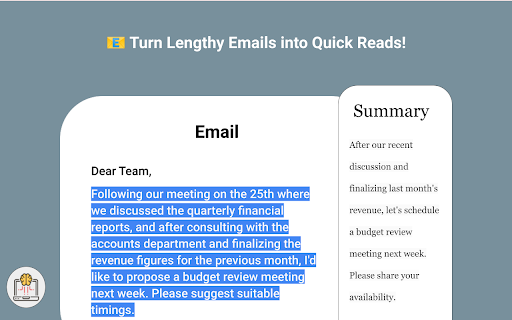
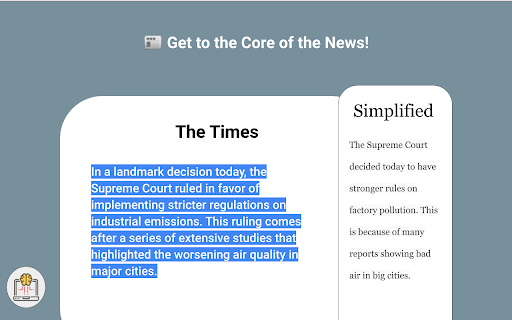
🌟 Simplify: Your AI-Powered Text Simplifier Transform intricate texts into easily understandable content with Simplify! This revolutionary browser extension is your key to effortlessly deciphering challenging information. Perfect for students, professionals, researchers, and everyone in between, Simplify is your personal AI-powered tool for conquering complex text on the web. 🔍 Simplify Mode: Instantly turn complicated content into clear, concise insights. Perfect for making sense of dense websites and documents. 🤔 Explain Mode: Delve deep for thorough understanding. Ideal for exploring and grasping detailed topics. 📝 Summarize Mode: Get the gist quickly with concise summaries of lengthy material. 🎓 For Students: Effortlessly grasp academic concepts. Make studying more efficient and effective. 💼 For Professionals: Quickly interpret jargon-heavy reports and articles. Stay ahead in your field with ease. 🌍 For Non-Native English Speakers: Enhance your understanding of English content. Break down language barriers. 🔬 For Researchers & Academics: Navigate complex academic papers with simplicity. Focus on your research, not on deciphering text. 👀 For General Web Users: Make any online text more accessible. Simplify brings clarity to the web. 💡 How Simplify Works: Select complex text, click Simplify, and watch as our AI transforms it into something easy to understand. It's that simple! ✨ Why Choose Simplify? Save time, improve comprehension, and access information with ease. Simplify is more than a tool; it's your partner in understanding the complex world of text. 👉 Join the Simplify Community Today: Download now and experience the ease of comprehending complex information like never before! It's free for 20 uses a month, with optional upgrades.

Easy to read
Easy to Read extension turns difficult sentences into easy sentences. All you have to do is hover over a sentence that is hard to understand. The app will then show you a version that is simple to understand. We created this app for a family member who has a mental disability. But we soon found out it helps many people, both with disabilities and with no disabilities. To use the extension follow these easy steps: 1. Click the green Install button. 2. When the button turns from Install into Open, click Open. 3. Go to the top right side of your Chrome and click the jigsaw puzzle icon. 4. From the menu that will open, choose Manage Extensions at the very bottom. 5. On the web page that will open, you will see all your chrome apps. The Easy to Read one, will be on the top left. 6. There will be a toggle button. Move it to the right. It will turn from gray to blue. If it is already blue. Leave it like that. 7. Now the Easy to Read pink icon will appear on your Chrome. Click it, and a tiny window will open up. At the bottom of the window there will be a link, saying “How do I get a license?” Click it. 8. Now a web page will open. Scroll to its bottom, fill in your details, and get a code. 9. Copy the code. 10. Now click the Easy to Read button again. The tiny window will open. There will be a field titled My User Number. Paste the code there. Now move the gray toggle button to the right. It will become pink. 11. The app is now ready to use. Visit any website. We recommend trying The New York Times. Hover over a hard sentence, and let us show you the simple version of that sentence. Would you like to learn how this extension works? We use Machine Learning to improve the app. This means that when you use our tool, we learn from the way you use it, if you are happy with the results. And we improve the tool based on how much it helped you. So go ahead, start simplifying difficult texts. We hope you will get a lot of value from our app. And please leave us feedback. We want to improve for you. Thank you.

Dumb It Down
Use AI to dumb text down. AI provided by OpenAI takes any piece of text and simplifies it so that anybody can understand it. You can also generate a sharing link for your simplified text. This extension makes Dumbing It Down even quicker and easier – simply highlight the confusing text and with a couple of clicks: voila! Simple.

ExplainTXT: Highlight text. Ask AI.
Highlight any text and ask AI to explain or summarize it instantly. Your on-site AI assistant. ExplainTXT is an on-site AI assistant that supercharges your browsing experience. Highlight any text and ask it to explain, summarize, or fact-check it instantly.

AI Reading Assistant
Using advanced AI language models to explain selected text and summarize web pages just with one quick click Feeling overwhelmed by information overload? Want to become a more confident and efficient reader? AI Reading Assistant is your secret weapon for conquering any webpage! 🤯 Wanna know what's even better? -> This extension is completely FREE!!! 🎊 🌟 Key Features: ** Explain ** : Select any text on a webpage and instantly get a clear explanation from our AI Reading Assistant. No more dense jargon or confusing concepts! ** Summarize **: Need a quick grasp of the entire webpage? Our AI will summarize the key points for you, saving you valuable time and effort. 🔋 Updates (2024-03-22): ** Add support for LLM streaming response ** Add "Summarize Page" to right-click menu ** Adjust output content format for better website compatibility ** Refine LLM prompt to get better responses ** Configure Extension ** # Click icon to open "options" page # User can choose perferred language in drop-down menu # User can choose to turn "ON/OFF" the extension ** Explain Selected Text **: 1) select any test on the webpage and a "Explain" button will showup next to the selected text; 2) Click the button and AI will explain the text in a popup window. * Summarize Whole Page**: 1) Right-click anywhere on the webpage. 2) Click "Summarize Page" option on the menu and AI will summarize the content of the whole page for you. 📪 Contact us: Any questions or suggestions? Please contact 📧song_yiming@hotmail.com Your feedbacks is highly valued and much appreciated!
