
gebknbacbjighllcakilmmnillaccpia
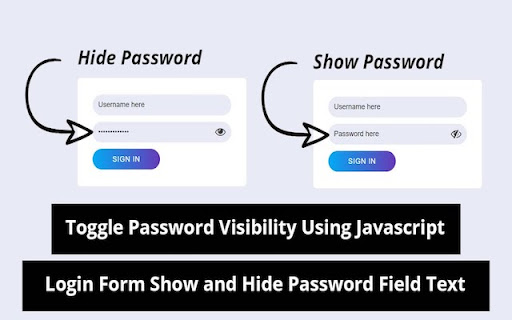
This extension will show you the password in plain text when cursor is over password fields or double click. This extension will show you the password in plain text when cursor is over password fields or double click. Have you ever deleted whole password just because you typed a single letter wrong ? Now you can get rid of it. You can also change when to show password in options.

Show/Hide Password
View hidden passwords in a secure and advanced way - عرض كلمات المرور المخفية بشكل متطور وآمن Advanced English and Arabic user interface - Modern and easy to use design Customizable settings: -Option to auto-display passwords when focused -Specify the display duration (in seconds) -Choose the color of the password fields highlight -Three security levels (High, Medium, Low) Advanced security features: -Auto-hide after a specified period of time -A log system for monitoring the use of the add-on -Different security levels for various uses Keyboard shortcuts: -Alt + P to show/hide all passwords -Alt + S to show/hide only the selected password Advanced capabilities: -Auto-detect dynamically added password fields -Filterable and clearable usage history -Visual highlighting of active fields The add-on was developed by Eng. Ahmed El-Shenawy

Glimpse: Toggle Password with Shortcut Keys
Show / hide password fields easily with shortcut keys or context menu Not all websites provide the option to toggle the visibility of the inputted passwords. This may be frustrating when you think you have mistyped a letter. Glimpse helps you show / hide any password fields easily with shortcut keys (ALT + P / Option + P) or a quick right-click from the context menu to catch any typos. Whether a site already supports password toggling or not, Glimpse extends this functionality exactly when you need it. Additionally, you can access the same functions using the same Glimpse shortcut keys! The shortcut key is also configurable via the Chrome extensions shortcut menu.

Password Disasterisker
Show password in plain text whenever the mouse is over the field ENGLISH: This extension allows you to easily show password fields on the current page. It shows password on mouse hover... ...and it copys password in clipboard on mouse click. When you locate a password field you want to show in plain text, click first on the "red padlock" icon on the top bar and then move the mouse pointer over that field. If you want to copy that password to the clipboard you have to click on the field. You can also toggle functionality on page with a keyboard shirtcut: ALT+SHIFT+8

Show Password on Double Click
Introducing "Show Password on Double Click" Chrome Extension Tired of struggling to remember and type your passwords accurately? Do you often find yourself frustrated by hidden password fields while trying to log in? Our new Chrome extension, "Show Password on Double Click," is here to help! Key Features: Seamless Visibility Toggle: Simply double-click on any password input field, and it will instantly change from hidden (password) to visible (text). Double-click again to hide it back. Safety First: The extension only affects input fields that were originally of type "password." Fields initially set to "text" will remain unchanged, ensuring that your non-password fields are not inadvertently hidden. User-Friendly: No more copying and pasting passwords to check them. Just a quick double-click and you can see what you’re typing. How It Works: Initial State Tracking: When you load a webpage, the extension automatically identifies and remembers all input fields that are of type "password." Double-Click Activation: When you double-click on a password field, the extension toggles the input type between "password" and "text," allowing you to see or hide your password as needed. Installation and Usage: Install the Extension: Go to the Chrome Web Store, search for "Show Password on Double Click," and add the extension to your browser. Activate: The extension runs in the background. Simply navigate to any website with a login form, and you're ready to go. Double-Click: Double-click on any password field to reveal the password. Double-click again to hide it. Privacy and Security: Your security is our priority. This extension does not collect, store, or transmit any data. It operates entirely within your browser, ensuring your sensitive information remains private. Upgrade your browsing experience with the "Show Password on Double Click" extension and take the hassle out of managing your passwords. Download now and enjoy a smoother, more efficient way to handle password fields!
