
gcjdagaoojgeilcobhibkgbodajcojda
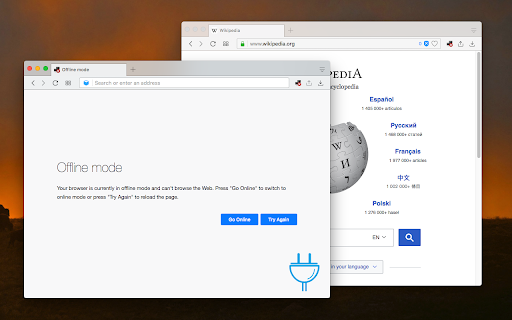
Brings work offline and online in the web page level to your browser This extension brings "Work Offline" button to your browser. When the extension is in the offline mode, no web request can be sent or received by web pages. Note that still, your extension can use the internet. So let's say you have a web-based email client and an email notifier extension. The web-based one is disconnected, but the extension one is connected. Notes: 1. You can enable and disable the offline mode right from the toolbar button. This is a toggle button. 2. If you have open tabs, those tabs cannot send and receive network requests in the offline mode 3. You can still browse local HTML files while you are in the offline mode, though these pages cannot anything to any web servers Change Log: version 0.1.2 1. Offline mode per tab. You can now use the right-click context menu item for page action to make a single tab or multiple tabs go to the offline mode. It is still possible to use the toolbar button to make all tabs work in offline mode too. version 0.1.3 1. supports navigator.onLine 2. supports "online" and "offline" events 3. respects global offline and online browser level events

rektCaptcha: reCaptcha Solver
Simply install our extension, sit back and let the AI take care of the reCaptcha challenge. We use a lightweight image classification model to solve it. Check out the source code in GitHub: https://github.com/Wikidepia/rektCaptcha-extension #################### If you find this project useful, please consider donating:

Extension Manager with Profiles
Disable unused extensions according to different profiles to free up their resource usage and to improve your privacy. The "Extension Manager with profiles" enables the user to have control over all the installed extensions in one place. You can define multiple profiles to disable or enable browser extensions in bulk to either free up space in the toolbar area or reduce background usage of the browser. It is even possible to improve your privacy by not running unnecessary extensions when visiting sensitive websites such as your bank account. Features: 1. Enable all extensions at once 2. Disable all extensions at once 3. Enable a set of extensions with just a single click (profile) 4. Has as many profiles as you would like to 5. Copy extensions information into the clipboard 6. Export profiles to a JSON file and import from it later or on a different machine Use Cases: [untrusted web] This extension can be used to browser, for instance, unsecured pages. In this case, popup blockers and adblocker extensions must be enabled. [trusted web] For normal web browsing, the CPU-intensive extensions (mainly content blocker extensions) can be switched off to improve the browser's speed. Note that each extension especially those dealing with adblocking, uses at least one network observer and by nature network observation makes your web browsing experience a bit slow.

Web Cache Viewer
Quickly view older or cached versions of the current webpage. Web Cache Viewer lets you right-click on any link or page to view the Wayback Machine or Google Cache versions of that page. When browsing the internet, everyone eventually runs into those pesky 404 error messages that are pretty annoying. Web Cache Viewer makes dealing with 404's bearable, giving users the option to right click and view the Google Cache or Wayback machine versions of the page. Our smart feature will intelligently redirect you to an archived page of the one you're on, instead of the typical archive selection screen you encounter when using archive.org directly. If Wayback Machine isn't your thing, you can also resort to the Wayback Machine alternative of using Google Cache instead. I hope you find this extension helpful. If you do, please leave a review.

Offline Tabs
Disable internet access for specific tabs. Toggle internet access for individual tabs, ensuring specific web apps or websites operate offline, improving privacy and control over your data. - Toggle Internet Access: Block or allow internet access for any open tab at the click of a button. - Right-Click Menu: Easily switch between online and offline modes by right-clicking on any webpage. - Session Scoped Rules: This extension ensures no data leaves or enters your browser from tabs set to offline mode, providing an additional layer of security. - Persistent Settings: Tabs remain in offline mode even after a page reload or browser restart. - Enhanced Privacy: Stop web apps from communicating with their backend servers by cutting off their internet access.
